Trusted by teams at






.svg)
Schedule a time with a Webflow expert to customize this template. Learn more
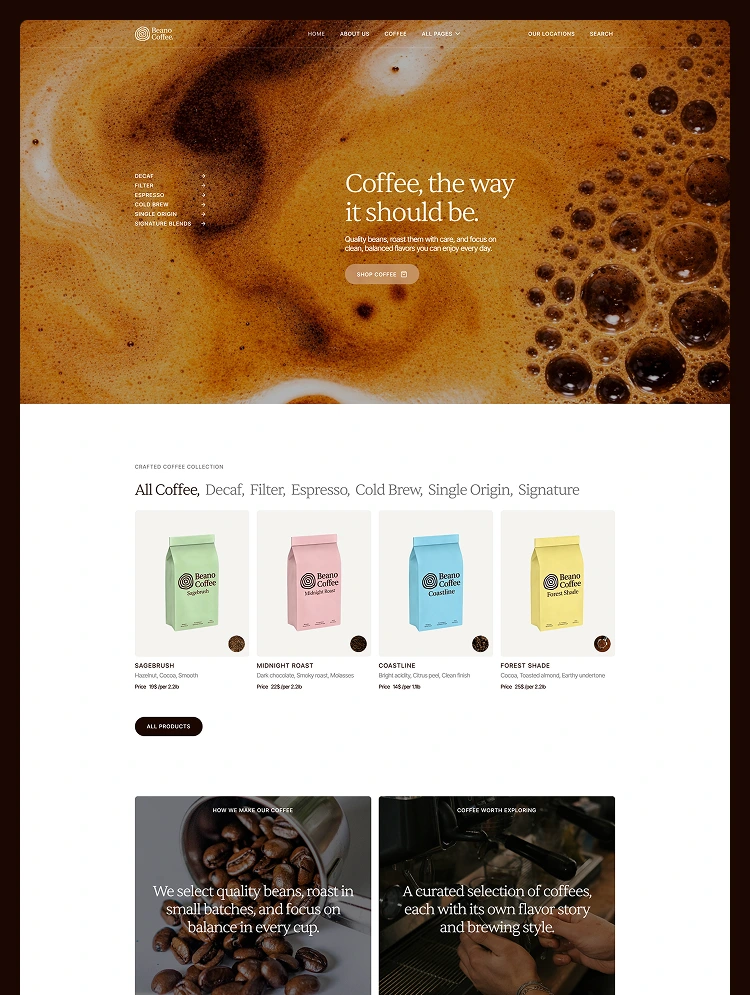
Get startedCafeteria TNC is the ideal webflow template for coffee shops or cafes that attract new customers, showcasing the ambience & passion for coffee. Suitable for coffee shops, coffee bean, machine & accessories ecommerce.
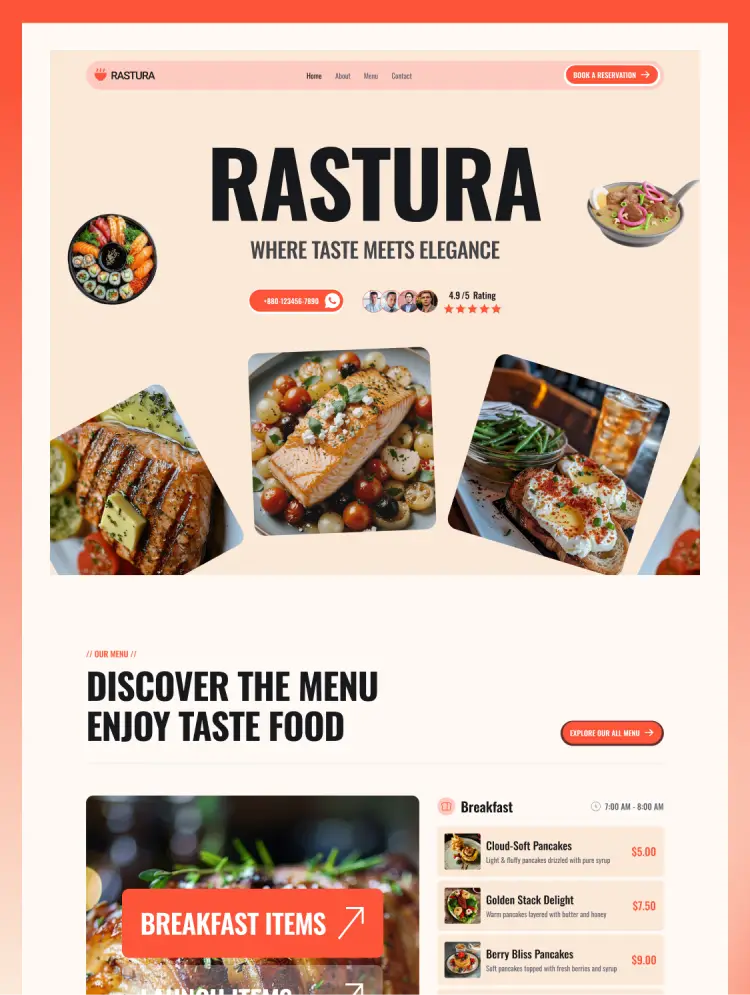
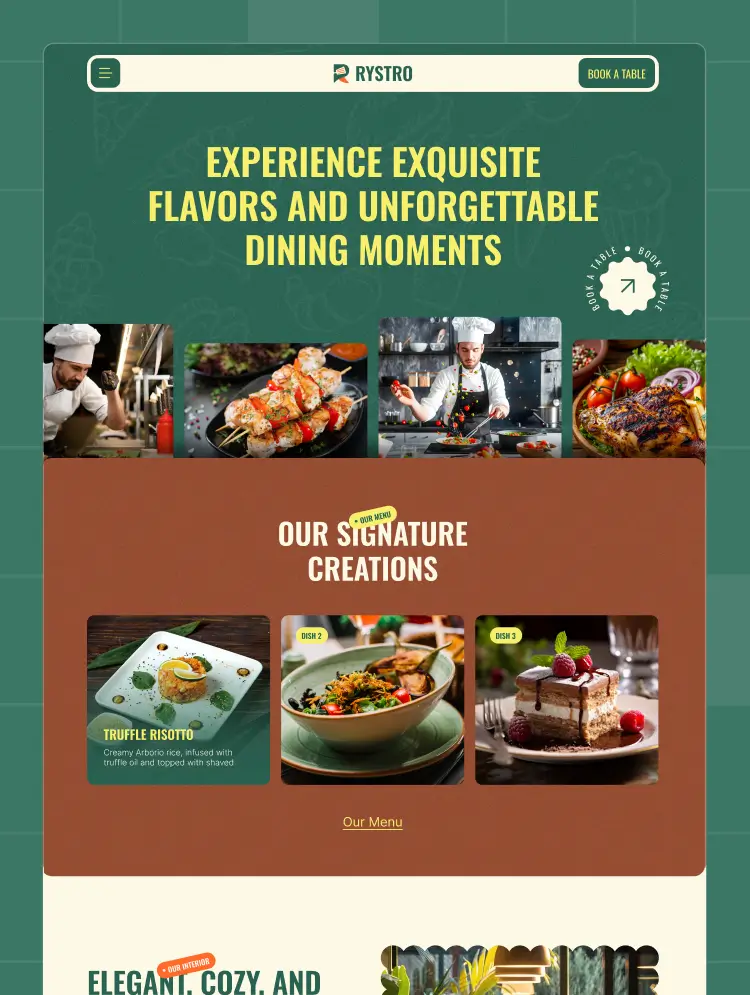
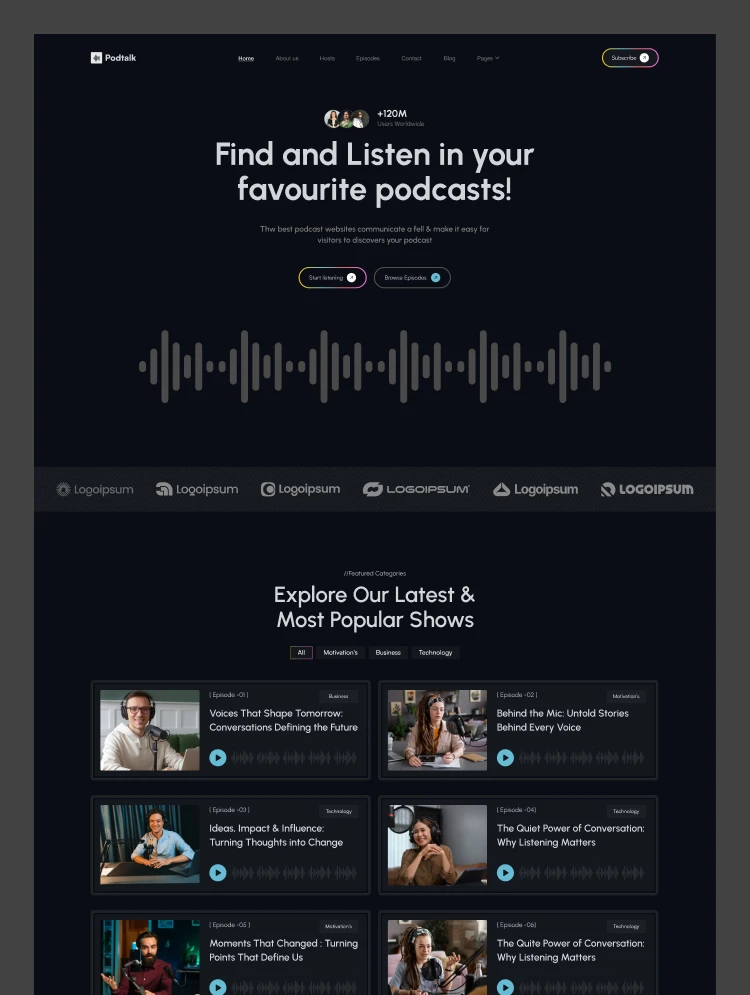
Improve your online presence with Cafeteria TNC. A perfect combination of integrated e-commerce functionality, a powerful CMS, and a sleek and responsive design. Cafeteria TNC is a beautiful and user-friendly webflow template specially designed for modern cafes, coffee shops or restaurants. This template lets you showcase your delicious menu items with mouth-watering visuals, attract new customers, manage orders without any hassle.
Cafeteria TNC allows you to showcase your innovative dishes with high-quality photos, highlighting the unique blend of flavors, which builds credibility in your cafe or restaurant. Hungry customers will search online for the perfect place to satisfy their cravings. Cafeteria TNC has all the elements and pages to meet the needs of your customers. This template is primarily created as a webflow coffee shop or cafe template, it can be used for various other needs.
Explore the live preview now!
Focused Entirely on Coffee shops or Cafes: This webflow template contains all the elements, pages and sections that a coffee shop, cafe or restaurant website should have.
Modern and Elegant Design: Cafeteria TNC has a modern, trendy and elegant design that lets you easily add your own touch to make your website shine.
Powerful E-commerce Integration: Ecommerce functionality allows customers to browse your menu, compare options, and place secure orders directly from your website – all with just a few clicks.
CMS Functionality: This template allows you to publish informative blog posts, news, and testimonials that showcase your expertise with powerful CMS integration.
Table Reservation and Booking System: A coffee shop or cafe website is incomplete without a reservation or booking system. This restaurant template provides a page with a form where visitors can book a table for them in advance.
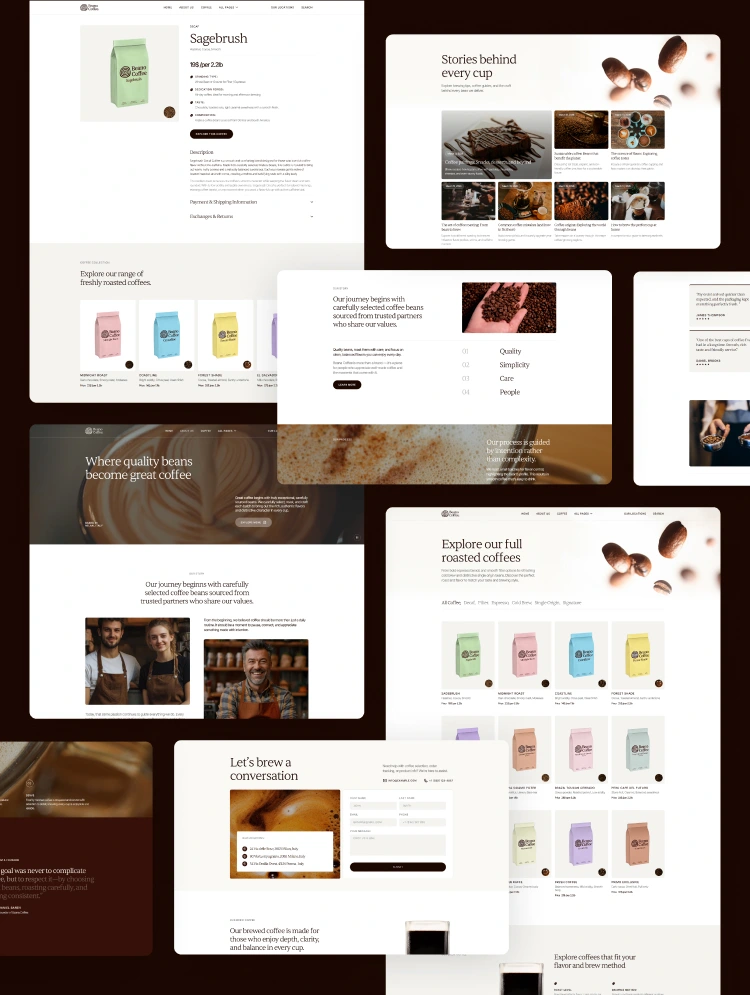
Perfectly Designed Menu Pages: Cafeteria TNC has multiple menu pages. You can easily display your menu beautifully with high-quality images and descriptions. This will attract customers and establish your brand online.
Perfectly designed Shop page: Cafeteria TNC seamlessly integrates e-commerce features, allowing you to sell products directly online. With intuitive product listing and shop functionality, you can easily showcase your menu.
Highlight Upcoming Events: The event page allows you to announce your upcoming events and include all the necessary information, such as date, time, location, and price.
Engaging Blog Showcase: The blog page is designed precisely to make it easy for visitors to find and read the blog they are looking for.
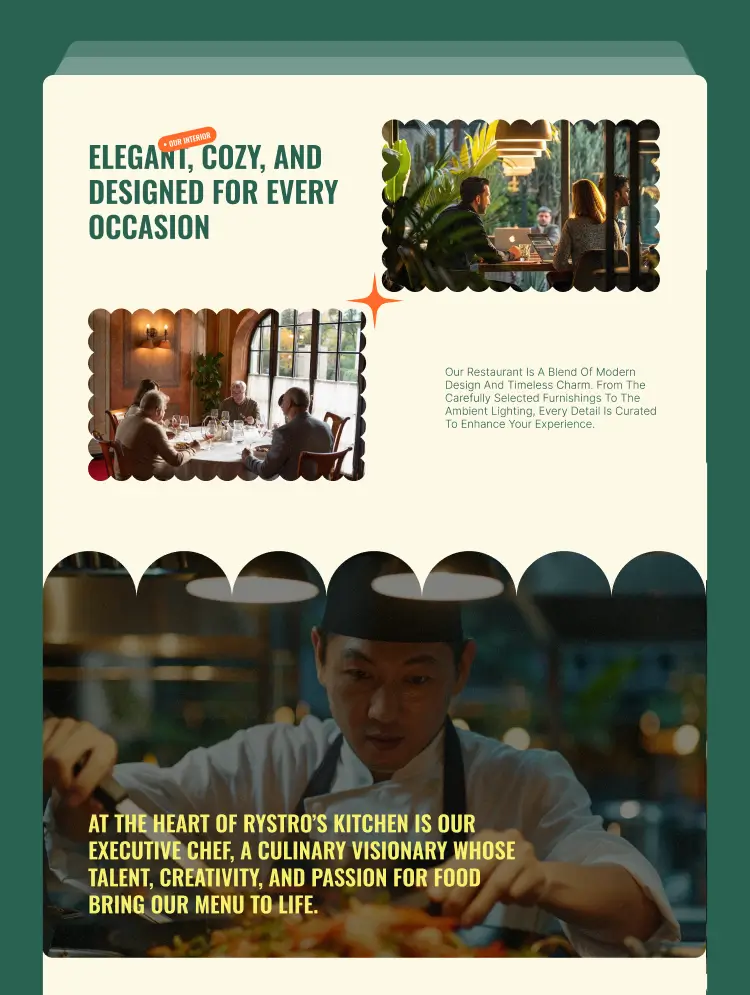
Attractive Gallery Showcase: Immerse your customers in the beauty of your service with a perfect visual gallery. Perfectly showcase your food item to get more visitors and attract new customers.
Chef’s Showcase: Keep your customers informed about your services, and let them know about the chef with a dedicated page that highlights the amazing team you have.
Contact details and Location Map: Clearly display your coffee shops or cafes contact information, including address, phone number, and an interactive map, to ensure customers can find and reach you with ease.
Modern and Responsive design: First impressions matter, and Cafeteria TNC ensures you're unforgettable. This template boasts a modern and responsive design, ensuring your website looks incredible on any device.
Impressive Layout: This webflow template provides a consistent browsing experience across all devices and frequently adapts to different screen sizes and devices.
Seamless User Experience: Ensure effortless navigation for every visitor. With clear and intuitive design elements, users can easily access the information they seek.
SEO Performance: Cafeteria TNC equips you with the tools to optimize your website for search engines, attracting new customers naturally through organic search results.
Easy Customization: This Webflow template offers seamless customization features, allowing you to personalize every aspect and ensure a cohesive online experience that perfectly represents your brand.
Dedicated Customer Support: When you choose Cafeteria TNC, you get access to exceptional support from the ThemeNcode support team. Our dedicated professionals are available to answer your questions and guide you through every step of ensuring your online presence.
Cafeteria TNC Webflow template is a product of ThemeNcode. This ensures that your website attracts attention and compels action. Create a vibrant online presence that reflects the spirit of your plastic coffee shop or cafe website. ThemeNcode has several other Webflow templates, as well as templates covering various other niches. All templates are modern, trendy, and speed-optimized. The most perfect user experience is always guaranteed by ThemeNcode.
Can only be used by you or one client for one end product. You cannot resell or redistribute this template in its original or modified state.
This template is free to use in both person and commercial projects. You cannot resell, redistribute, or license this template in its original or modified state.
Questions about this template? Just reach out to the template designer and they will get back to you within 2 business days.
For advanced design guidance, please share your questions in the Webflow Forum or reach out to a Webflow Partner.
Share your feedback by leaving a comment below.
For template support, please check the Support tab.

Use the Preview in Designer option to make any edits to the template pages and preview how the layout would fit your content. Changes in preview mode won't be saved.
It isn't possible to apply a template to an already existing project. Instead, you'll need to create a new project based on the Template.
With a Core plan (or higher), you can export sites you build in Webflow, including templates, to host them anywhere you'd like.
Webflow templates are only available for purchase through Workspaces and legacy individual accounts.
CMS templates are designed to use the power of the Webflow CMS. It is possible to downgrade to a Basic Site Plan as long as all CMS content is deleted from the project.
Use the View Connections tool to understand where the CMS content is on the site and delete any dynamic listings and CMS content. We also recommend you to check Components and the Collection page Templates.
Ecommerce templates are designed to use the power of Webflow Ecommerce. It is not possible to remove Ecommerce from a template, however, deleting all Ecommerce Products and Categories from the project, will allow to select a lower Site Plan.
Membership templates are designed to use the power of Webflow Membership. It is not possible to remove Memberships from a template.
.svg)


Uses fonts from Google's Web Font collection.
Display images and text elegantly on every device with our touch-friendly slider.
Site navigation automatically collapses into a mobile-friendly menu on smaller devices.
All graphics are optimized for devices with high DPI screens.
Custom design for the 404 page of your website
Reusable elements you can use across your site. Edit a component and all copies update instantly.
Showcase high-res photos and videos on a black backdrop.
Reposition and resize items anywhere within the grid to produce powerful, responsive layouts — faster and without code.
Shape your customer's experience and customize everything, from the home page to product page, cart to checkout.
Customize the built-in database for your project or just add new content.
Displays perfectly on desktops, tablets, and phones.
Build your lead lists and subscriber base with beautiful forms.
Comes with animations and interactions for additional polish and usability.