






Feature
Page View Goals in Analyze & Optimize
Create goals for important page views in your funnel and use them across Analyze & Optimize to measure deeper engagement.
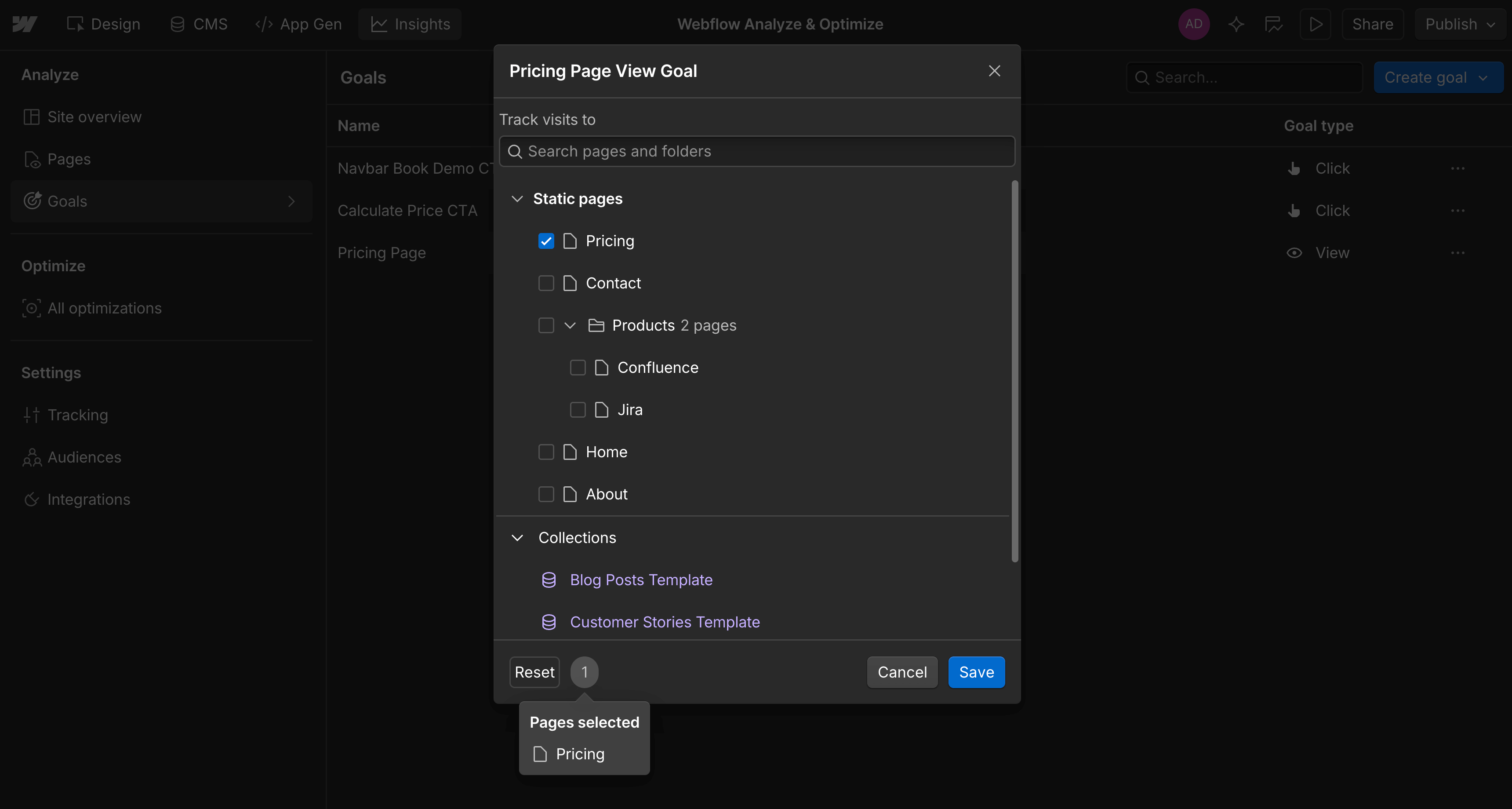
Deeper funnel metrics and improved goal targeting across Analyze & Optimize
We’re introducing two powerful updates to how you define and measure success on your Webflow site:
- New Page View Goals — Track conversions based on visits to key pages across your funnel.
- Shared goals across Analyze and Optimize — You can now use the same goals for analysis and optimization, making it easier to measure performance consistently across your workflow.
Together, these updates bring measurement and optimization closer, helping marketers, designers, and teams move faster from insight to impact.
Measure deeper funnel engagement with Page View Goals
Not all conversions happen on a button click, with many important conversion moments occurring deeper in your funnel.
With Page View Goals, you can now define a goal based on any page — both Static Pages and CMS Collections — and start measuring how often visitors view that page.
Track moments like:
- Visits to pricing, plans, or comparison pages
- Engagement with featured content or blog posts
- Reaching pricing calculators, configuration wizards, or gated content
- Form submission success pages
Use your existing goals to power experiments
We’ve made it easier to connect reporting with experimentation.
Previously, goals you set up in Analyze weren’t available in Optimize, forcing teams to create the same goals twice across your workflow.
Now, any goal you define in Analyze is instantly available in Optimize, so you can use the exact same goals to guide and measure your experiments.
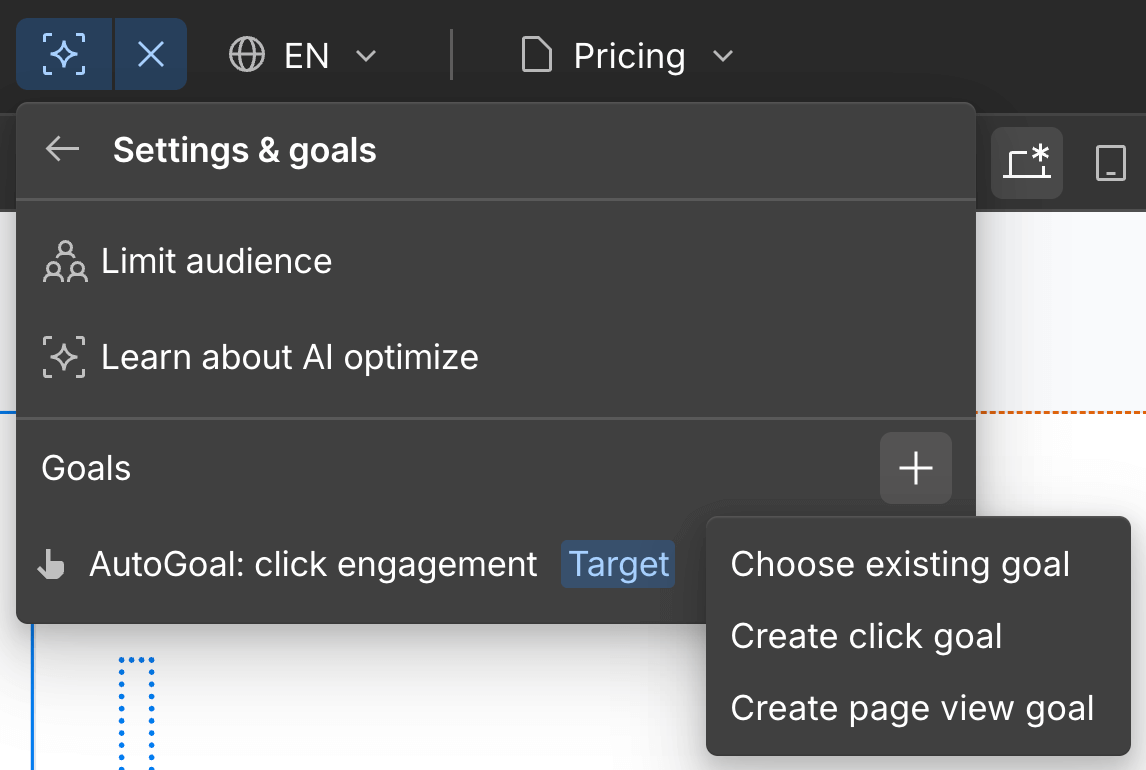
This means you can:
- Reduce setup time by defining goals only once
- Run optimizations using the same goals you rely on in Analyze
- Keep reporting and optimization aligned across your entire funnel
These updates are now available for all Analyze and Optimize customers with Webflow sites. Click to learn more about Analyze and Optimize.
Related updates




















Commencez gratuitement
Essayez Webflow aussi longtemps que vous le souhaitez grâce à notre plan Starter gratuit. Achetez un plan de site payant pour publier, héberger et débloquer des fonctionnalités supplémentaires.
Essayez Webflow aussi longtemps que vous le souhaitez grâce à notre plan Starter gratuit. Achetez un plan de site payant pour publier, héberger et débloquer des fonctionnalités supplémentaires.