






Feature
Optimize
Guide AI with custom prompts in Optimize
Custom prompts in Optimize let you steer AI copy suggestions by audience, tone, and intent — helping you launch more relevant experiments, faster.
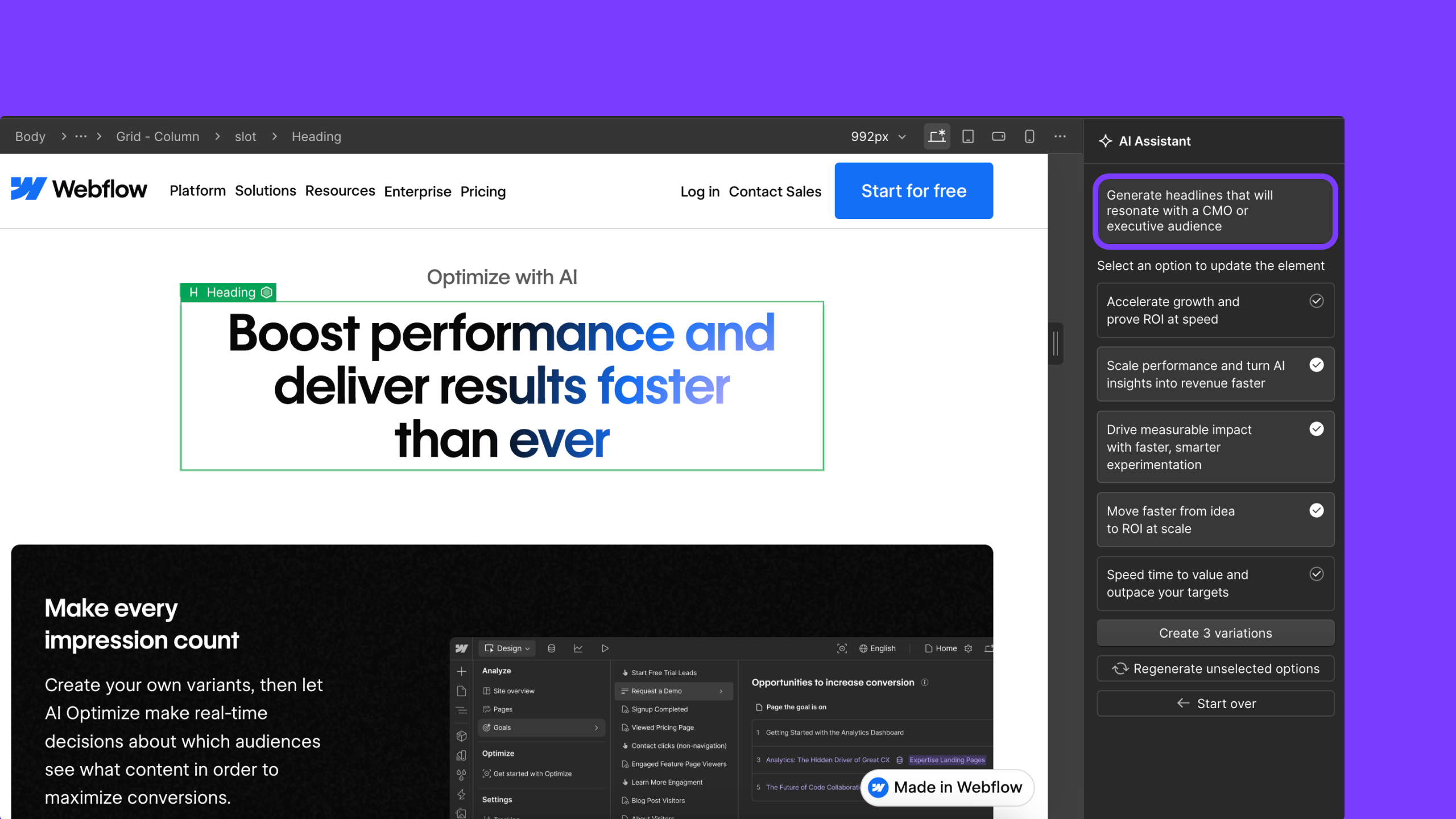
You know your audience. You know your product. What’s harder is knowing the best way to say it, especially when you’re trying to optimize copy for performance.
External AI can help, but jumping between tools often means starting from scratch, pasting in copy, and sorting through suggestions that don’t reflect your page, your brand, or your goals.
With custom prompting now available in Optimize, you can get targeted guidance on how to speak to your audience directly where you’re building and testing. Optimize’s AI reflects your page context and brand voice, combined with CRO best practices, so suggestions feel highly relevant to your goals.
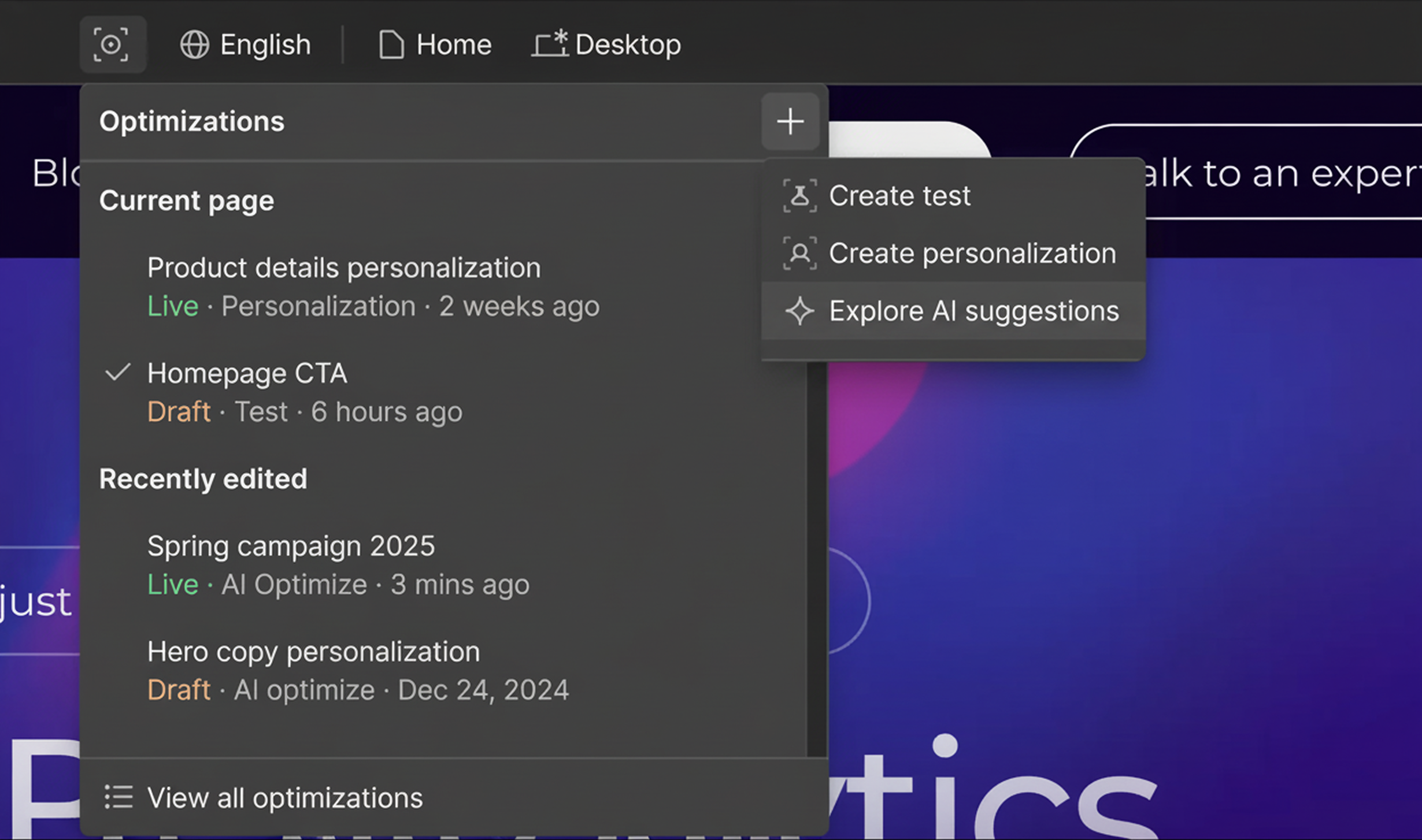
How it works: Get guided copy suggestions in context
When you click on a text element in Optimize, like a headline, paragraph, or CTA, the AI Assistant modal appears with recommended options to help improve that copy.
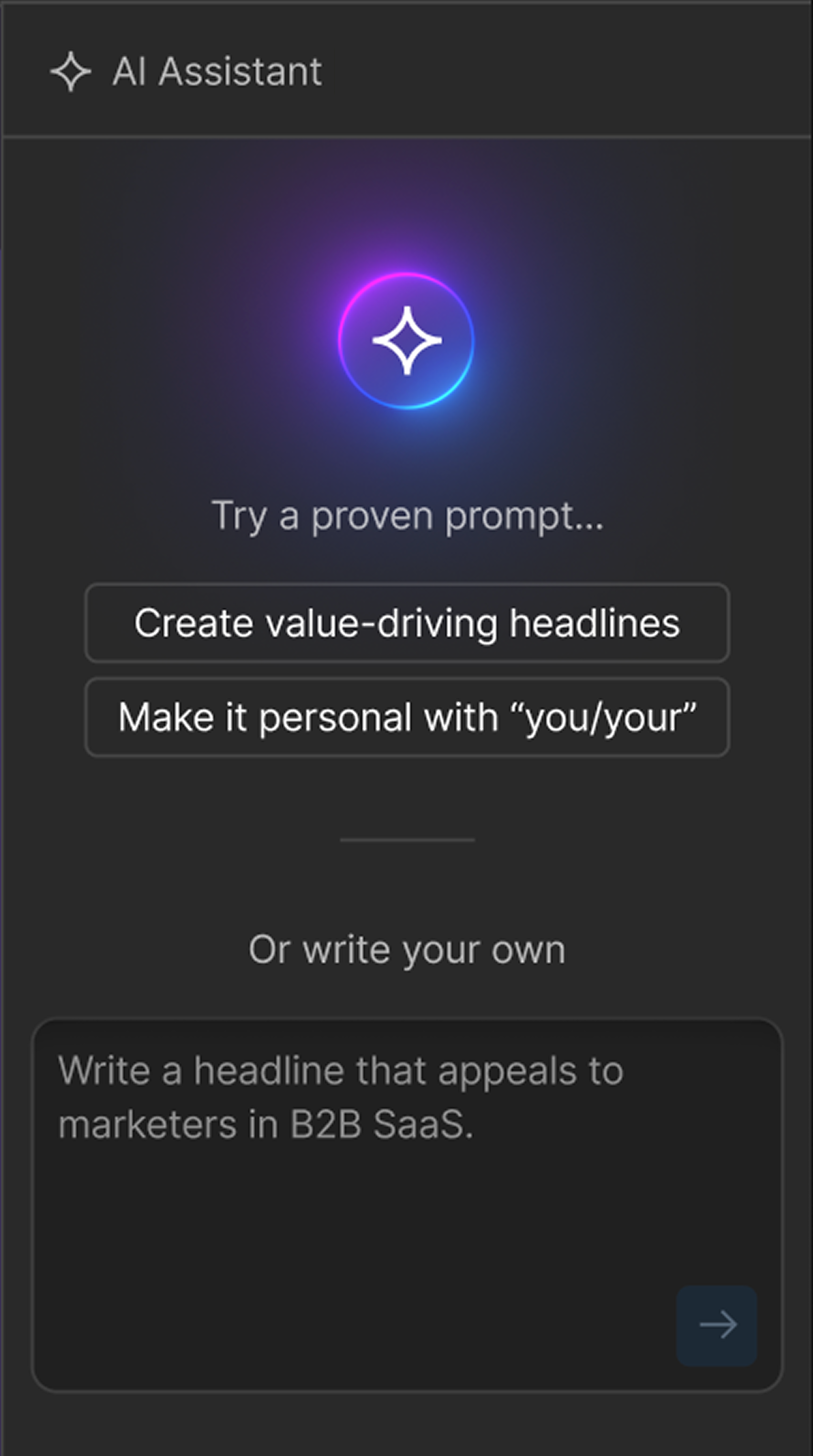
Now, alongside those suggestions, you can use a custom prompt box to guide the AI with your intent. For example, you can ask:
- “Rewrite this for an executive audience”
- “Change the tone to be more action-oriented”
- “Highlight time savings and key value propositions”
Optimize’s AI generates copy variations based on your prompt, using the selected element and surrounding page content as context. Suggestions remain grounded in testing best practices, while reflecting your audience, tone, and positioning. You can select one or more variations and continue to refine your prompt to your desired outcome.
Why it matters: Better copy, fewer tools, faster tests
Custom prompts help you move from idea to experiment with less friction. We know that teams who launch more optimizations consistently see stronger results over time — it’s a proven best practice of effective experimentation. This update makes it easier to follow that best practice by reducing the effort it takes to get each new experiment live.
With custom prompts, you can:
- Get AI-driven copy suggestions tailored to your audience and goals
- Avoid context switching to external copy tools
- Launch more relevant experiments without starting from scratch
By lowering the barrier to creating high-quality variations, custom prompts help you test more often, iterate faster, and stay focused on what matters most: learning what resonates with your audience.
This feature is available now to all Optimize customers with unlimited usage. Try it today or learn more about Optimize at webflow.com/optimize.
Related updates




















Get started for free
Try Webflow for as long as you like with our free Starter plan. Purchase a paid Site plan to publish, host, and unlock additional features.
Try Webflow for as long as you like with our free Starter plan. Purchase a paid Site plan to publish, host, and unlock additional features.