






Feature
Understand audience behavior with Webflow Analyze
Explore how audiences interact with your site in Webflow Analyze. Filter and save audiences to uncover insights and optimize experiences.
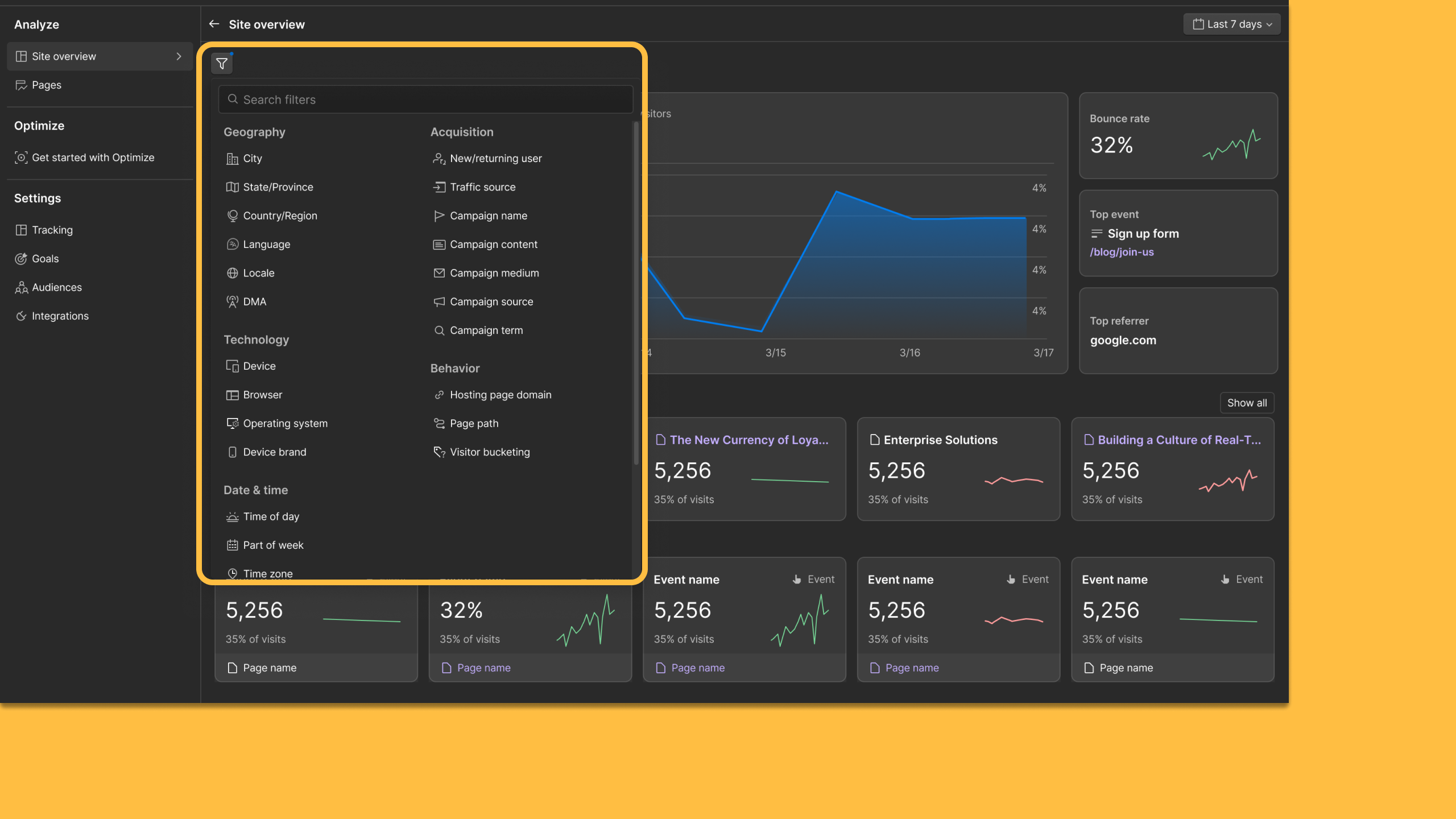
Understanding site performance starts with knowing who is on your website. While top-level metrics are essential, deeper learning and impact comes from breaking data down by the audience segments that matter most to your business.
With new Audience filters and Saved Audiences in Webflow Analyze, teams can explore behavioral data by audience through an intuitive, visual interface, making it easier to uncover new learnings and apply them to optimization efforts.
Webflow Analyze shows marketing, content, and design teams how visitors interacted with a site, from scroll depth to top-clicked elements and traffic channels. These updates expand that view by adding audience context, helping teams identify where different segments engage, hesitate, or drop off — and act on those insights within the same platform.
Filter insights by audience
Audience filters can now be applied across key Analyze surfaces, including Site Overview, Page Details, and Analyze Mode.
This allows teams to visually explore how specific audiences interact with different parts of their site and quickly surface patterns that may not be visible when looking at all visitors together.
For example, you can filter for:
- Engagement differences between new and returning visitors
- How paid traffic interacts with key sections compared to organic traffic
- How visitors from specific UTM parameters interact with calls to action
These audience-level views make it easier to identify where focused experimentation or personalization may have the greatest impact.
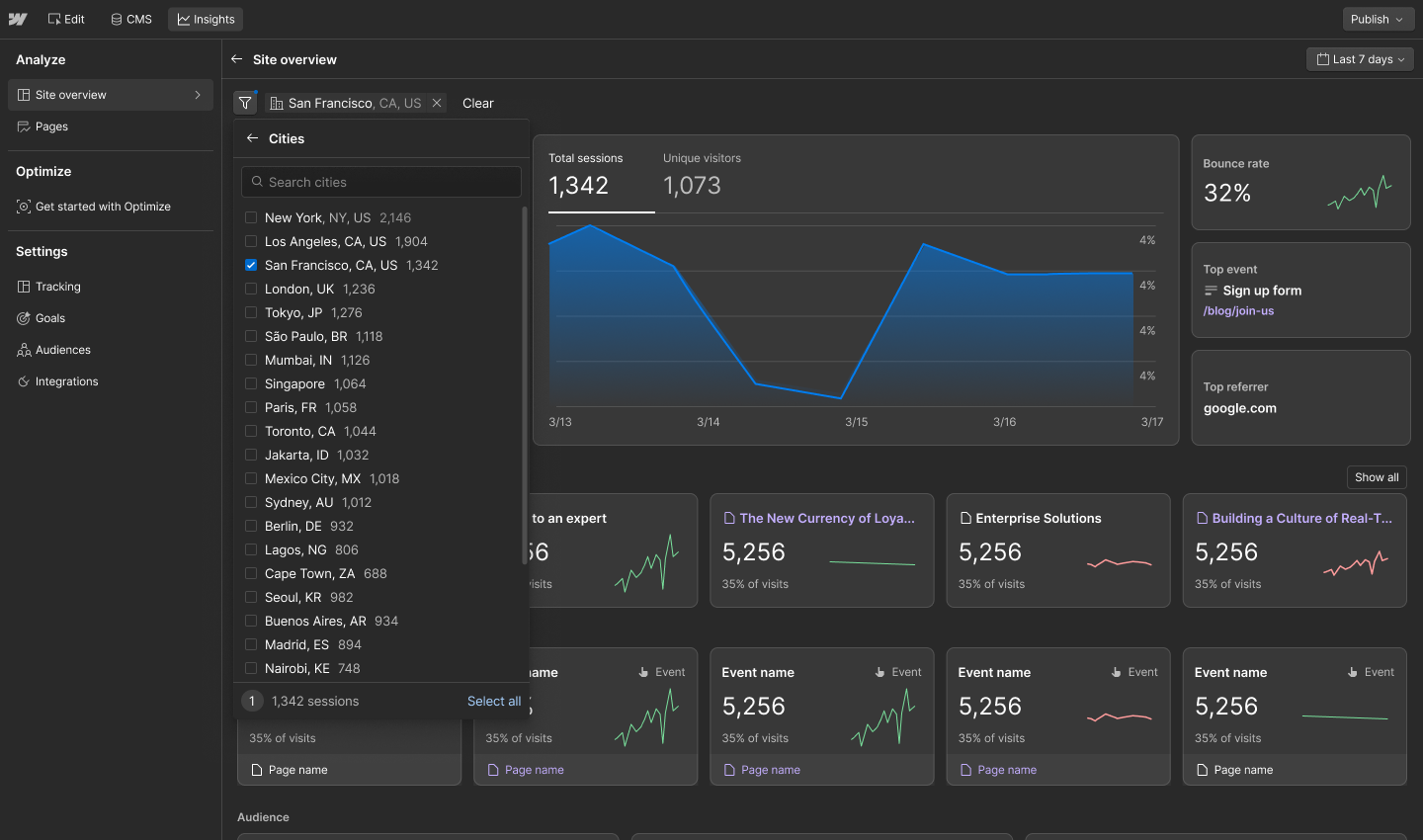
Save audiences and reuse them across Analyze and Optimize
You can now save the audiences you care about and reuse them across Analyze and Optimize, creating a consistent workflow from exploration to execution.
That means you can:
- Define audiences once, such as returning users from email campaigns
- Revisit those audiences anytime when analyzing site behavior
- Use the same definitions when running Webflow Optimize experiments or personalization
This reduces setup time and keeps analysis and optimization aligned.

Why this matters
For site owners, designers, content marketers, and growth teams, performance data is most useful when it reflects the audiences that are driving results. Audience context helps teams prioritize where to focus, which segments to test, and how to tailor experiences more effectively.
Webflow Analyze supports deeper behavioral analysis while remaining easy to explore and act on. Combined with Webflow Optimize, these updates help teams move from observation to improvement with less friction.
All Analyze customers can now filter and save audiences — try it out today. Looking to add Analyze to your plan? Visit webflow.com/analyze to get started.
Related updates




















Fangen Sie kostenlos an
Testen Sie Webflow so lange Sie möchten mit unserem kostenlosen Starter-Paket. Erwerben Sie einen kostenpflichtigen Site-Tarif, um zusätzliche Funktionen zu veröffentlichen, zu hosten und freizuschalten.
Testen Sie Webflow so lange Sie möchten mit unserem kostenlosen Starter-Paket. Erwerben Sie einen kostenpflichtigen Site-Tarif, um zusätzliche Funktionen zu veröffentlichen, zu hosten und freizuschalten.