






Yoast SEO
Yoast SEO is a WordPress-only plugin and cannot run on Webflow, but you can replicate its core functionality through Webflow's native SEO tools, third-party marketplace apps, and custom code.

Teams moving from WordPress to Webflow frequently arrive at the same question: what happens to all the SEO tooling that lived in Yoast? None of it transfers directly. Yoast requires WordPress's PHP backend and plugin architecture, which Webflow's managed infrastructure doesn't support. This isn't a gap that will be patched; it's an architectural incompatibility.
Webflow covers most of what Yoast handles natively, and where it doesn't, there are Webflow-native apps and custom code patterns that fill the remaining gaps. This guide maps Yoast's features to their Webflow equivalents, whether you're a developer setting up SEO automation via the API, a content team that relied on Yoast's real-time scoring, or an agency managing multiple client sites.
How to replicate Yoast SEO functionality on Webflow
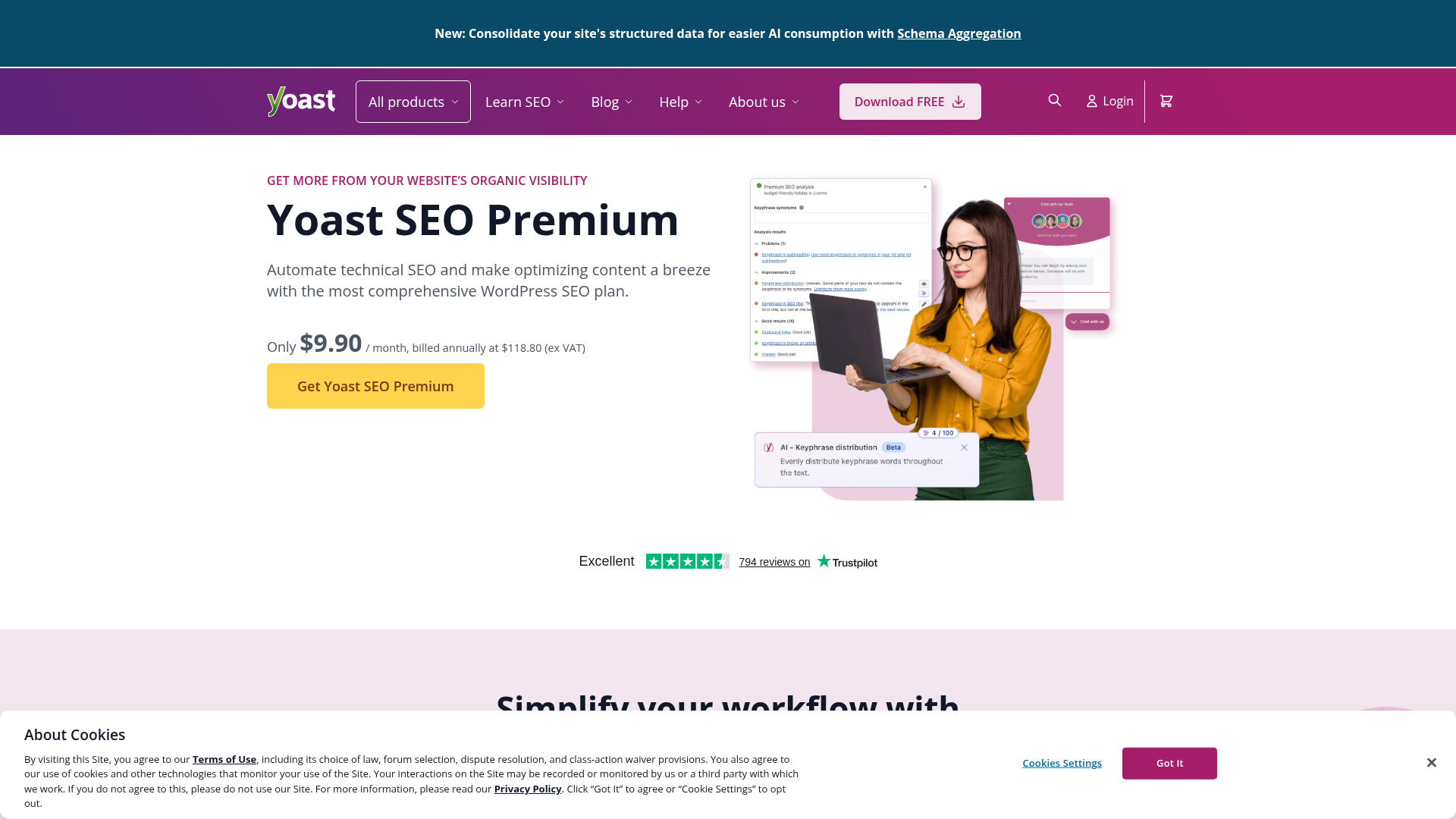
What is Yoast SEO? Yoast SEO is a WordPress plugin that provides real-time content analysis, focus keyword optimization, readability scoring, automated schema markup, meta tag management, and XML sitemap generation. It operates exclusively within WordPress's PHP environment and plugin architecture.
Webflow's proprietary managed platform doesn't support WordPress plugins or provide the server-level access Yoast requires. This is a fundamental architectural incompatibility, not a temporary limitation.
Since Yoast SEO can only run on WordPress, replicating its functionality on Webflow means mapping its features to Webflow tools. Webflow covers Yoast's core technical SEO capabilities natively: meta tags, sitemaps, canonical tags, Open Graph, 301 redirects, and robots.txt. For Yoast's real-time content scoring and advanced schema automation, you can install third-party Webflow marketplace apps, write custom JavaScript, or build programmatic workflows through the Webflow API.
The three approaches below are independent and can be combined:
- Webflow's native tools cover the technical SEO baseline: meta tags, sitemaps, canonical tags, redirects, and robots.txt — no plugins or code required.
- Webflow marketplace apps handle real-time content analysis, site-wide auditing, and bulk schema operations.
- Custom code and the Webflow API cover schema automation and programmatic SEO at scale, and require developer resources.
Map Yoast features to Webflow's native tools
Webflow covers Yoast's primary technical SEO features without any plugins or custom code. Here is the direct feature mapping:
- Meta tag editor: Webflow's per-page SEO settings let you write static titles and descriptions or pull them dynamically from Webflow CMS fields using field references. Webflow AI can also generate missing metadata across your site in bulk.
- XML sitemap generator: Webflow auto-generates a sitemap at
yourdomain.com/sitemap.xmlthat updates on every publish and can be submitted directly to Google Search Console. - Canonical tag controls: Configurable at the page and site level in Webflow's SEO settings.
- Open Graph editor: Webflow's social sharing cards let you set custom titles, descriptions, and preview images per page.
- Redirect manager: Webflow's 301 redirect management in site settings supports individual redirects or bulk CSV import.
- Image alt text editor: Webflow's alt text fields on all images support AI-assisted bulk generation for large sites.
- Robots.txt editor: Webflow's robots.txt controls in site settings let you manage crawler directives without touching code.
Webflow also handles several technical SEO fundamentals automatically: SSL certificates are provisioned for all sites, pages are served via a global CDN, and the platform outputs clean semantic HTML.
One feature Webflow doesn't replicate natively is Yoast's real-time traffic-light scoring as you write. For that, you need one of the marketplace apps in the next section.
Install Webflow marketplace apps for real-time analysis
Three Webflow apps cover the content analysis and bulk optimization capabilities that Yoast handles inside WordPress. They're independent — install one or combine them depending on your workflow.
AI SEO Copilot is a free, open-source app that provides on-page SEO checks and AI-powered recommendations directly inside Webflow. It runs 18 checks against your pages — keyword usage, meta tag quality, structural SEO elements — and surfaces recommendations as you build. It's the closest equivalent to Yoast's per-page traffic-light scoring. No login or credit card required.
Semflow provides site-wide auditing, keyword tracking, and schema markup from a dashboard connected to your Webflow site. It crawls all static and CMS pages, scores them against ranking factors, and tracks keyword positions over time. The schema builder covers Local Business, FAQ, Article, and Services schema types without requiring code. Semflow also generates AI-optimized meta titles and descriptions in bulk and connects to Google PageSpeed Insights for performance scoring. It suits agencies managing multiple client projects.
FluidSEO focuses on bulk operations: AI-generated alt text for images (including CMS images), bulk meta tag editing via CSV import and export, and schema markup for Article and Organization types. Setup requires OAuth authorization and manual CMS field configuration for advanced features. Use FluidSEO for sites with large CMS catalogs where per-page manual optimization isn't practical.
Choose AI SEO Copilot for per-page analysis as you build. Use Semflow for ongoing site auditing, keyword tracking, or no-code schema markup. Use FluidSEO for bulk alt text generation and CSV-based metadata management at scale. Most production setups combine two of these.
Implement custom code for schema markup and pagination
Yoast handles several advanced SEO features automatically through PHP. In Webflow, you implement these through custom code in the head and body tags. Custom code access requires an active paid Webflow site plan. Site-level head and footer code fields each support up to 50,000 characters.
Replicate Yoast's pagination noindex handling
Webflow's pagination system adds URL parameters like ?Blogpage=2 to Collection List pages. Search engines may index these as duplicate content — something Yoast handles automatically in WordPress. Add this script to Site Settings > Custom Code > Head Code:
<script>
  (function () {
    const params = new URLSearchParams(window.location.search);
    for (const key of params.keys()) {
      if (key.endsWith('_page')) {
        const meta = document.createElement('meta');
        meta.name = 'robots';
        meta.content = 'noindex';
        document.head.appendChild(meta);
        break;
      }
    }
  })();
</script>
Replicate Yoast's dynamic canonical logic
Yoast manages canonical URLs automatically per-page in WordPress. In Webflow, create a Link field named canonical-url in your CMS collection, then add this to Collection Template Page Settings > Custom Code > Head:
<script>
  const canonicalUrl = "{{wf {path:canonical-url, type:Link} }}";
  if (canonicalUrl !== "") {
    const link = document.createElement('link');
    link.rel = 'canonical';
    link.href = canonicalUrl;
    document.head.appendChild(link);
  } else {
    const fallbackLink = document.createElement('link');
    fallbackLink.rel = 'canonical';
    fallbackLink.href = window.location.href;
    document.head.appendChild(fallbackLink);
  }
</script>
The fallback ensures a canonical tag is always present, even when the CMS field is empty. This pattern handles syndicated content scenarios where you need to point to an original source outside your site.
Replicate Yoast's schema markup automation
Yoast generates JSON-LD structured data automatically in WordPress. In Webflow, you add schema manually per page or build dynamic templates for CMS content. The example below shows a BlogPosting schema using CMS field references. Replace the field slugs with your actual collection field names, and add to Collection Template Page Settings > Custom Code > Head:
<script type="application/ld+json">
{
  "@context": "https://schema.org",
  "@type": "BlogPosting",
  "headline": "{{wf {path:name, type:PlainText} }}",
  "datePublished": "{{wf {path:published-on, type:Date} }}",
  "author": {
    "@type": "Person",
    "name": "{{wf {path:author, type:PlainText} }}"
  }
}
</script>
Validate the output with Google's Rich Results Test before publishing. Schema syntax errors silently prevent rich results from appearing in search. For sites with many schema types or large CMS catalogs, Semflow's schema builder handles this without code.
Use the Webflow API for programmatic SEO workflows
The Webflow API enables bulk meta tag audits, automated publishing with SEO validation, and headless CMS implementations that scale beyond what manual editing can support. This approach requires server-side development — Webflow doesn't execute backend logic, so you need serverless functions (AWS Lambda, Vercel, or Cloudflare Workers) or an external server to run these workflows.
API rate limits vary by site plan and are enforced per API key. The API returns a 429 error when limits are exceeded, along with a Retry-After header. Build exponential backoff into any script making bulk API calls.
Bulk meta tag optimization
Fetch all CMS items, check for missing or short meta descriptions, and update them programmatically using the official JavaScript SDK:
import Webflow from 'webflow-api';

const webflow = new Webflow({ token: process.env.WEBFLOW_API_TOKEN });

async function optimizeMetaDescriptions(collectionId) {
  const items = await webflow.collections.items.listItems(collectionId);

  for (const item of items.items) {
    // Meta descriptions should be 120-160 characters
    if (!item.fieldData['meta-description'] ||
        item.fieldData['meta-description'].length < 120) {
      await webflow.collections.items.updateItem(collectionId, item.id, {
        fieldData: {
          'meta-description': generateOptimizedDescription(item)
        }
      });
    }
  }
}
This handles meta tag audits and corrections across large CMS collections without opening each item manually.
Automated publishing with SEO validation
Add pre-publish validation to catch missing SEO fields before content goes live:
async function publishWithSEOValidation(collectionId, contentData) {
  const validation = {
    hasTitle: contentData.title && contentData.title.length >= 30,
    hasMetaDesc: contentData.metaDescription &&
      contentData.metaDescription.length >= 120,
    hasAltText: contentData.featuredImage?.alt?.length > 0
  };

  if (Object.values(validation).every(check => check === true)) {
    await webflow.collections.items.createItem(collectionId, {
      fieldData: contentData,
      isArchived: false,
      isDraft: false
    });
  } else {
    throw new Error('SEO validation failed: ' + JSON.stringify(validation));
  }
}
Programmatic schema markup via CMS fields
For large product or article catalogs, generate JSON-LD schema from CMS field data rather than writing it per-page:
function generateProductSchema(product) {
  return {
    "@context": "https://schema.org",
    "@type": "Product",
    "name": product.name,
    "description": product.description,
    "image": product.images,
    "offers": {
      "@type": "Offer",
      "price": product.price,
      "priceCurrency": "USD",
      "availability": product.inStock
        ? "https://schema.org/InStock"
        : "https://schema.org/OutOfStock"
    }
  };
}
Inject the generated schema into page-level custom code using Webflow's template syntax to populate properties from collection items automatically. This scales Product schema across large catalogs without per-page manual editing. These API-based workflows cover the programmatic SEO automation that Yoast handles through WordPress hooks — they're the right choice when the volume or complexity of your SEO operations exceeds what apps and manual editing can support.
What you can build without Yoast on Webflow
Without Yoast available, you can still build the same range of SEO workflows that WordPress teams run by combining Webflow's native tools with marketplace apps and API integrations.
Here are a few things you can build:
- Programmatic SEO pages at scale: Generate keyword-targeted landing pages using Webflow CMS collections, with dynamic meta tags pulled from CMS fields and JSON-LD schema templates applied automatically — the equivalent of Yoast Premium's multi-keyphrase and schema automation applied at volume across thousands of pages.
- Agency client portfolios with consistent SEO baselines: Build reusable page templates with pre-configured schema markup, Semflow audit connections, and CMS field mappings for meta titles and descriptions, so each new client site starts with a validated SEO structure rather than configuring from scratch.
- E-commerce product catalogs with automated schema: Map Product schema across hundreds of SKUs using CMS field references in JSON-LD templates, generating rich search results — pricing, availability, and reviews — without per-product manual markup. This covers the same use case as Yoast WooCommerce SEO on WordPress stores.
- Multi-author editorial workflows with pre-publish SEO validation: Use the Webflow API to validate meta description length, title tag presence, and image alt text before any CMS item publishes, catching the same SEO gaps that Yoast's editorial workflow flags inside WordPress.
To get started, install AI SEO Copilot from the Webflow Apps Marketplace for immediate per-page analysis, and review Webflow's native SEO documentation before writing custom code to confirm which Yoast features your site already has covered.
Frequently asked questions
No. Webflow doesn't support WordPress plugins. Yoast requires WordPress's PHP backend and plugin architecture, which Webflow's managed infrastructure doesn't provide. This is a permanent architectural incompatibility: you cannot export Yoast settings to Webflow, use Yoast's API with Webflow, or embed Yoast widgets on Webflow pages. Webflow's native SEO tools cover meta tags, sitemaps, canonical tags, 301 redirects, robots.txt, and schema markup. For real-time content scoring, use AI SEO Copilot or Semflow from the Webflow Apps Marketplace.
Install AI SEO Copilot from the Webflow Apps Marketplace. It's free, runs 18 on-page checks, and surfaces AI-powered recommendations directly inside Webflow as you build — the closest equivalent to Yoast's traffic-light scoring system. For ongoing site-wide auditing beyond per-page analysis, Semflow crawls all pages, tracks keyword rankings, and surfaces technical issues from a multi-site dashboard.
You have three options. Semflow's schema builder covers Local Business, FAQ, Article, and Services types without any code — the simplest path for most sites. For one-off or static pages, add JSON-LD manually via Page Settings > Custom Code > Head. For CMS-driven content at scale, build dynamic JSON-LD templates using Webflow's CMS field references in Collection Template page settings, which auto-populate schema properties from collection data on every page. Validate all implementations with Google's Rich Results Test before publishing.
There is no automated transfer tool — Yoast metadata doesn't export to Webflow format. You need to manually carry over meta titles, descriptions, schema markup, and Open Graph tags into Webflow's page settings and CMS fields. The most important pre-launch step is setting up 301 redirects in Webflow's site settings, mapping every old WordPress URL to its new Webflow equivalent before pointing your domain. A complete redirect setup preserves link equity and prevents 404s on backlinks. Once migrated, Webflow's sitemap auto-generates on every publish, so ongoing sitemap management drops off your list.
Not natively — Webflow doesn't include a multi-site SEO dashboard. Semflow displays audit scores and keyword data for multiple Webflow projects from a single dashboard, which covers the agency and multi-client use case well. For custom multi-site tooling, the Webflow API lets you build scripts that pull SEO field data across sites programmatically and flag pages that don't meet your requirements.
Description
Yoast SEO is a WordPress-only plugin that can't run on Webflow. Replicate its functionality through Webflow's native SEO tools, marketplace apps like AI SEO Copilot and Semflow, custom code for schema and pagination, or the Webflow API for programmatic SEO at scale.
This integration page is provided for informational and convenience purposes only.

Linknavigator
Connect Linknavigator with Webflow to automate internal linking, monitor link health, and improve SEO across content-heavy sites.
PixelFlow
Connect PixelFlow to Webflow for sending conversion data directly through PixelFlow's servers to Meta.
Schema Flow
Connect Schema Flow with Webflow to add structured data markup across your site using a no-code interface with AI suggestions and CMS collection mapping.
PromoteKit
Connect PromoteKit, a Stripe-native affiliate tracking platform, with Webflow to run an affiliate program with commission tracking through Stripe's payment lifecycle.
Semflow
Connect Semflow with Webflow to run AI-assisted SEO audits, keyword research, rank tracking, schema markup, and metadata generation directly inside the Webflow Designer.
Cometly
Connect Cometly, a marketing attribution platform, with Webflow to track which ads drive form submissions and send conversion data back to ad platforms.
Cometly
Connect Cometly, a marketing attribution platform, with Webflow to track which ads drive form submissions and send conversion data back to ad platforms.
Website Speedy
Connect Website Speedy, a site speed optimization tool, with Webflow to improve Core Web Vitals scores and page load times through automated speed optimizations.
Optibase
Connect Optibase with Webflow to run A/B tests without writing code.
Related integrations
Get started for free
Try Webflow for as long as you like with our free Starter plan. Purchase a paid Site plan to publish, host, and unlock additional features.
