All updates

Enhancement

Interactions

More powerful Bezier curve controls for CSS transitions

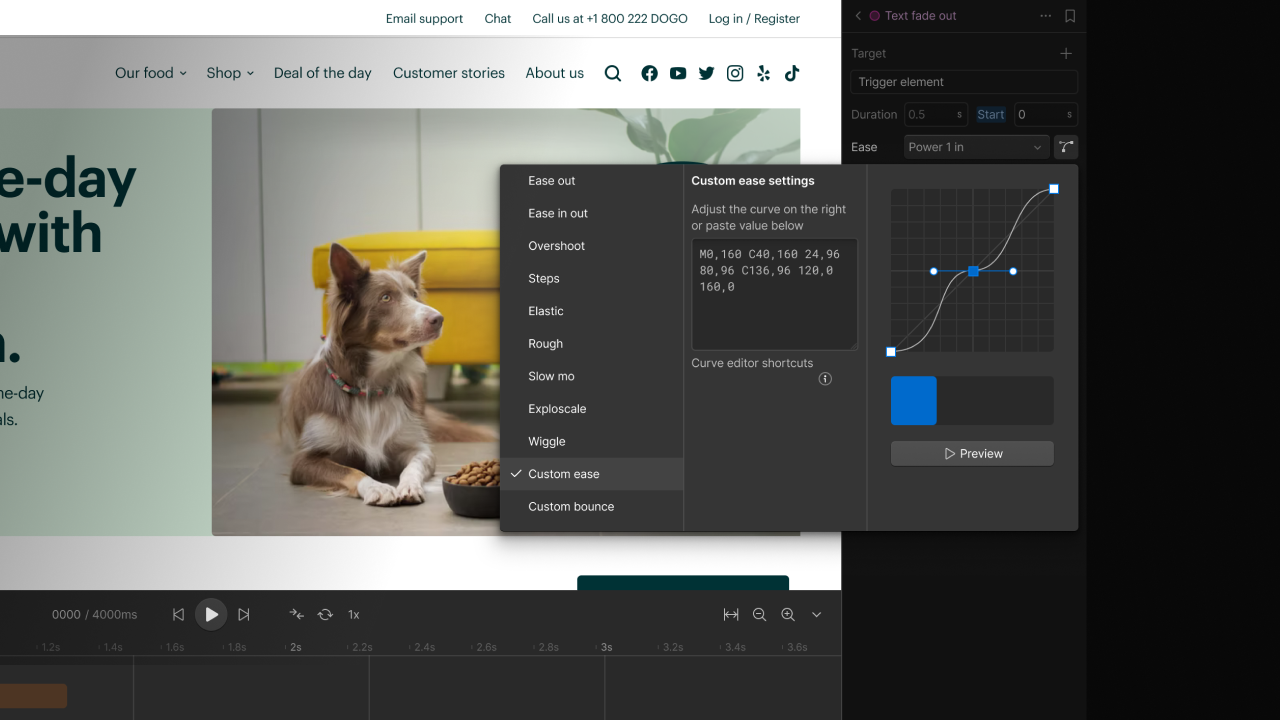
Ever wanted to get super precise with the Bezier curves of your CSS transitions? Well, now you can, with a whole new way to customize these animations.

More powerful Bezier curve controls for CSS transitions

We've made some dramatic improvements to the power and precision that you have when it comes to shaping your CSS transitions. Instead of just choosing pre-set curves, you can now pull and push your transition curves to perfection, testing the results right alongside as you make your tweaks.

Check out our example below of a customized curve for a transform transition:
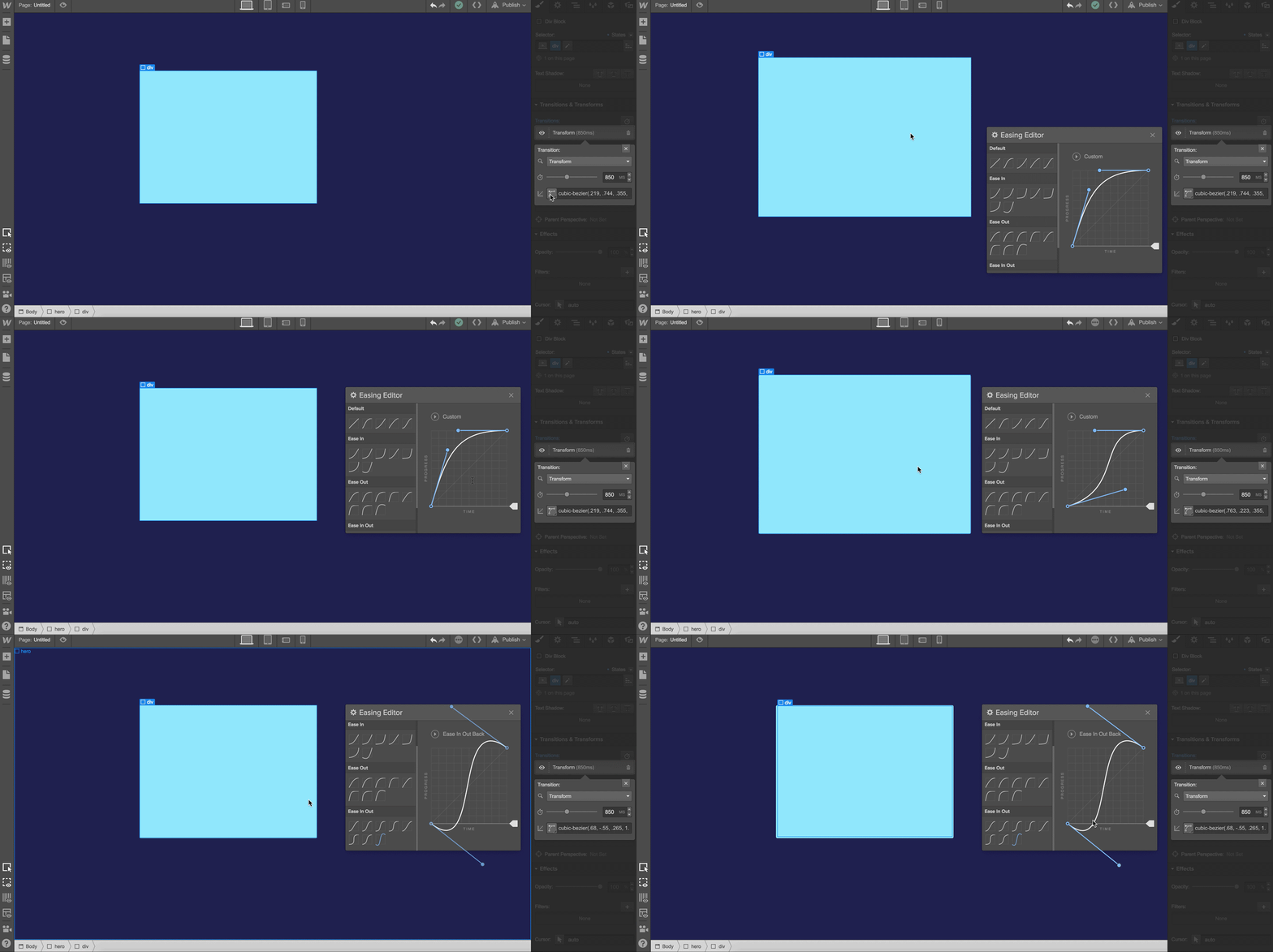
Talk about control, right? (Plus, you can drag the panel anywhere on the canvas.)

Launched on
September 1, 2016
Category
Interactions

Related updates

Manipulate Rive animations using Interactions with GSAP

Manipulate Rive animations using Interactions with GSAP

Learn more
Bring Interactions with GSAP into your design system

Bring Interactions with GSAP into your design system

Learn more
Animate variables using Interactions with GSAP

Animate variables using Interactions with GSAP

Learn more
Copy & paste interactions between sites

Copy & paste interactions between sites

Learn more
New to Interactions with GSAP: Spline action & ease visualizer

New to Interactions with GSAP: Spline action & ease visualizer

Learn more
New action types in Interactions with GSAP: Lottie & Set

New action types in Interactions with GSAP: Lottie & Set

Learn more

verifone logomonday.com logospotify logoted logogreenhouse logoclear logocheckout.com logosoundcloud logoreddit logothe new york times logoideo logoupwork logodiscord logo

Get started for free

Try Webflow for as long as you like with our free Starter plan. Purchase a paid Site plan to publish, host, and unlock additional features.

Get started — it’s free
Watch demo

Try Webflow for as long as you like with our free Starter plan. Purchase a paid Site plan to publish, host, and unlock additional features.