






Feature
Edit Mode
Faster, safer content editing for Marketers and Content editors
New content editing improvements for Marketers and Content editors in Webflow

We’ve rolled out a bundle of improvements that makes content editing in Webflow faster and clearer for Marketers and Content editors, while helping teams stay in control.
What’s new
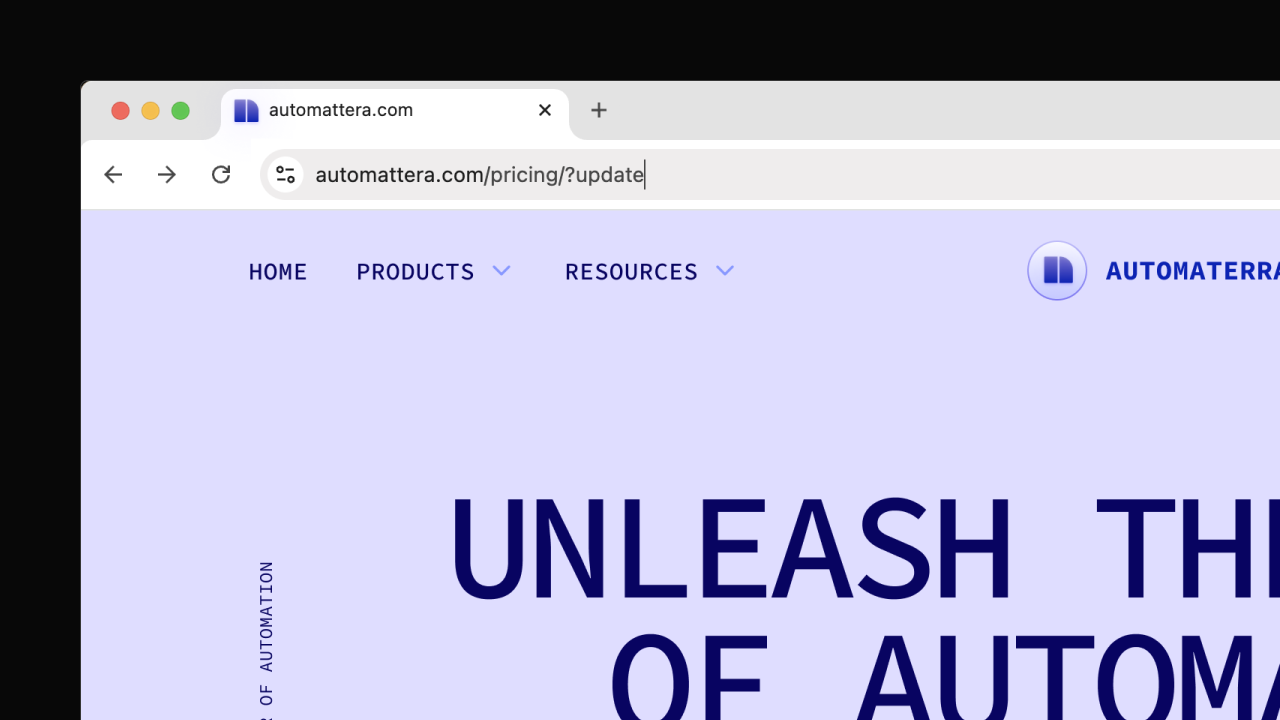
- Quick access to edit content: Add ?update to any Webflow-hosted site URL to jump straight into the canvas on the page you’re viewing, a faster path for quick content changes.
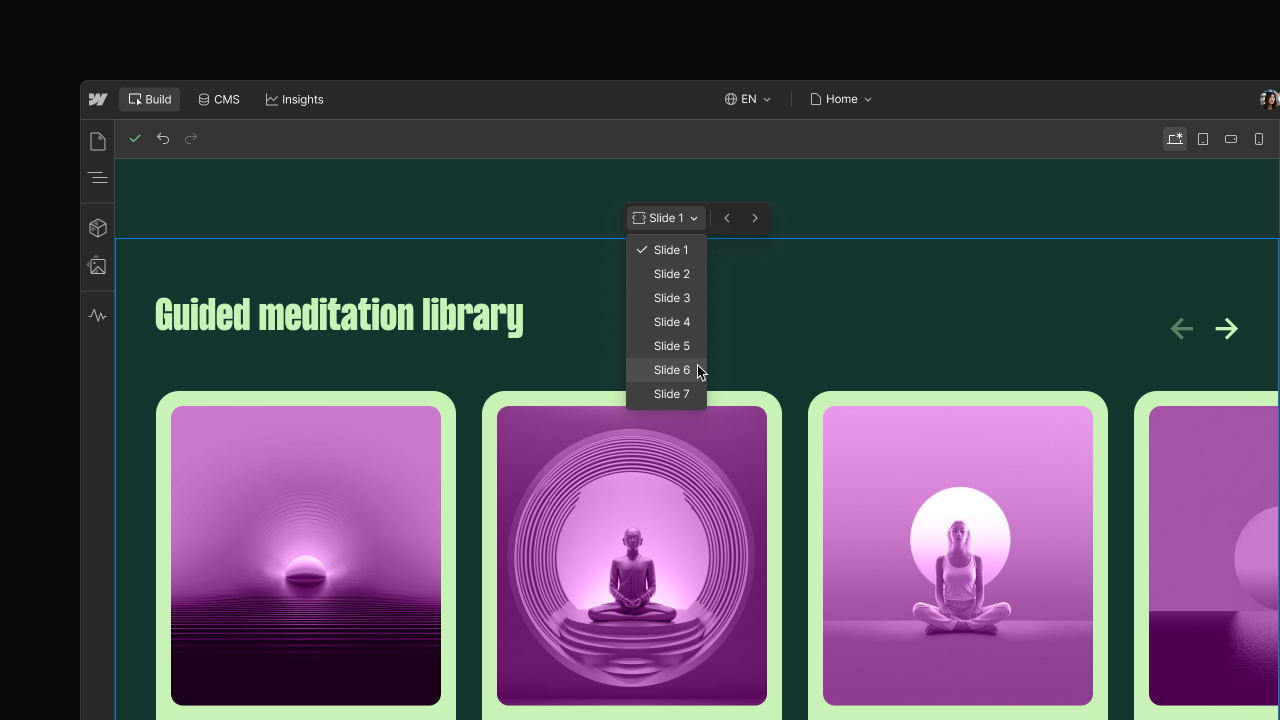
- Edit content inside interactive elements: You can now update content inside Webflow’s native nav bar, dropdown, tab, and slider elements — including content that’s hidden by default (like menu items, tabs, or slides).
- Preview role experiences: If you’re a Designer or Admin, you can preview the default Marketer or Content editor experience directly from the canvas (via the hamburger menu) to train teammates, create docs, and troubleshoot without changing your actual permissions.
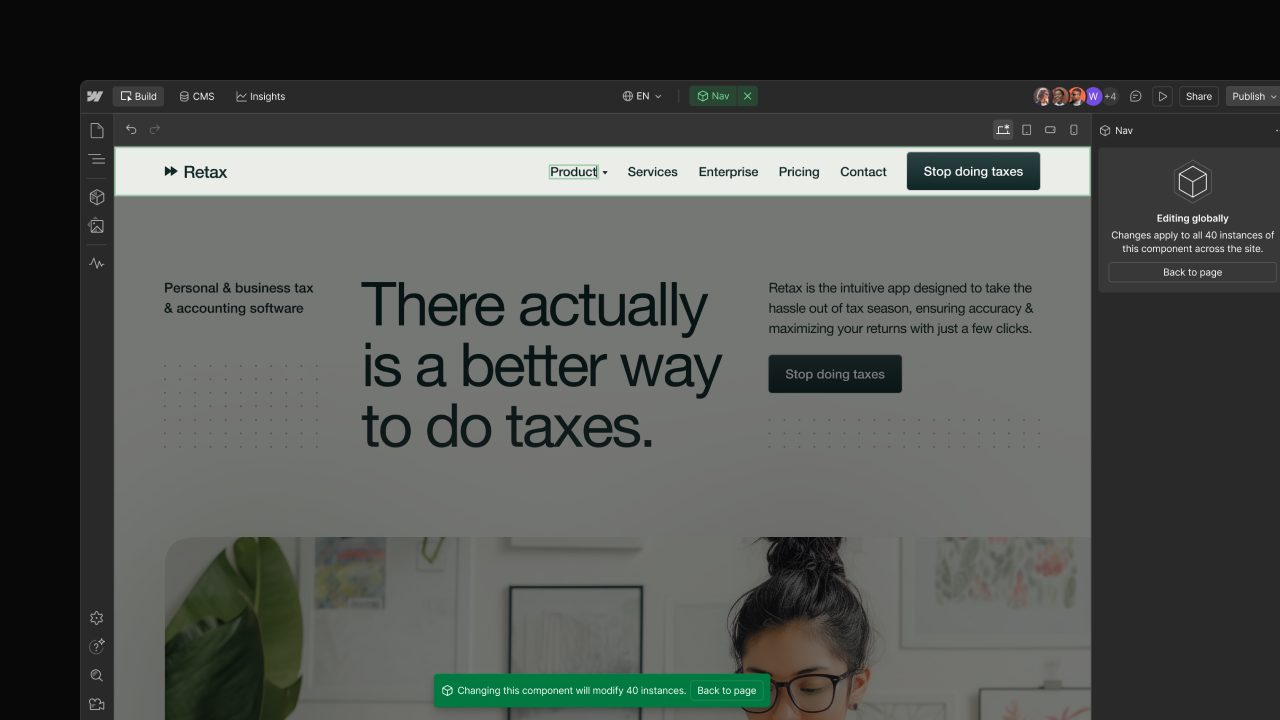
- Edit global content in components: Marketers and Content editors can now edit unbound text, links, and images directly inside components. When changes apply to all instances, the canvas enters a focused state and displays a clear notification, so global updates are safe and transparent. Custom role permissions for global component editing are available on Enterprise and Enterprise Partner plans.
All of these improvements are available now for the Marketer and Content editor roles on all plan types. Custom role permissions for global component editing are available only on Enterprise and Enterprise Partner plans.
Related updates




















Fangen Sie kostenlos an
Testen Sie Webflow so lange Sie möchten mit unserem kostenlosen Starter-Paket. Erwerben Sie einen kostenpflichtigen Site-Tarif, um zusätzliche Funktionen zu veröffentlichen, zu hosten und freizuschalten.
Testen Sie Webflow so lange Sie möchten mit unserem kostenlosen Starter-Paket. Erwerben Sie einen kostenpflichtigen Site-Tarif, um zusätzliche Funktionen zu veröffentlichen, zu hosten und freizuschalten.