






Enhancement
Collaboration
Increased comment limits to 20,000 per site
Up to 20,000 comments per site and 50 replies per comment on Webflow
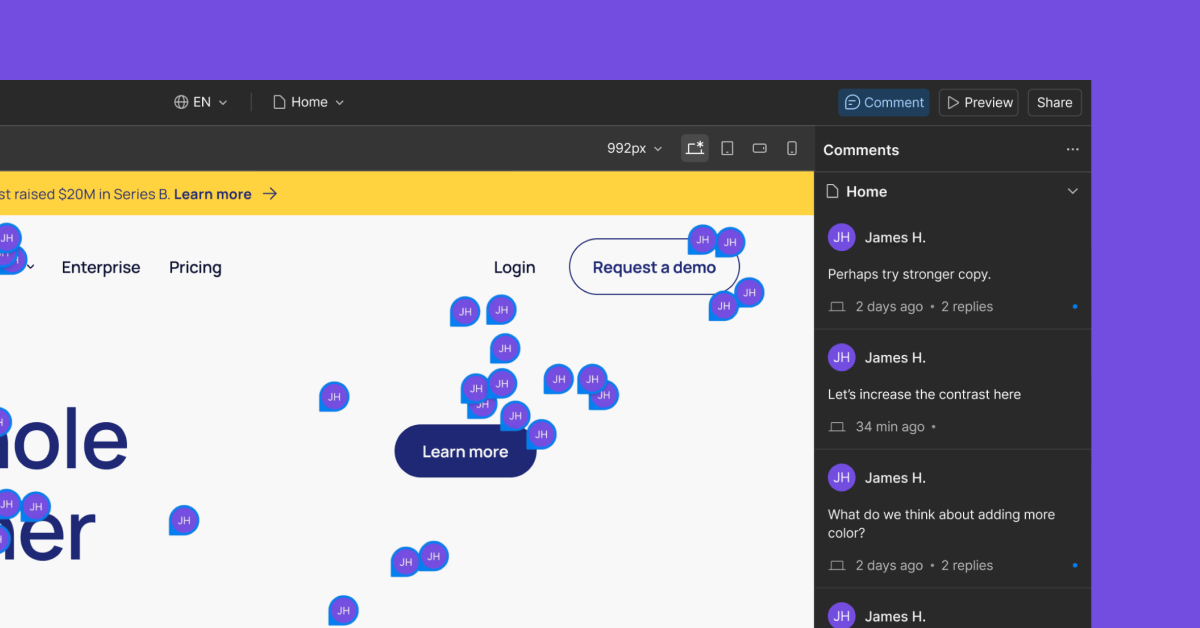
As teams grow and projects get more complex, feedback can add up fast. That’s why we’ve increased comment limits across all Webflow sites.
You can now leave up to 20,000 comment threads per site, with up to 50 replies per thread. This gives teams more room to capture feedback, track decisions, and collaborate directly in Webflow — without needing to delete comments or move discussions elsewhere. Whether you’re running long review cycles or coordinating across multiple stakeholders, higher comment limits help keep context where the work happens.
Important note: Resolved comments still count toward the 20,000 comment limit per site. Deleted comments and replies do not count toward the limit.
To learn more about comments in Webflow, check out our documentation. Or to see recent investments we’ve made into improving the collaboration experience for teams in Webflow, check out this blog post.
Related updates





















Fangen Sie kostenlos an
Testen Sie Webflow so lange Sie möchten mit unserem kostenlosen Starter-Paket. Erwerben Sie einen kostenpflichtigen Site-Tarif, um zusätzliche Funktionen zu veröffentlichen, zu hosten und freizuschalten.
Testen Sie Webflow so lange Sie möchten mit unserem kostenlosen Starter-Paket. Erwerben Sie einen kostenpflichtigen Site-Tarif, um zusätzliche Funktionen zu veröffentlichen, zu hosten und freizuschalten.