






Feature
Collaboration
Introducing client seats: A flexible collaboration experience for your clients
Client seats are now available for free on all Workspace plans for freelancers and agencies. Discover how this new feature gives your clients a modern, secure way to access their site built in a freelancer or agency’s Workspace and learn about the legacy Editor deprecation.
In December 2024, we announced we would be deprecating the legacy Editor and shared our plans to evolve client collaboration with the introduction of client seats.
We’re excited to share that client seats are now available for free on all Workspace plans for freelancers and agencies (Starter, Freelancer, or Agency). As part of this launch, the legacy Editor will no longer be available starting August 4, 2026.
For a more detailed timeline about the legacy Editor deprecation, check out this blog post.
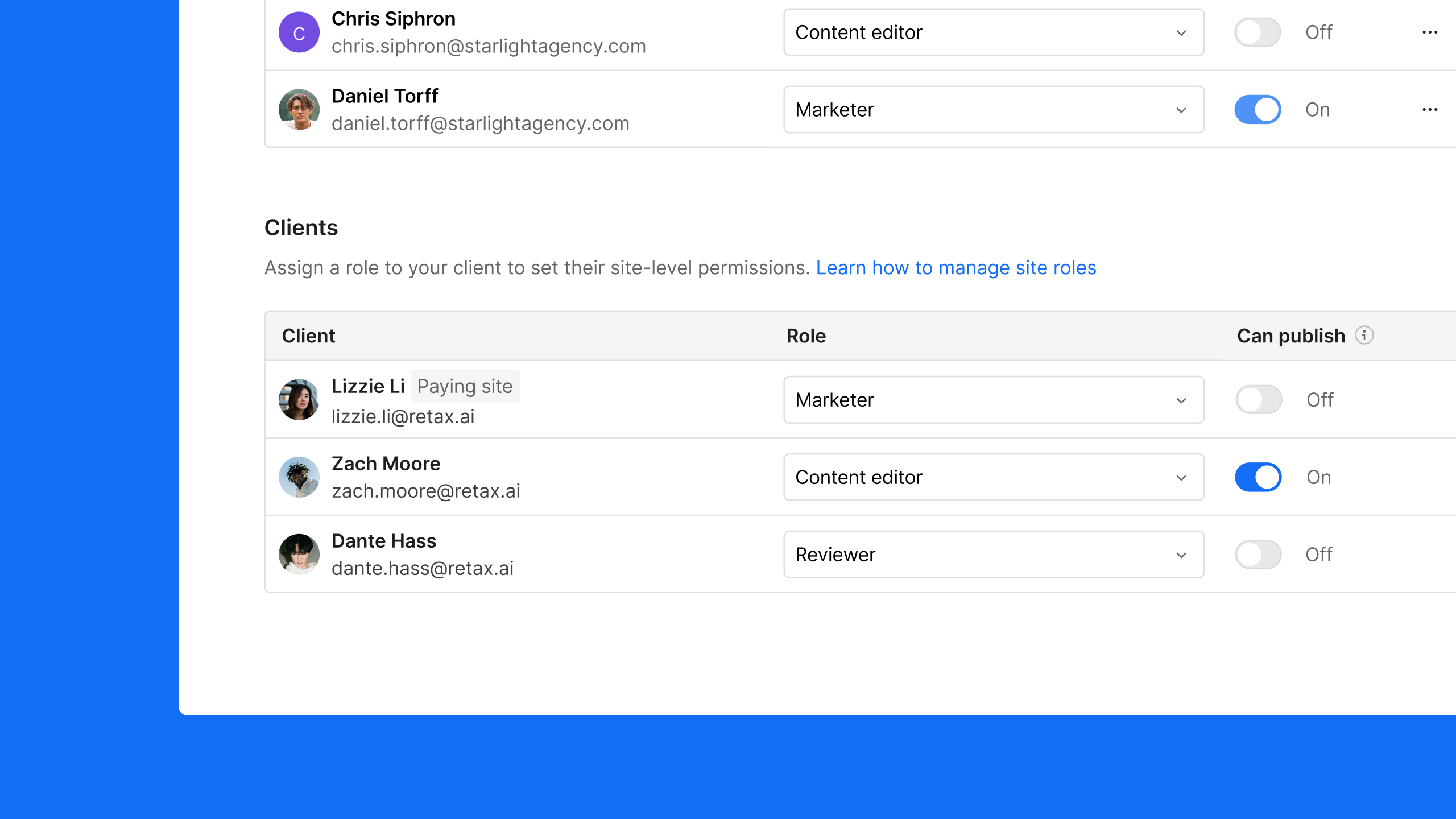
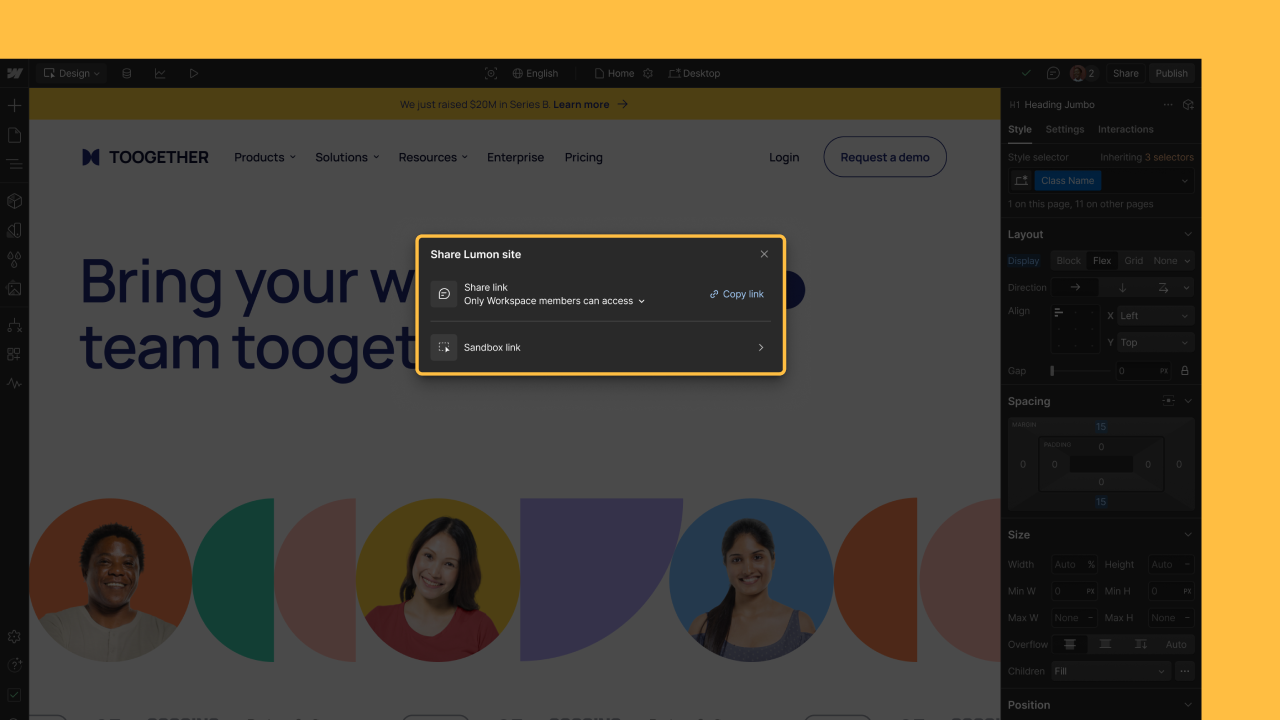
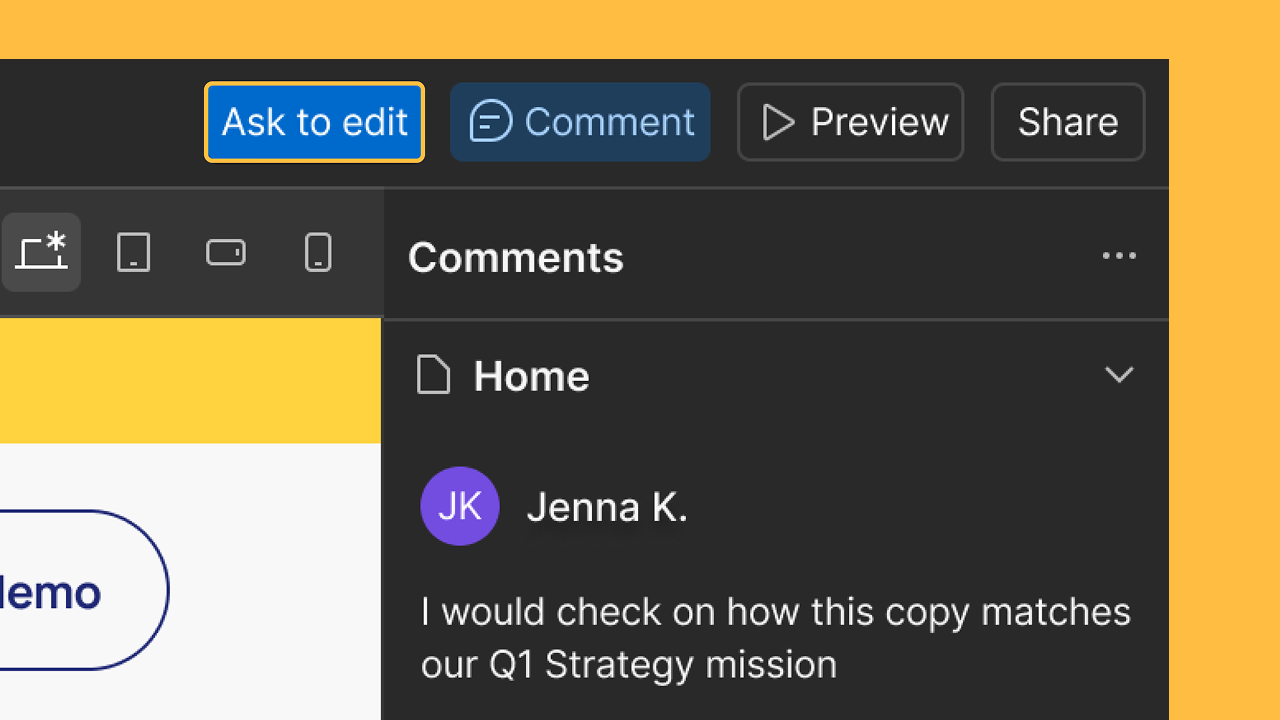
Client seats let you invite your clients directly into Webflow to edit content, build pages, or conduct reviews with clear, role-based access. Clients can contribute to their site without needing full design permissions, keeping your projects organized and secure.
This launch marks a key step toward creating a free, flexible collaboration model for service providers who build and host client sites in their own Freelancer or Agency Workspace.
How do client seats work?
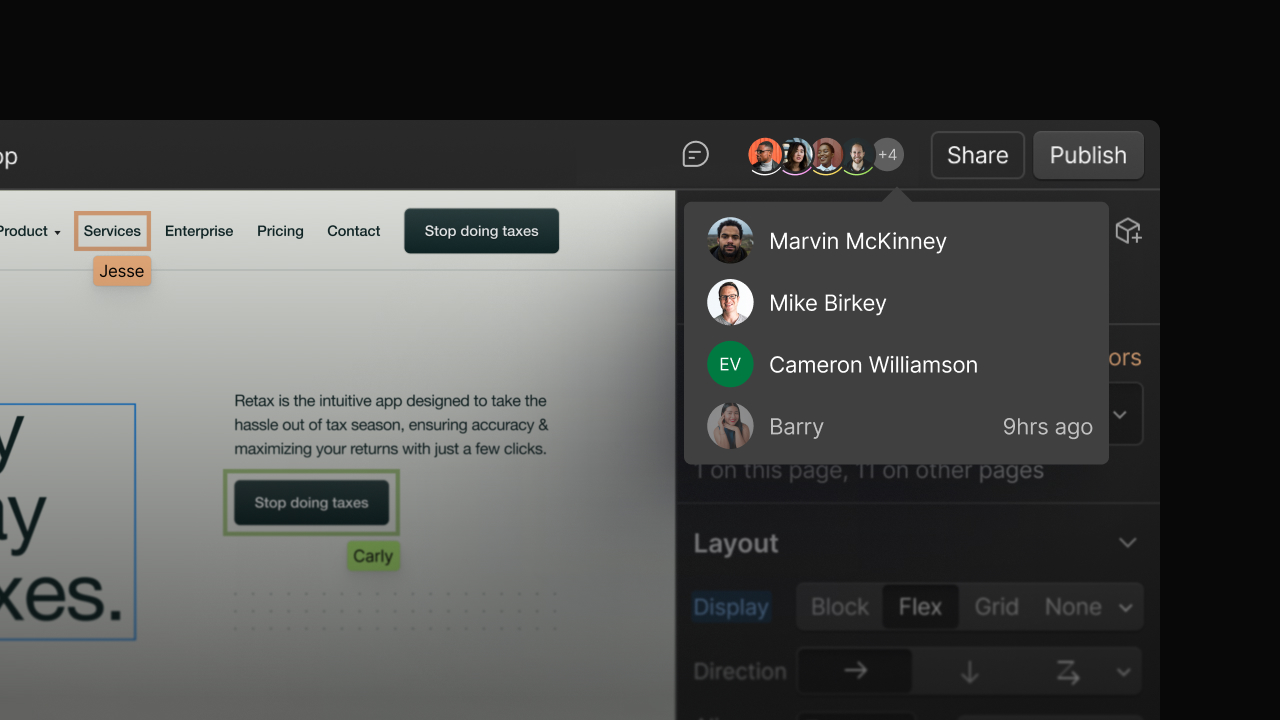
Client seats offer a secure way for clients to access their site when it’s hosted in a freelancer or agency’s Workspace, and it’s fully compatible with add-on features like Webflow, Analyze, Optimize, Localization, and other advanced capabilities like real-time collaboration.
If you’re on a Freelancer or Agency Workspace plan, client seats also let you collaborate with clients before purchasing a Site plan, making it easy to test and align on how you’ll work together before a site is ready to launch.
All client seat users must have a Webflow account. If they don't already have one, they will be guided through a signup process to redeem their free client seat.
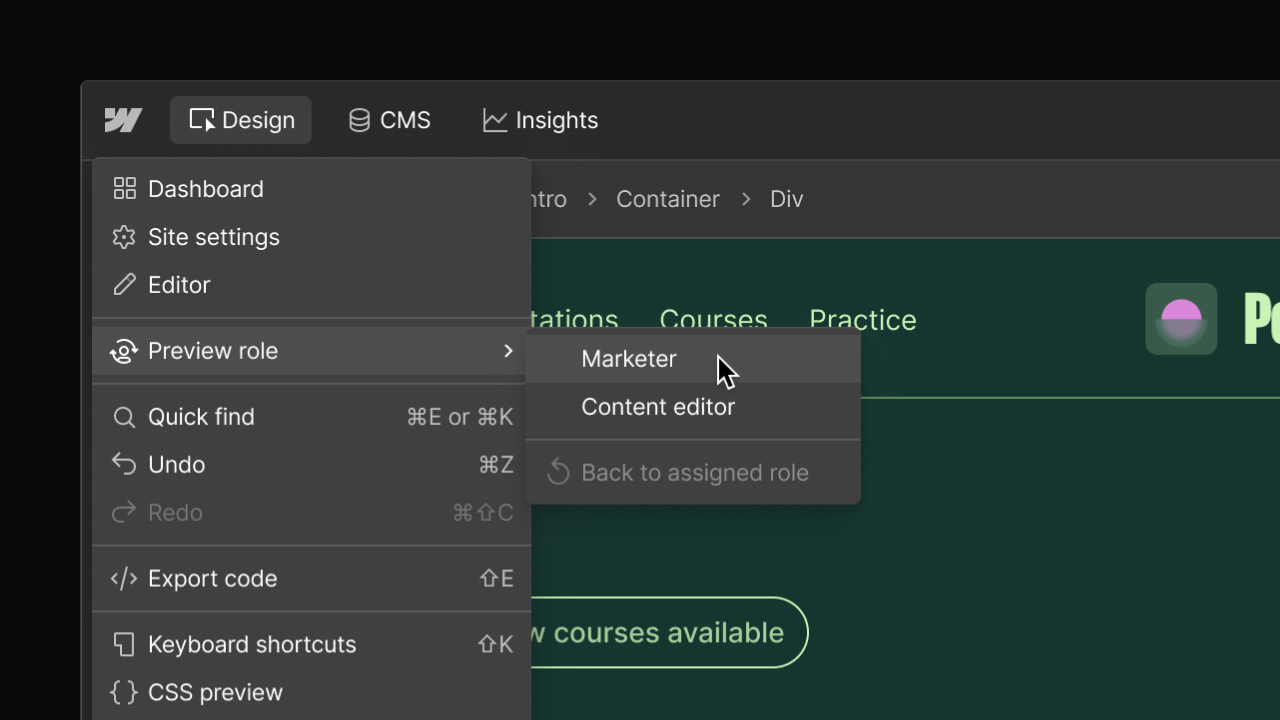
Previously, client access was a one-size-fits-all experience through the legacy Editor. With this update, you can now assign your clients one of three distinct roles, giving you the flexibility to set the appropriate guardrails for each client based on their needs and your workflow.
How many client seats do I get?
You will automatically receive free client seats based on what’s included in your Workspace plan.
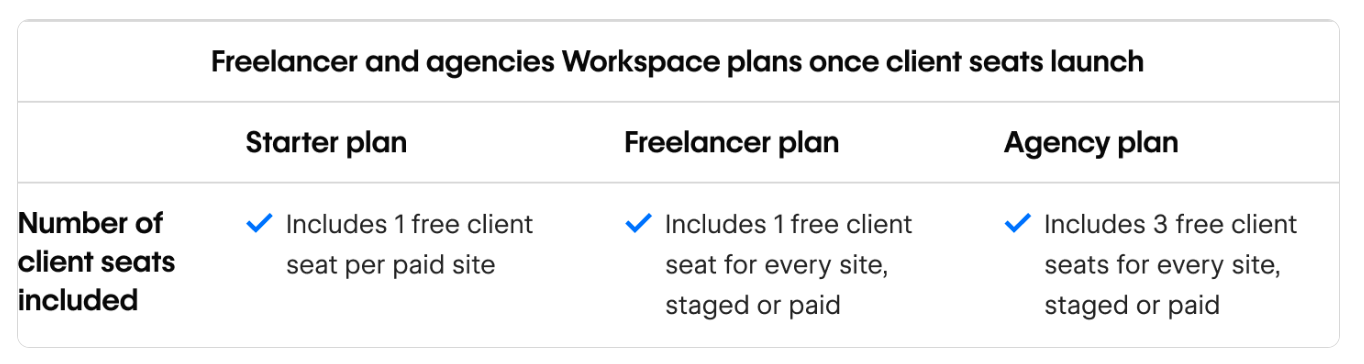
Additionally, any legacy Editor users that haven’t already been assigned to client seats by May 4th will be given access to a free client seat as part of the automatic migration,which will take place over the course of two weeks.
For more information about the automatic migration, please refer to the Migration Hub.
How are client seats different from limited seats?
In terms of functionality, client seats and limited seats empower collaborators to contribute to a site without full design access. However, they differ in a few key ways:
- Client seats are site-specific, while limited seats apply to the entire Workspace
- Client seats are exclusive to Workspace plans for freelancers and agencies (Starter, Freelancer, Agency)
- Additional client seats cannot be purchased for the time being since they’re already included for free as part of Workspace plans for freelancers and agencies
- Clients can be assigned the Marketer, Content editor, or Reviewer roles, while limited seats can only be assigned the Marketer or Content editor roles. To assign a limited seat the Reviewer role, the seat must be downgraded to a free seat.
Supporting you as we transition away from the legacy Editor
We’ve built extensive enablement resources, shaped by direct feedback from our Partners and the Webflow community, that are designed to meet you where you are:
Resources for client seats
- Help Center article
- Role-based Webflow University Quick Guides:
Resources about the legacy Editor deprecation
- Blog post announcement
- Webflow’s Legacy Editor Migration Hub, a centralized place for all resources to support clients
- Step-by-step client transition checklist
- Live webinar for freelancers and agencies to learn best practices for a smooth migration - Register Here
Related updates




















Fangen Sie kostenlos an
Testen Sie Webflow so lange Sie möchten mit unserem kostenlosen Starter-Paket. Erwerben Sie einen kostenpflichtigen Site-Tarif, um zusätzliche Funktionen zu veröffentlichen, zu hosten und freizuschalten.
Testen Sie Webflow so lange Sie möchten mit unserem kostenlosen Starter-Paket. Erwerben Sie einen kostenpflichtigen Site-Tarif, um zusätzliche Funktionen zu veröffentlichen, zu hosten und freizuschalten.