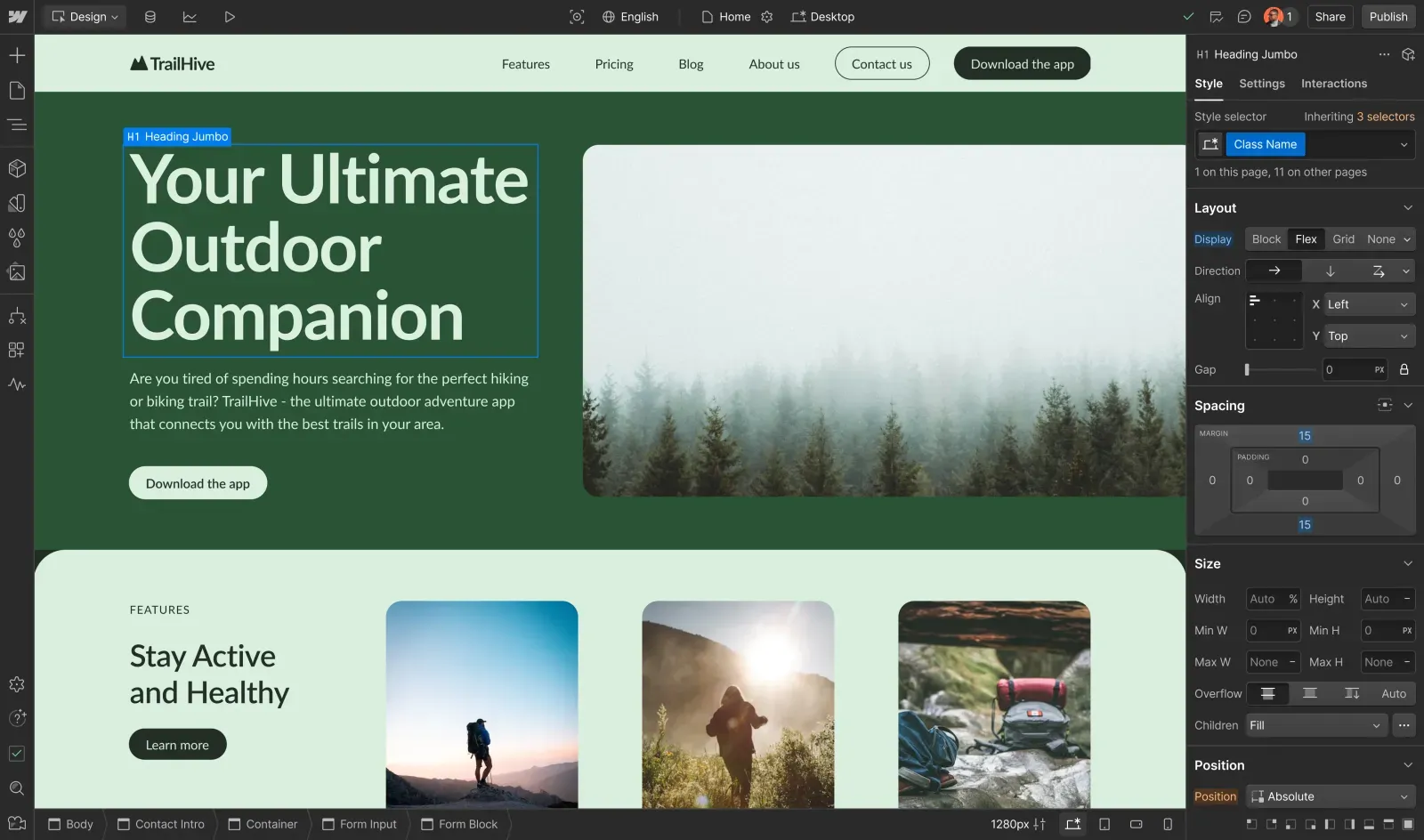
Turn insight into impact
Connect site measurement, testing, and personalization to drive real business growth with Webflow Analyze and Optimize.
Your website’s performance engine
Webflow Analyze surfaces what’s happening across your site. Webflow Optimize helps you act on it.
See what’s working
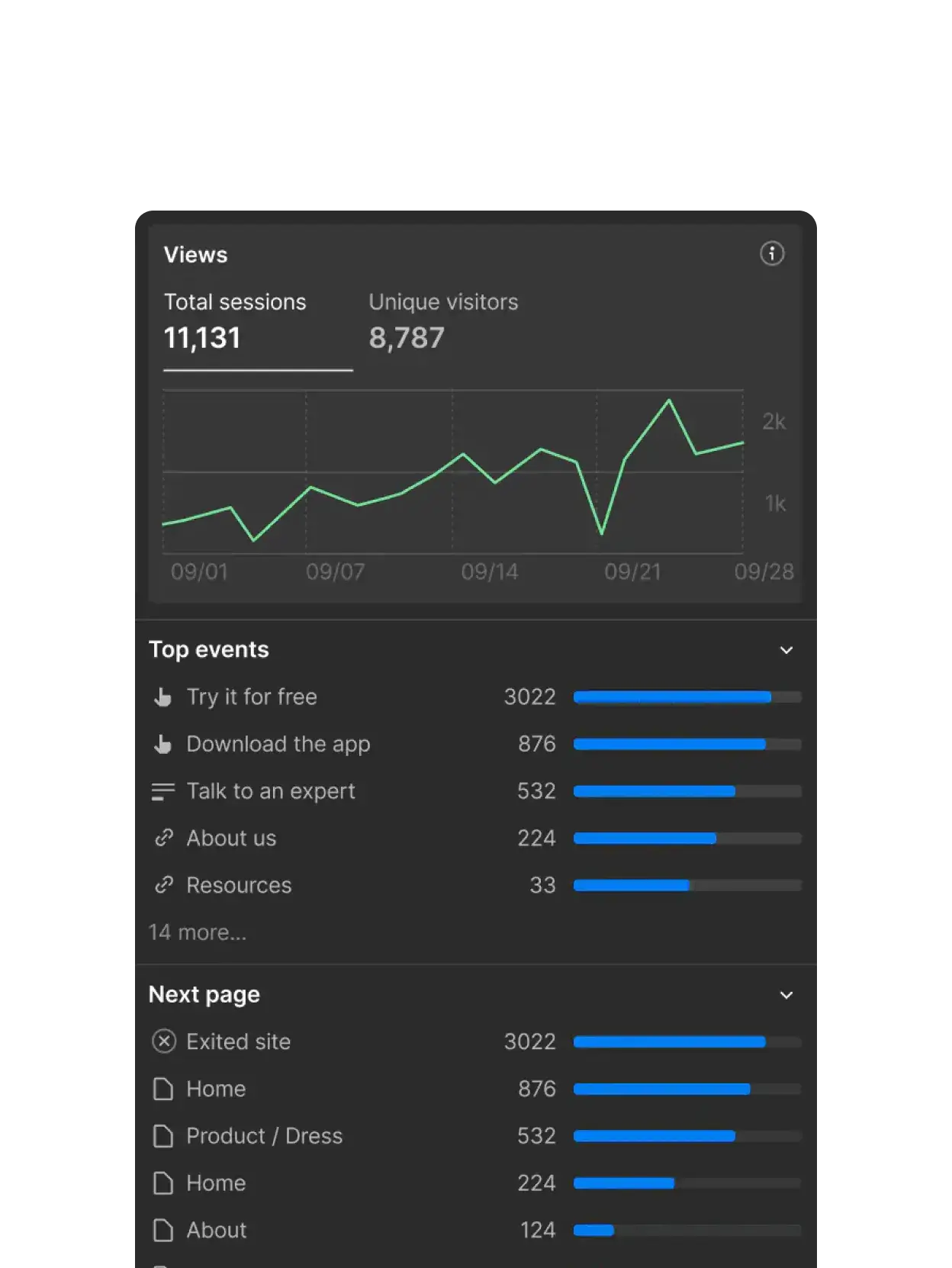
See what’s working
Get visual performance insights right in Webflow — no need for third-party tools or extra setup.
Test with confidence
Test with confidence
Run AI-powered experiments based on real user behavior and conversion data, then easily scale what works.

Control your data
Control your data
Connect site engagement back to revenue and product metrics with seamless data warehouse exports. Now in beta.

“Combined with Webflow’s visual-first platform, Optimize and Analyze empower our teams to evolve with our clients, experiment and pivot quickly, and, ultimately, create more personalized digital experiences.”
See clearly. Move faster.

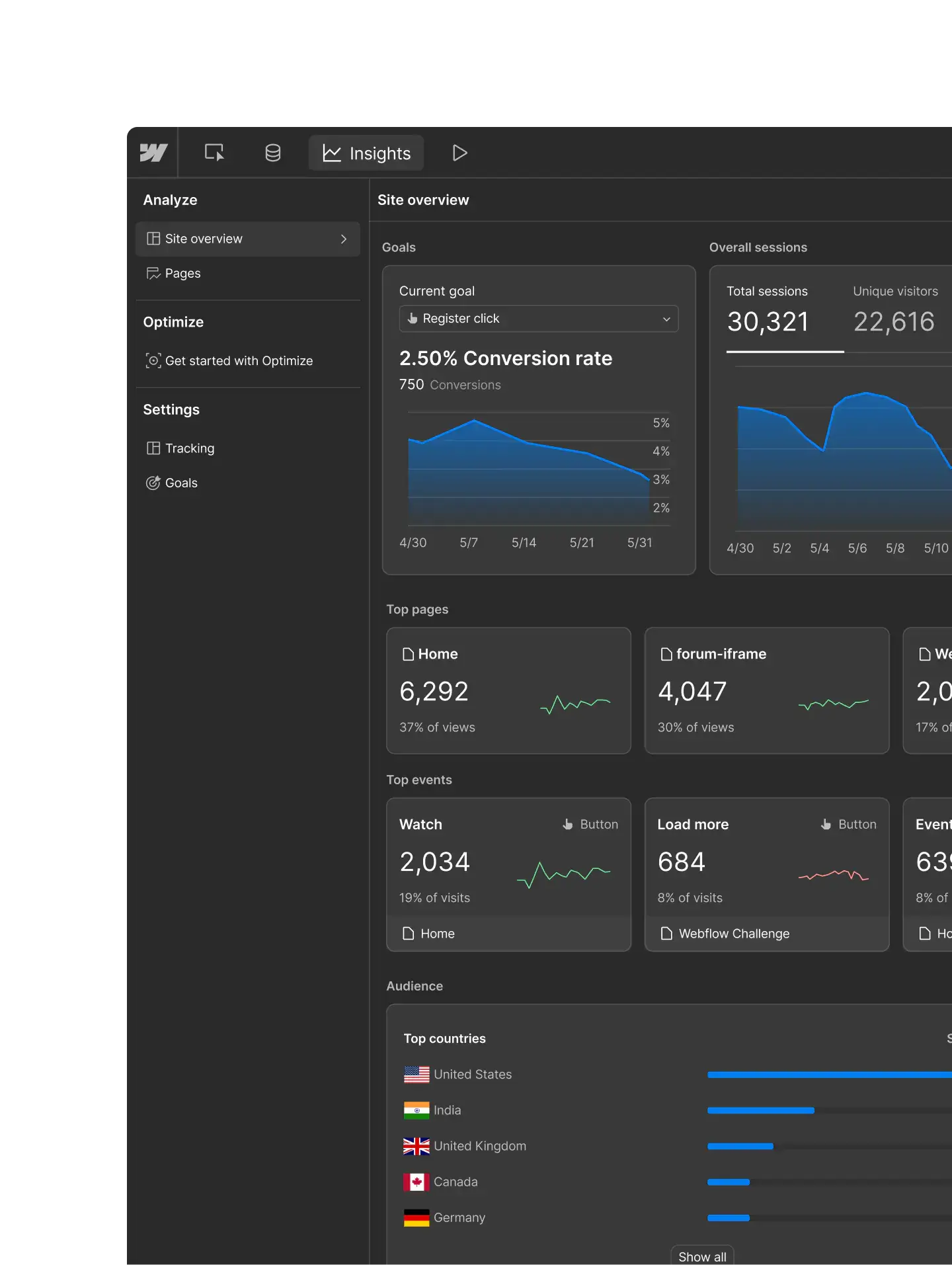
Track traffic & trends
View traffic patterns and top pages in one place, with visibility into emerging sources like LLM referrals.
Visualize audience behavior
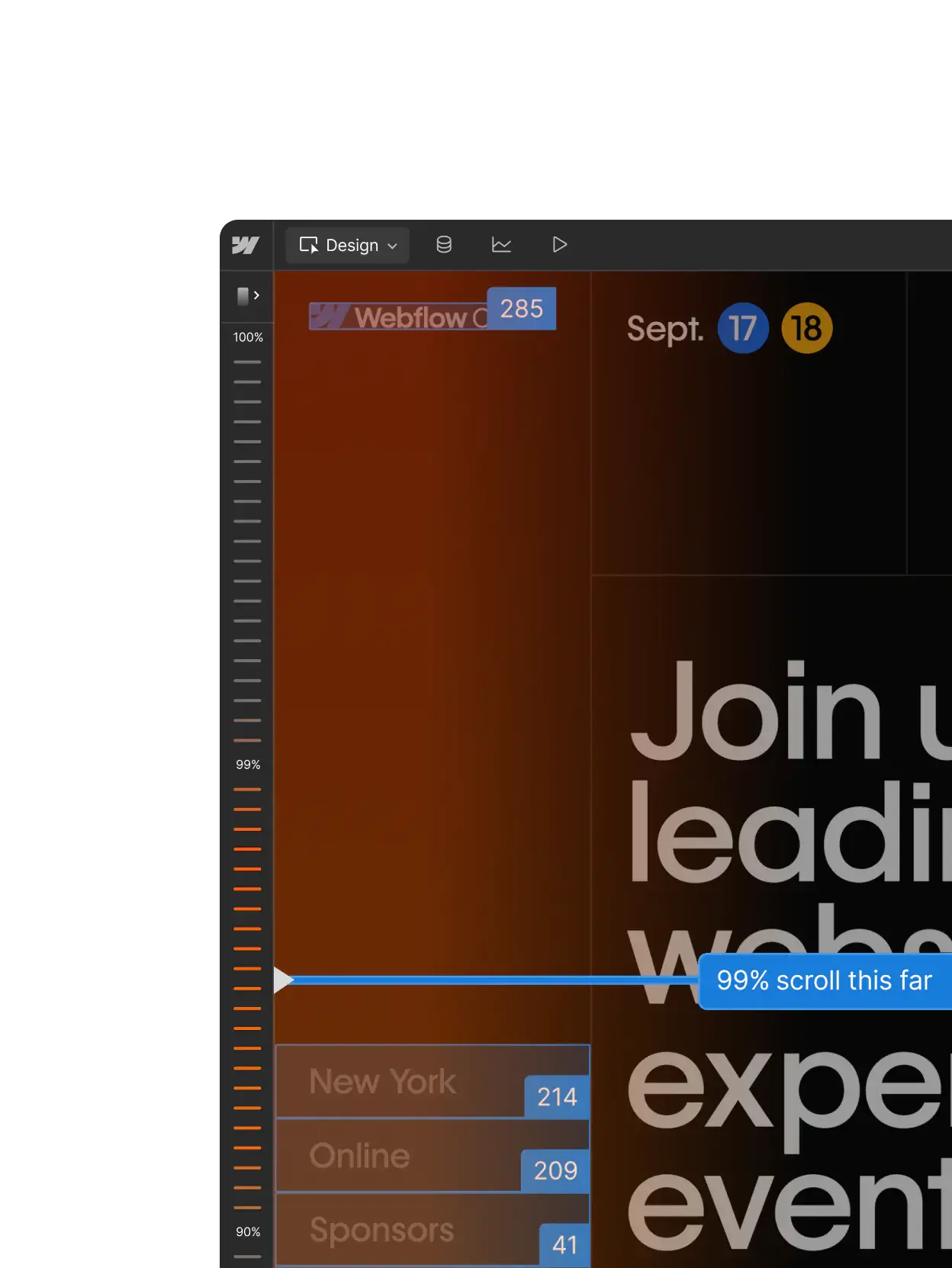
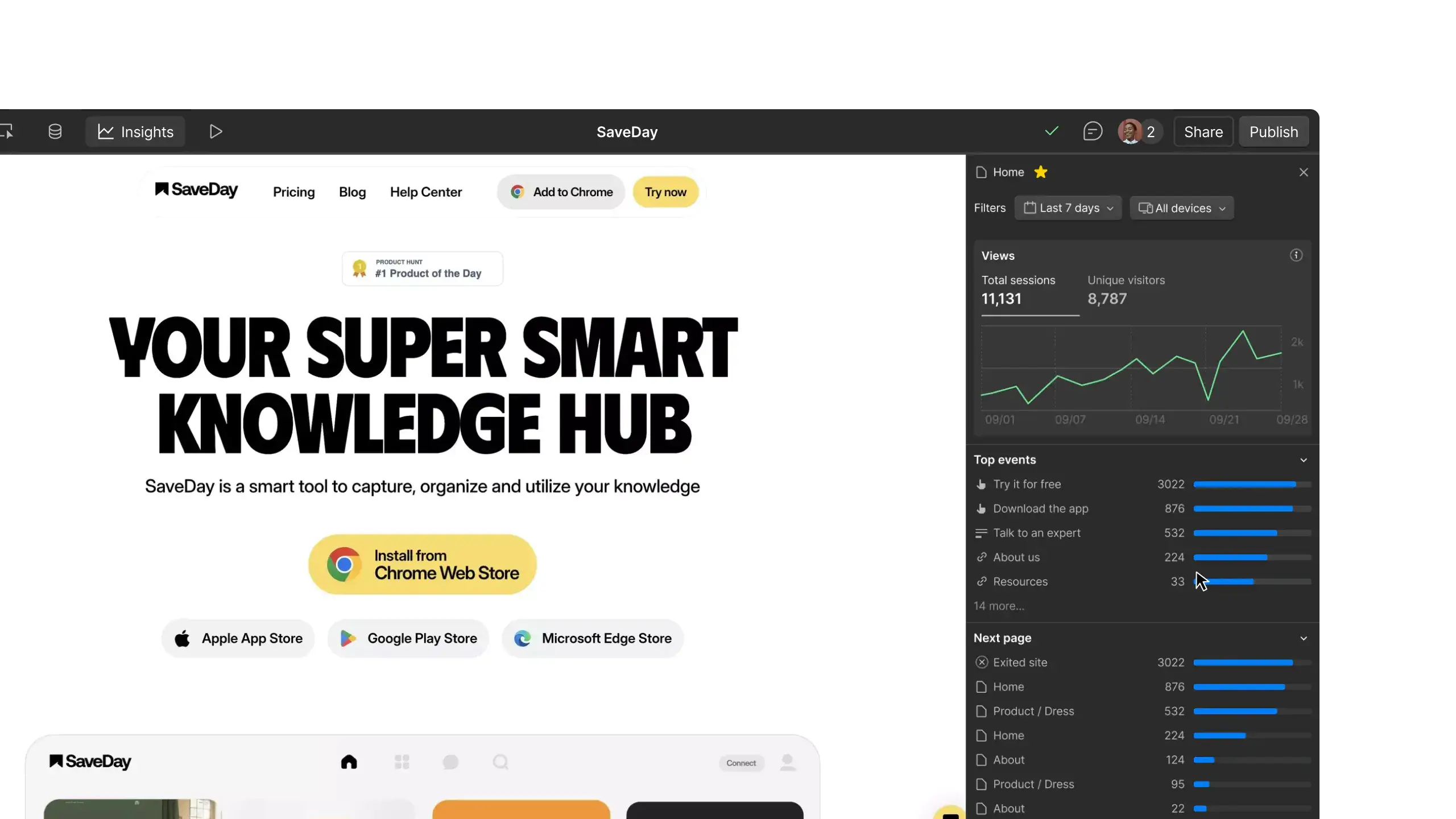
Learn how visitors engage with your site through interactive clickmaps and scrollmaps.
Set shared goals
Define universal performance goals to track critical online and offline actions across teams.
Iterate in real time
Access click, scroll, and conversion insights directly in the page editor to speed up testing and refinement.
Make every test count
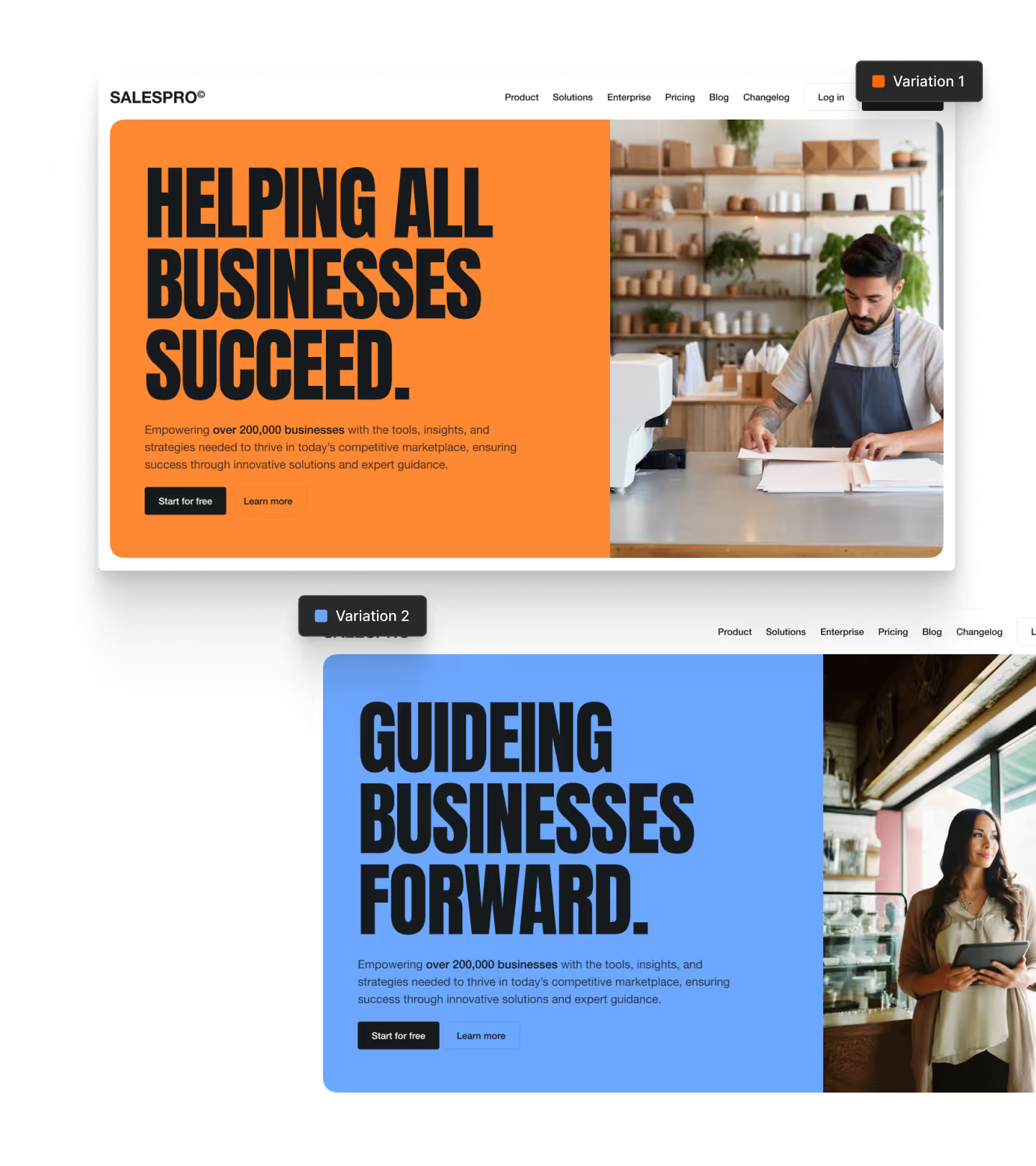
Create and compare variants to learn what performs best.
Pinpoint performance
See how headlines, images, content, and CTAs affect engagement and conversions.
Scale what works
Roll out everything from minor edits to sitewide structural updates in just a few clicks.
Test without roadblocks
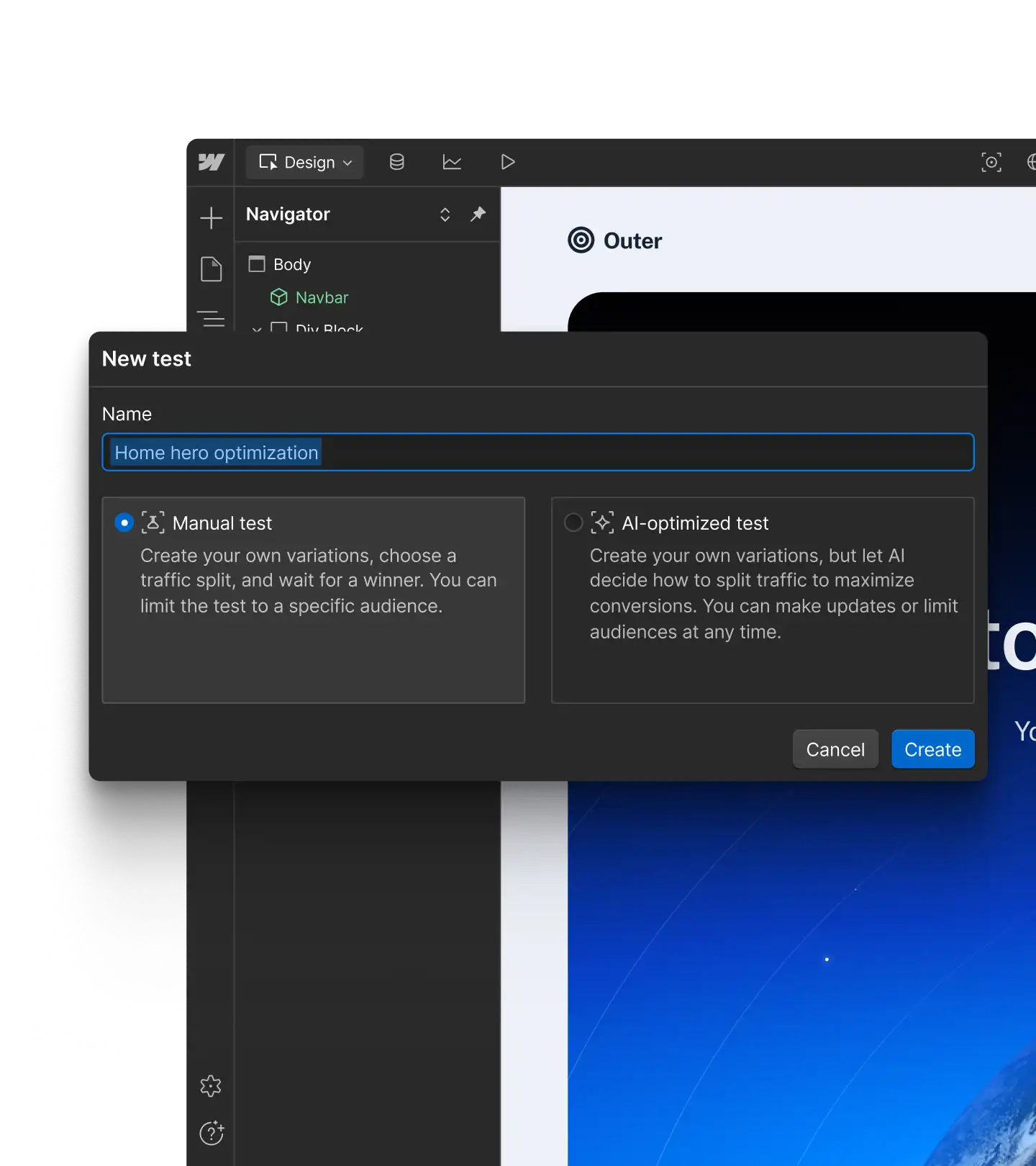
Scale experimentation with AI-assisted setup and no developer dependency.
Make every visit relevant
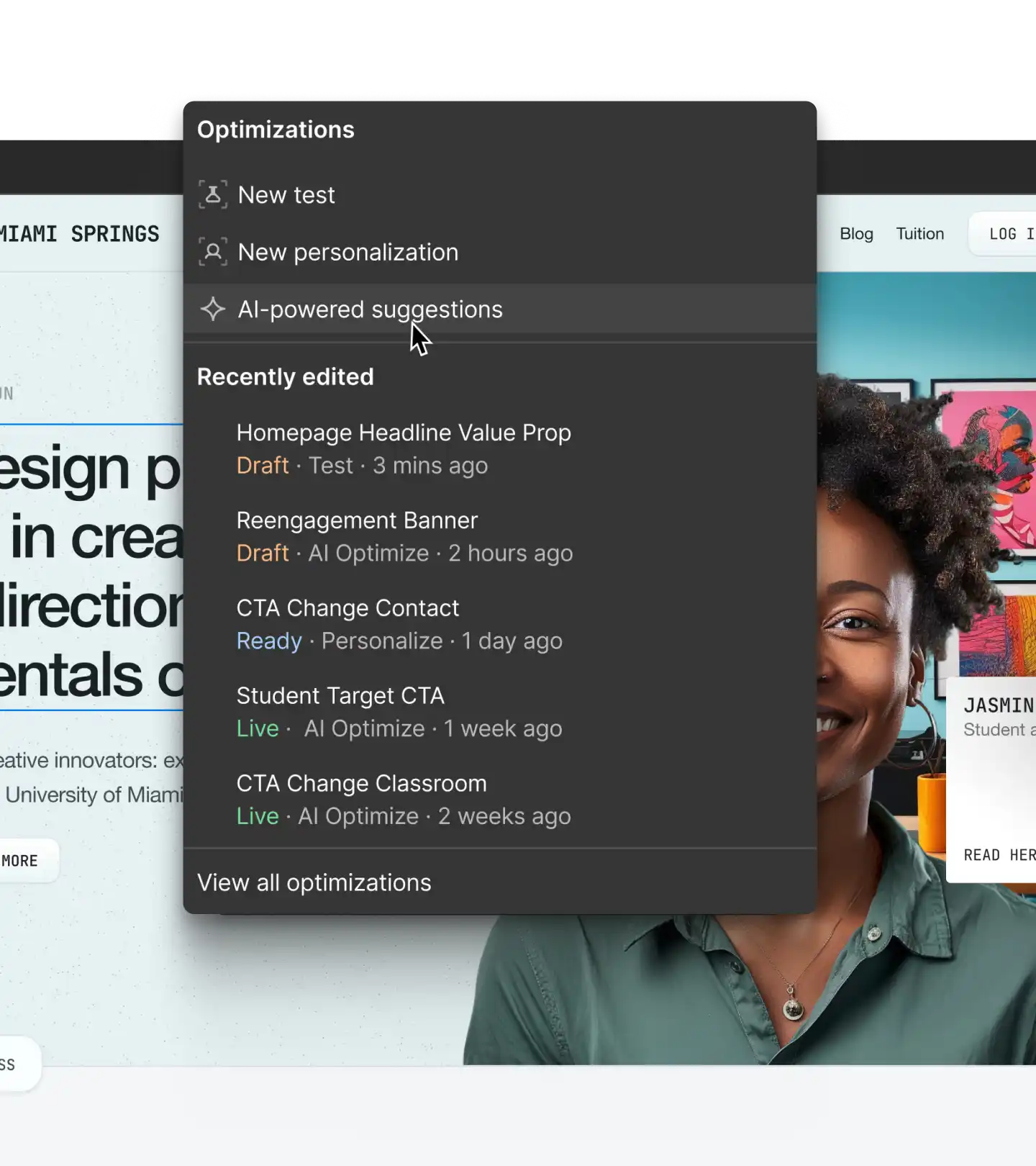
Tailor experiences for each visitor based on who they are and what they need.
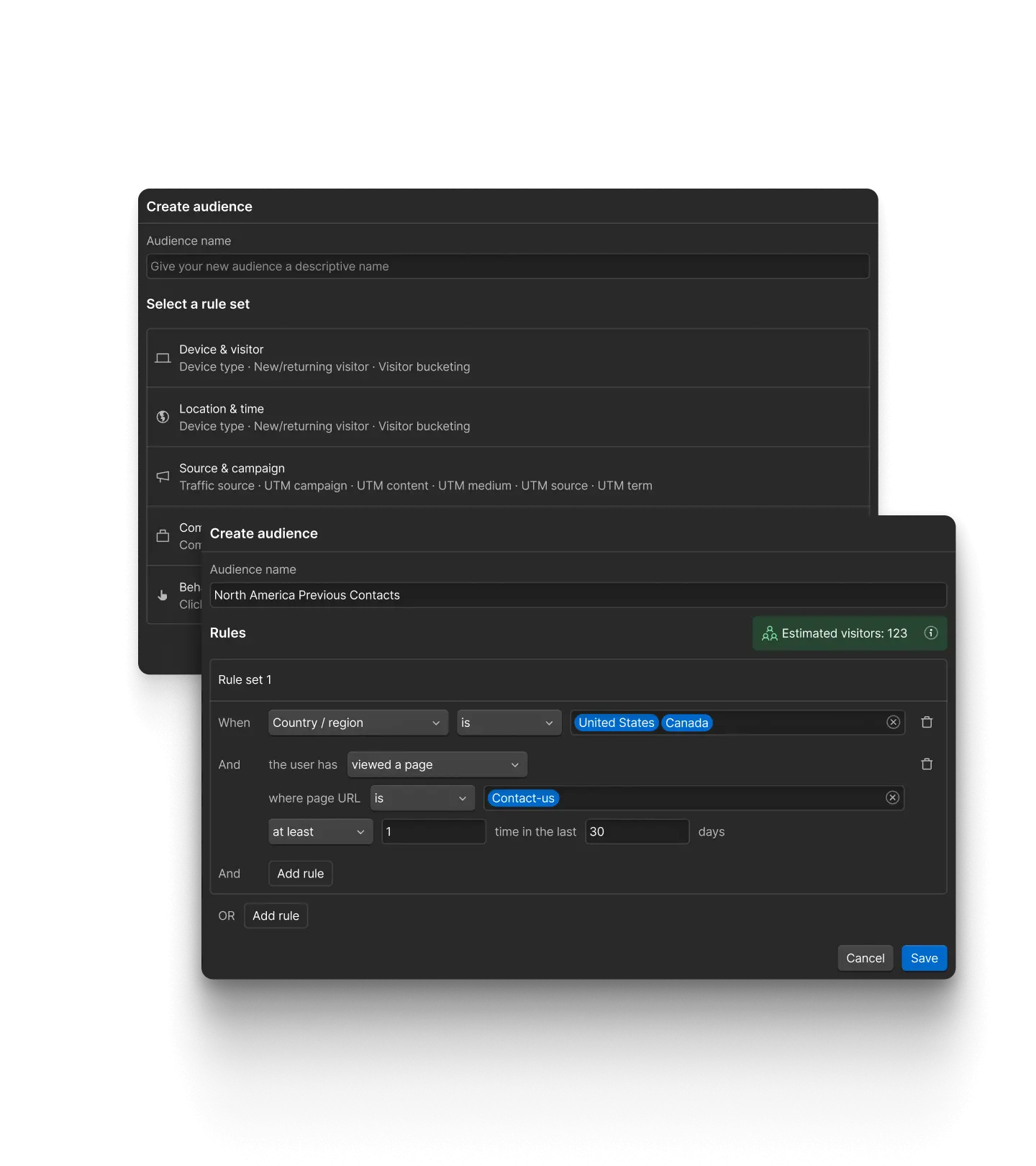
Segment with precision
Build precise audiences right in Webflow with behavioral and firmographic data.
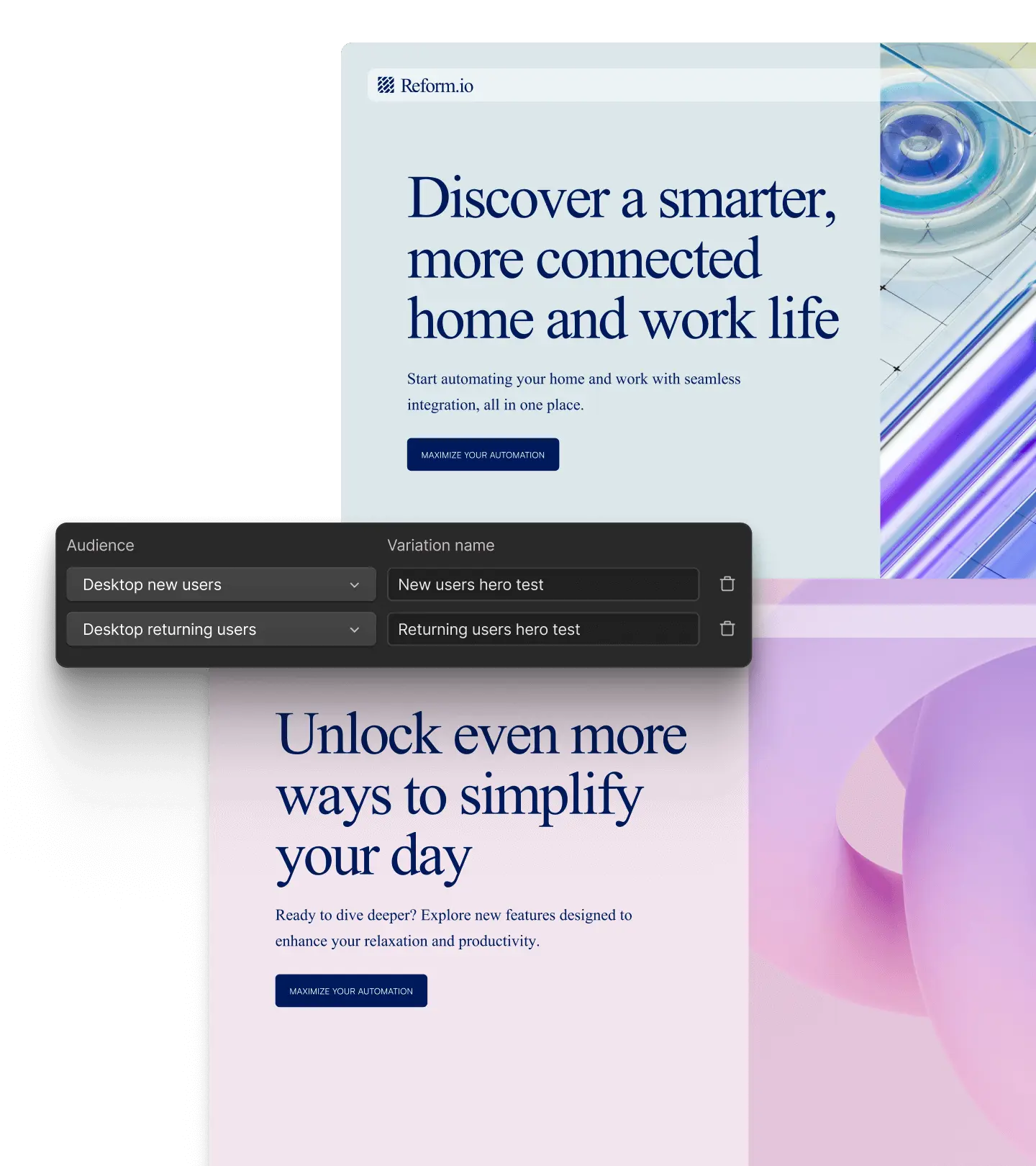
Deliver tailored experiences
Customize messaging, content, offers, and CTAs for every audience — including high-value ABM accounts.

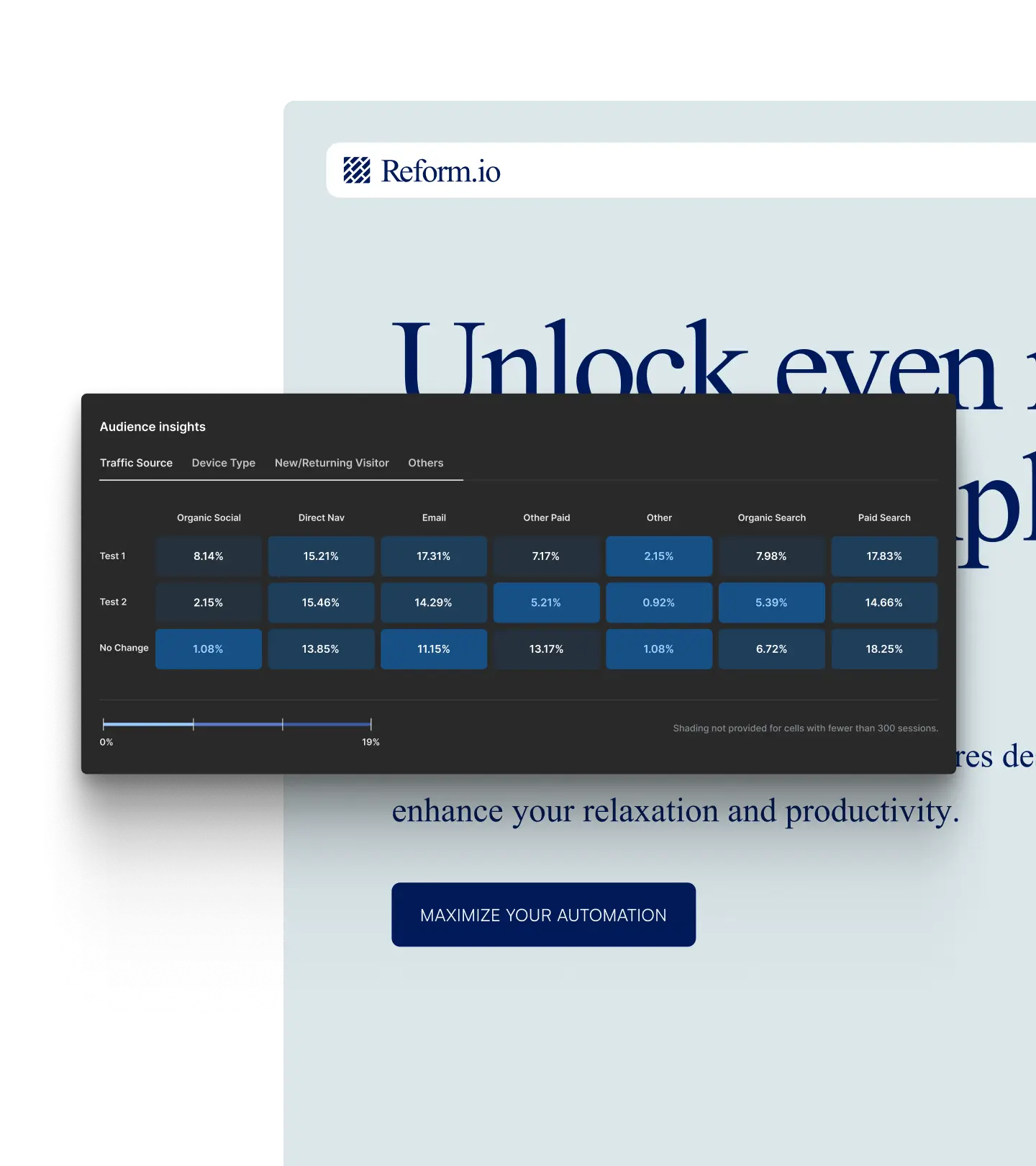
Track performance
Use built-in segment insights to evaluate and improve personalization over time.
Move faster with AI
Put adaptive optimization to work across your entire site.
Automate decisions
Let AI route traffic to your strongest variations in real time, reducing hands-on management from your team.
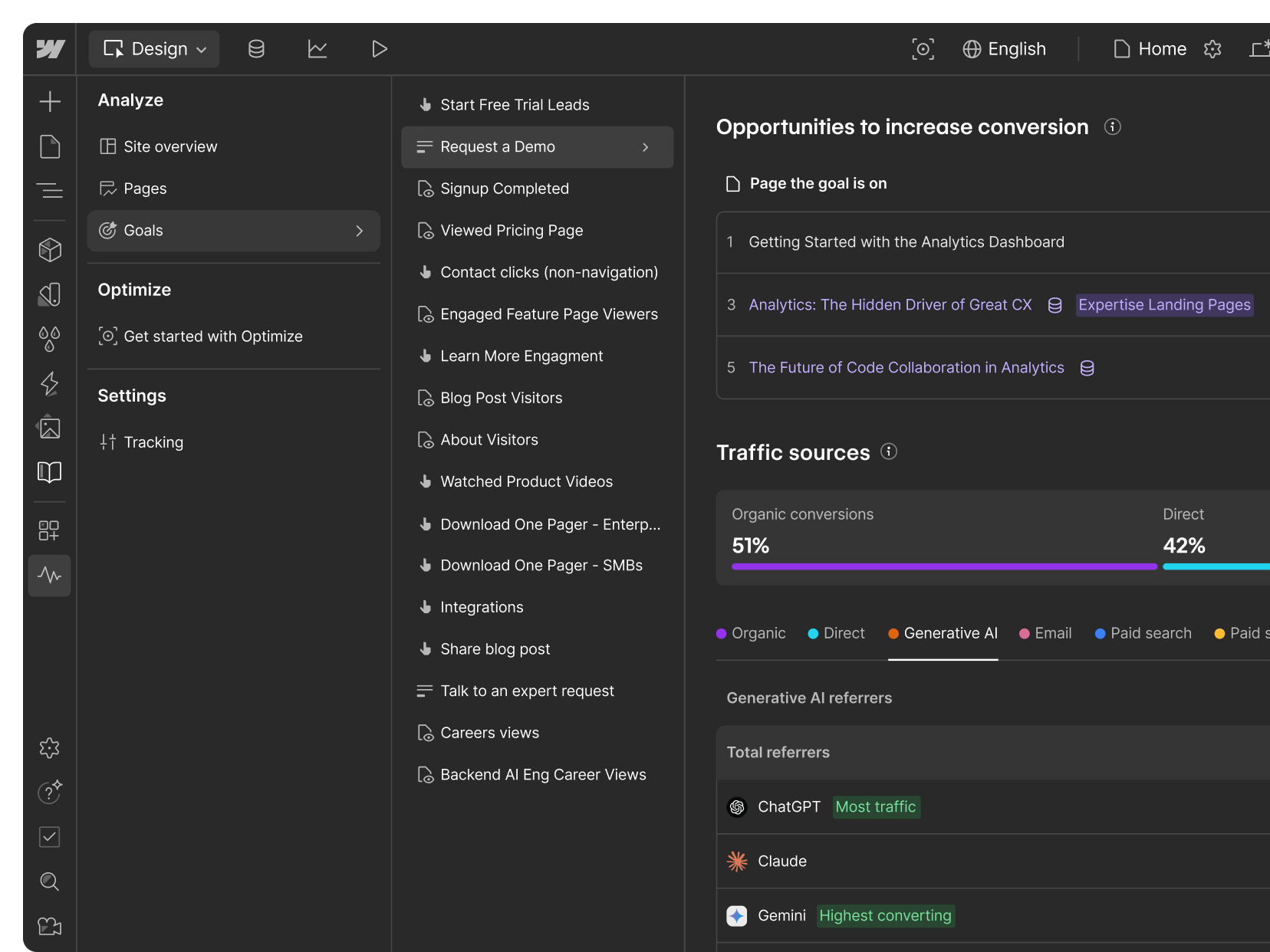
Prioritize conversion
Improve performance based on down-funnel conversion metrics, not just surface-level page engagement.
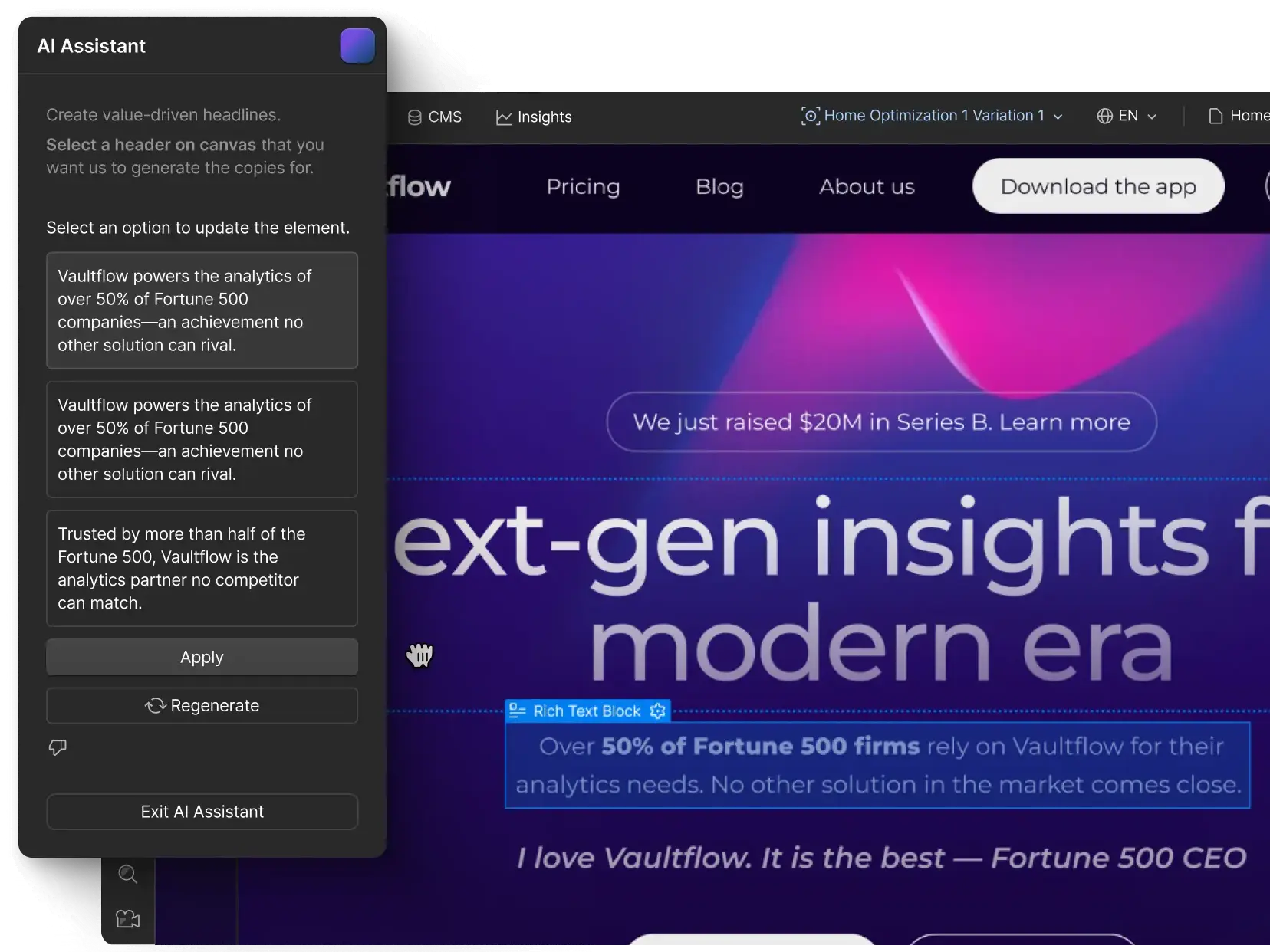
Create more
Prompt the AI Assistant to quickly draft and recommend new variants based on page content and best practices.

Frequently asked questions
Unlike traditional tools that force a choice between testing and personalization, Webflow Optimize brings traditional A/B testing, rules-based personalization, and AI-driven optimization into Webflow’s visual development platform, enabling marketers to create, test, and deploy website improvements without tool-switching or engineering support.
Yes. Webflow Optimize supports audience segmentation by behavior (such as pages viewed or repeat visits) and by profile (including attributes like device type and location).
Enterprise integrations with Salesforce, HubSpot, 6sense, and Demandbase enable targeting based on CRM and firmographic data.
Webflow Enterprise plans integrate with major marketing and sales platforms, including Salesforce, Marketo, HubSpot, 6sense, and Demandbase. These connections enable personalization based on firmographic insights captured through reverse IP lookup, as well as CRM records, lead scores, and deal stages — creating a connected experience across your marketing stack.
Yes. Webflow Optimize uses AI to scale personalization without manual rule management. It continuously evaluates performance, routes visitors to the strongest variations, and supports multivariate testing. Teams can use Optimize to test broadly while ensuring each visitor sees the version of the site most likely to convert them.
Webflow Analyze removes friction from site analytics by delivering visual insights directly in your workspace—without tool switching or complex setup. Analyze gives teams visual engagement data, no-code goal tracking, and accurate filtering without cookies, all without relying on expensive session recordings.
Unlike traditional analytics platforms that rely on separate dashboards and manual code, Analyze is built directly into Webflow. Designers and marketers can use Analyze to view actionable data in context, making performance measurement part of everyday site management.
Use Webflow Analyze to track sessions, unique visitors, page views, bounce rates, and click events on specific elements. You can segment audiences by device, language, location, and referrer source (including LLMs); see traffic flows and custom goal conversions down to the page level; and track engagement with visual clickmaps and scrollmaps. With Analyze Mode, you can view performance insights directly in the page builder for faster iteration.
Webflow Analyze is available as an add-on to paid Site plans, giving any contributor access to professional analytics without technical complexity.
Put your website to work
See how Webflow Analyze and Optimize can help you connect site measurement, testing, and personalization to drive real business growth.