






Form Fields Pro
Connect Form Fields Pro with Webflow to add advanced input types, including searchable selects, date pickers, number range pickers, and file uploaders, to native Webflow forms.

Webflow's built-in form builder covers text fields, email inputs, textareas, and basic select menus. Teams that need searchable dropdowns, date pickers, number range sliders, NPS inputs, or file uploaders have to reach for external form platforms or write custom JavaScript — options that don't integrate cleanly with Webflow's native form handling and submission pipeline.
Form Fields Pro by FlowAppz installs directly from the Webflow Apps Marketplace and adds those field types to existing Webflow forms. It works on top of Webflow's native form system, so submissions continue through Webflow's standard pipeline and webhook workflow.
This integration suits Webflow designers building client intake forms, marketing teams collecting structured lead data, and agencies managing branded forms across multiple sites. Product teams running in-page NPS surveys and e-commerce teams gathering custom order specs with file uploads can also use it where those field types fit their setup.
How to integrate Form Fields Pro with Webflow
What is Form Fields Pro? Form Fields Pro is a Webflow app by FlowAppz that extends native Webflow forms with advanced input types. The Webflow Apps listing highlights searchable select dropdowns, datepicker fields, number range pickers, and customer IP address tracking. FlowAppz documentation also references file uploaders, NPS fields, phone inputs, color pickers, and conditional logic, though documentation coverage varies by field type.
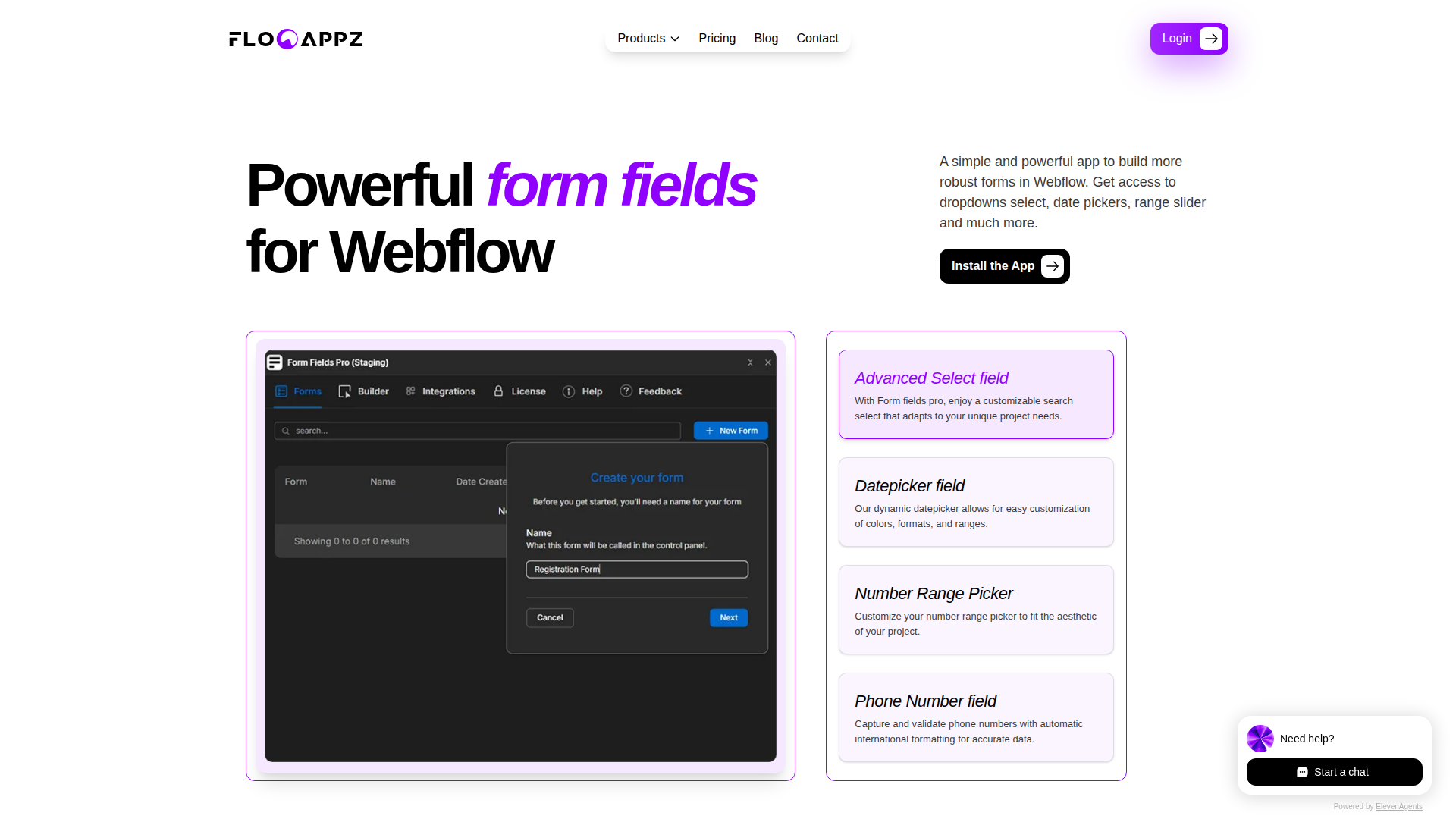
Marketing and design teams use Form Fields Pro and Webflow together when native form fields aren't enough for their data collection needs — for example, when a client intake form requires a searchable product category dropdown, a date range picker for project timelines, or a file uploader for brand assets.
The Form Fields Pro–Webflow integration supports three approaches:
- The Form Fields Pro app installs from the Webflow Apps Marketplace and adds advanced field types to Webflow forms with no code required.
- Code Embed elements and custom code let you add supplementary scripts for custom validation, analytics tracking, or interactions beyond the app's built-in features.
- The Webflow API provides programmatic access to form submission workflows, CMS item creation, and dynamic field population for advanced use cases requiring server-side development.
Most implementations start with the marketplace app and add API-based workflows as form data requirements grow.
Install the Form Fields Pro app
The Form Fields Pro app in the Webflow Apps Marketplace adds advanced field types to existing Webflow forms without writing code. After installation, a configuration panel opens inside Webflow where you select field types, adjust settings, and apply styling to match your design system.
The app covers the following field types and capabilities:
- Searchable select dropdowns
- Datepicker and date range fields
- Number range pickers
- Customer IP address tracking
- File uploaders, NPS fields, phone inputs, and color pickers (referenced in FlowAppz documentation — configuration coverage varies by field type)
- Conditional logic for showing or hiding fields based on user input
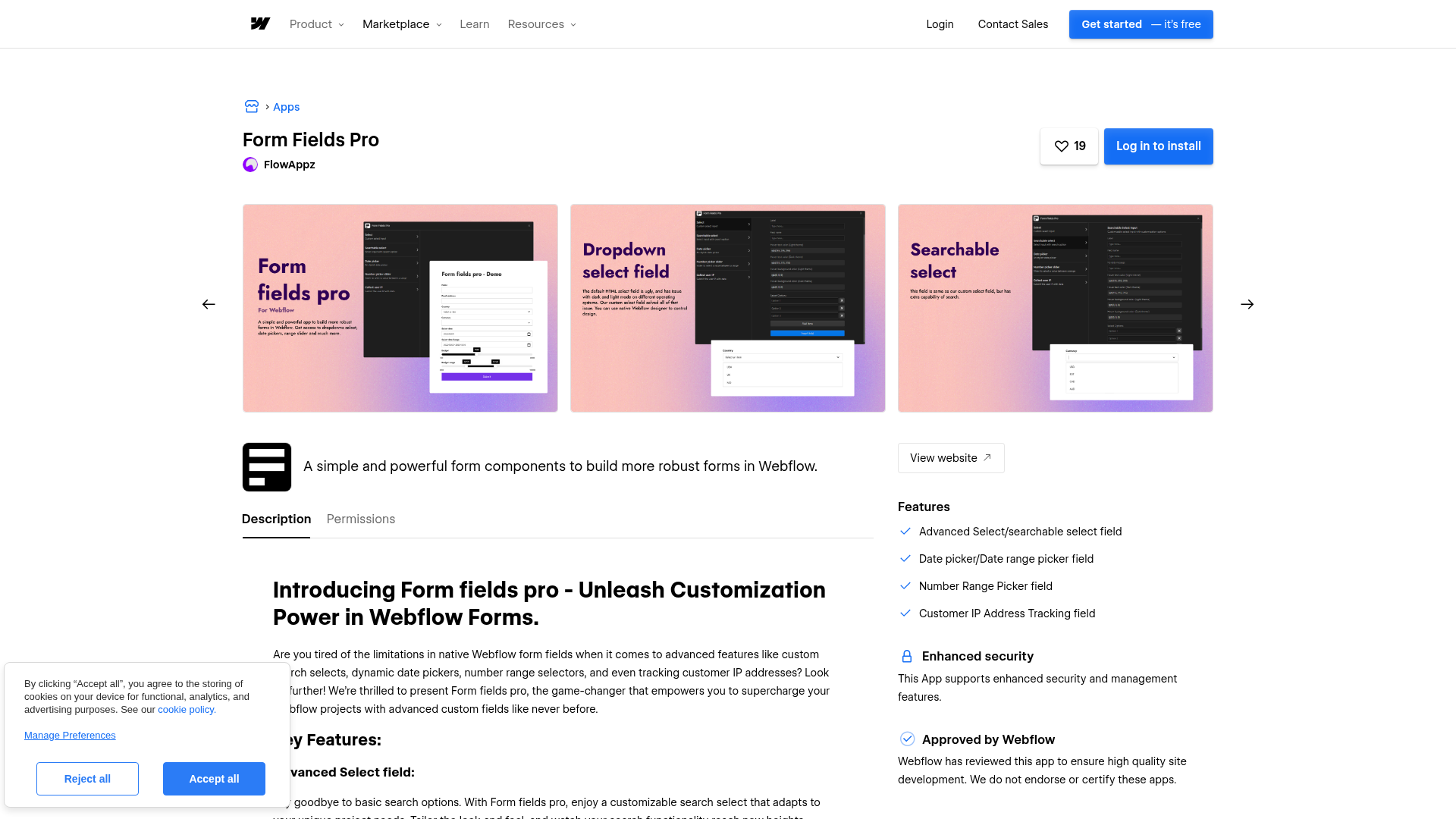
To set up the integration:
- Visit the Form Fields Pro listing on the Webflow Apps Marketplace and click Log in to install
- Authorize the requested permissions, including read/write access to site data, page data, forms, and custom code
- Configure advanced fields through the app panel in Webflow, selecting field types and applying theme-specific styling
- Enable conditional logic where supported to show or hide fields based on user input
- Test forms on your staging .webflow.io domain before publishing to production
Paid plans require a license key. Go to app.flowappz.com, open Licenses, click Activate next to Form Fields Pro, and paste the key into the app's license field inside Webflow. The free plan allows full testing on staging before committing to a paid tier.
Submissions continue through Webflow's standard form system after installation. Verify field behavior, payload structure, and webhook handling in your own setup during testing, especially for advanced or less-documented field types.
Add supplementary scripts with Code Embed elements and custom code
Code Embed elements and custom code in head and body tags let you add scripts alongside Form Fields Pro for custom validation, analytics tracking, or interactions that go beyond the app's built-in features. Use this approach when you need scripts that interact with form data after submission or modify field behavior with JavaScript.
Webflow supports three methods for adding custom code to a site:
- Code Embed elements: Open the Add panel, drag a Code Embed element to your page, paste your code, and click Save and close. Supports up to 50,000 characters of HTML, CSS, and JavaScript per element.
- Site-wide scripts: Go to Site settings > Custom code and paste code into the Head code or Footer code section — use this for scripts that need to run on every page.
- Page-specific scripts: Open the Pages panel, click the gear icon next to the target page, and paste code into the Inside
<head>tag or Before</body>tag fields.
Custom code only executes on published sites, not in the Webflow preview. Publish and test on your staging domain after adding any scripts.
Build with the Webflow API
The Webflow REST API v2 provides programmatic access to form submission workflows, CMS collections, and site data. Form Fields Pro does not expose a public developer API, so backend integration relies on Webflow's API to sync submission data to CMS collections, populate dropdowns dynamically, or support multi-step form workflows with server-side state. This path requires a developer to build and maintain the server-side layer.
Key API capabilities for Form Fields Pro workflows:
- Receive form data through the
form_submissionwebhook, which fires on each submission and delivers a JSON payload with field key/value pairs, field metadata, and timestamps - Create Webflow CMS items from submission data with
POST /v2/collections/{collection_id}/items, mapping form field values to collection fields - List CMS items with
GET /v2/collections/{collection_id}/itemsto populate searchable select fields dynamically - Update CMS items with
PATCH /v2/collections/{collection_id}/items/{item_id}for multi-step form workflows that build on previous submissions - Validate webhook authenticity by checking the
x-webflow-signatureheader against your webhook secret using HMAC-SHA256, as described in Webflow's webhook documentation
All Webflow API calls must be made server-side due to CORS restrictions. Direct client-side API calls will fail. The API requires Bearer token authentication with scope-specific permissions like cms:read and cms:write. CMS item limits vary by plan — the CMS plan supports 2,000 items and the Business plan supports 10,000.
Sync form submissions to a CMS collection
The most common API pattern takes Form Fields Pro submission data and writes it to a Webflow CMS collection — useful for building directories, testimonial pages, or submission review dashboards.
The flow starts when a user submits a Form Fields Pro form. Webflow fires the form_submission webhook to your server endpoint. Your server validates the x-webflow-signature header, extracts field values from the payload.data object, maps them to CMS collection fields, and calls POST /v2/collections/{collection_id}/items with the mapped data.
curl --request POST \
  --url https://api.webflow.com/v2/collections/{collection_id}/items \
  --header 'authorization: Bearer YOUR_TOKEN' \
  --header 'content-type: application/json' \
  --data '{
    "fieldData": {
      "name": "Zaphod Beeblebrox",
      "slug": "zaphod-beeblebrox-1699000000",
      "email": "zaphod@heartofgold.ai"
    }
  }'
Every CMS item requires a unique slug. Append a timestamp or UUID to avoid collisions on duplicate submissions. Items created via API default to draft status and won't appear on the published site until explicitly published.
Populate dropdowns dynamically from CMS data
You can fetch CMS items via the Webflow API and inject them into Form Fields Pro searchable select fields using client-side JavaScript — useful when dropdown options change frequently, such as product categories, office locations, or service tiers.
Your backend fetches items with GET /v2/collections/{collection_id}/items and transforms the response into label/value pairs. Collections with more than 100 items require offset-based pagination.
let allItems = [];
let offset = 0;
const limit = 100;
do {
  const response = await fetch(
    `https://api.webflow.com/v2/collections/${collectionId}/items?limit=${limit}&offset=${offset}`,
    { headers: { Authorization: `Bearer ${TOKEN}` } }
  );
  const data = await response.json();
  allItems = allItems.concat(data.items);
  offset += limit;
} while (data.items.length === limit);
Cache collection data on your server to reduce API calls and keep forms responsive without a fresh API call on every page load.
What you can build with Form Fields Pro Webflow integration
Integrating Form Fields Pro with Webflow lets you collect structured, validated data through visually consistent forms without replacing Webflow's native form system.
- Branded client intake forms: Build agency onboarding forms with searchable service category dropdowns, date range pickers for project timelines, file uploaders for brand assets, and conditional fields that adapt based on project type — each field styled to match your design system with light/dark mode support.
- In-page NPS surveys: Embed a Net Promoter Score field on any Webflow page and configure conditional follow-up inputs for low scores. Route submission data through Webflow's webhook pipeline for analysis without adding a separate survey tool.
- Custom order specification forms: Create product configuration forms with number range sliders for budget or quantity, color picker inputs for design preferences, and file uploaders for reference images. This captures specifications at the point of inquiry, reducing back-and-forth before a project starts.
- Geo-enriched lead capture pages: Collect structured lead data with validated phone number inputs, searchable country selectors, and automatic IP address tracking on every submission. Route the enriched data through Webflow's form pipeline to your CRM for geographic context without adding analytics tools.
For more complex workflows, syncing submissions to CMS collections or building multi-step forms with server-side state, the Webflow API v2 documentation and form_submission webhook reference cover the backend patterns that support those implementations.
Frequently asked questions
Visit the Form Fields Pro listing on the Webflow Apps Marketplace and click Log in to install. After authenticating with your Webflow account and authorizing the requested permissions, the app becomes available inside Webflow. Paid plans require a separate license activation through the FlowAppz customer portal. Copy your license key from there and paste it into the app's license field in Webflow.
Generally, yes. Form Fields Pro operates as a frontend layer on top of Webflow's native form system, so submission data flows through Webflow's standard form pipeline. The
form_submissionwebhook delivers the payload for that flow. Verify your field names and payload structure during testing, especially for advanced or less-documented field types.Yes. Individual field types include theme-specific settings for hover text color, hover background color, and selected state colors in both light and dark mode. Styling is configured through the app's panel inside Webflow alongside Webflow's native styling tools.
Yes. The free plan lets you install Form Fields Pro and test available field types on your staging .webflow.io domain. Production deployment to a custom domain requires a paid plan. Evaluate field behavior, styling, and conditional logic on a real Webflow site before committing to a tier.
Description
Install the Form Fields Pro marketplace app to extend Webflow's native form builder with searchable dropdowns, date pickers, number range sliders, NPS fields, and conditional logic, no custom code required.
This integration page is provided for informational and convenience purposes only.

Anthropic Claude
Webflow's Model Context Protocol (MCP) server connects Claude AI directly to your site's CMS, Designer APIs, and data layer.

ChatGPT
Direct API integration provides complete control over AI functionality compared to pre-built solutions, enabling custom conversation flows, context management, and advanced processing patterns that aren't possible through standard embeds.

Xano
Connect your Webflow site to a powerful no-code backend platform that handles databases, APIs, and business logic — all without writing server-side code.

Zapier
Connect Zapier's powerful automation platform with Webflow to streamline workflows, sync data across 8,000+ apps, and eliminate manual tasks. Transform your website into an automated hub that captures leads, processes orders, and updates content without writing code.

Smartarget Contact Us
Connect Smartarget Contact Us with Webflow to add a floating multi-channel contact widget that lets visitors reach you on WhatsApp, Telegram, email, and 12+ messaging platforms.
CMS Bridge
Connect CMS Bridge with Webflow to sync Airtable records to your CMS collections with record-level control over content states and publishing.
Osmo SVG Import
Connect Osmo SVG Import with Webflow to add fully editable SVG elements to your site without character limits or manual code editing.
Telegram Chat - Contact Us
Connect Telegram Chat - Contact Us to your Webflow site to add a floating Telegram chat widget that lets visitors message you directly from any page.
Vault Vision User Authentication
Connect Vault Vision with Webflow to add passwordless login, social sign-in, and per-page access control to any Webflow site without backend code.
Related integrations
Get started for free
Try Webflow for as long as you like with our free Starter plan. Purchase a paid Site plan to publish, host, and unlock additional features.
