






Updates
See the latest Webflow feature releases, product improvements, and bug fixes.
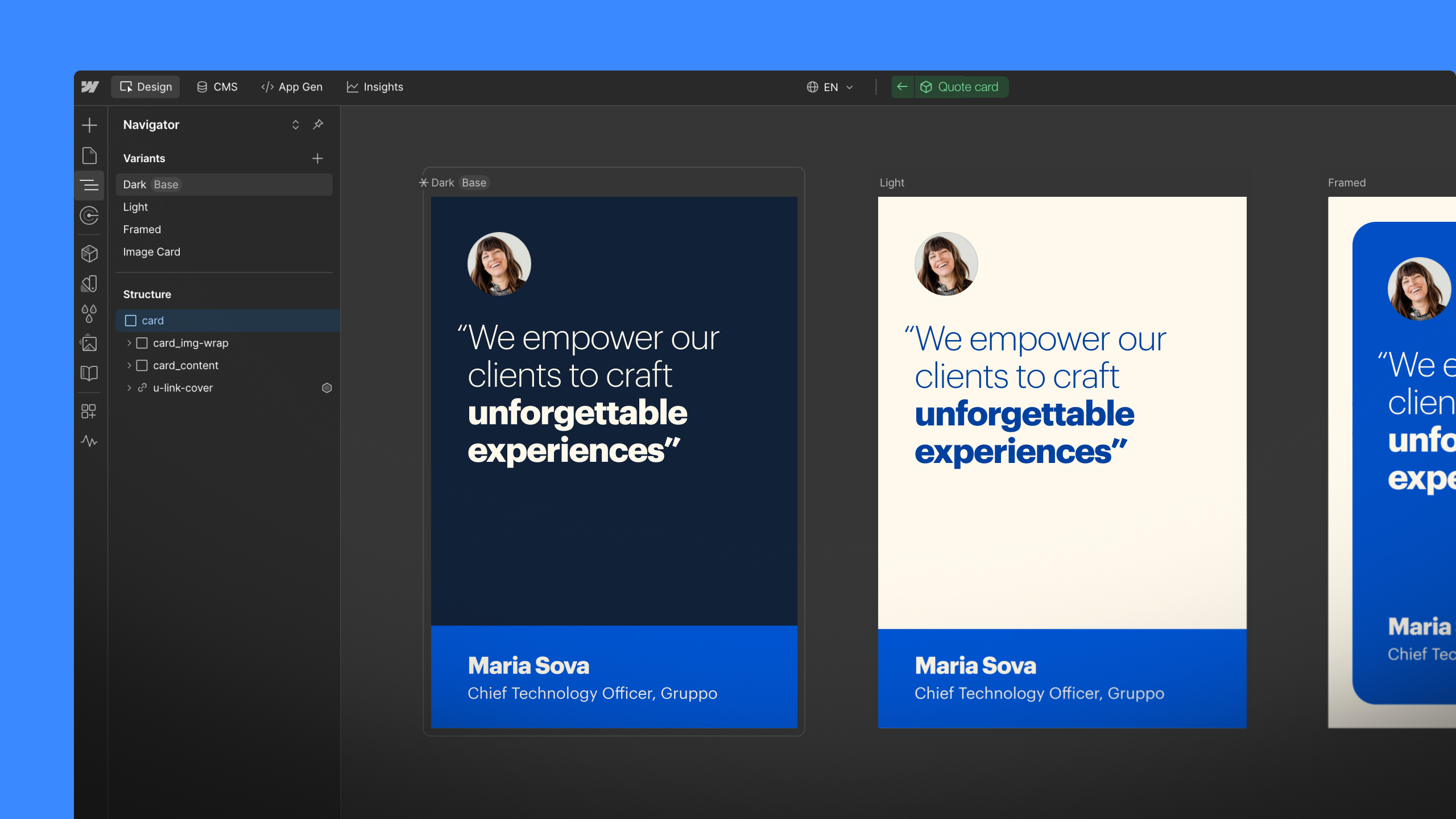
Feature
Designer
Component Canvas is now available

Feature
Designer
CSS filters

Create beautiful effects by adding one or more of 8 CSS filters to any element of your Webflow websites inside the Designer.
Bug Fix
Interactions
Renaming classes no longer breaks your interactions
If you've ever created an interaction with Webflow, then had to change the class name of an element that interaction affected, you might've had a nasty surprise: a broken interaction.
So we fixed that: from now on, when you change a class name, any related interactions will update automatically. So long, broken interactions!
To date, creating and updating SEO, Open Graph, and RSS settings has been a designer’s job—insofar as you can only manage those key settings inside the Webflow Designer.
Today, we’re happy to say that’s no longer the case.
Because now you can access SEO, Open Graph, and RSS settings for all your static pages, Collections, and Collection items—right inside the Editor.
Feature
CMS
Form submissions in the Editor
If you have Webflow CMS hosting, you, your clients, and other Collaborators can now review incoming submissions from your website's forms right inside the Editor panel—plus download the whole list in a handy CSV file.
Webflow will no longer support form submissions on sites exported after April 20th 2016 at 12:00 a.m. UTC. Sites exported before then will continue to enjoy our form submission management as normal. In a related note, sites built on our free Starter plan that don't have custom domain hosting through Webflow will now be able to receive 6 free submissions.
Feature
CMS
RSS feeds for CMS Collections
Create an RSS 2.0 feed for any of your dynamic content Collections so people can subscribe to your content via reader apps like Feedly. You can also automate your email newsletter via MailChimp or set up RSS "zaps" with Zapier using your RSS feed URL.


