






Feature
AI site builder
Webflow’s AI site builder, evolved
Webflow’s AI site builder has evolved. Create multi-page sites with structure, styles, and animations, then continue building seamlessly in Webflow.
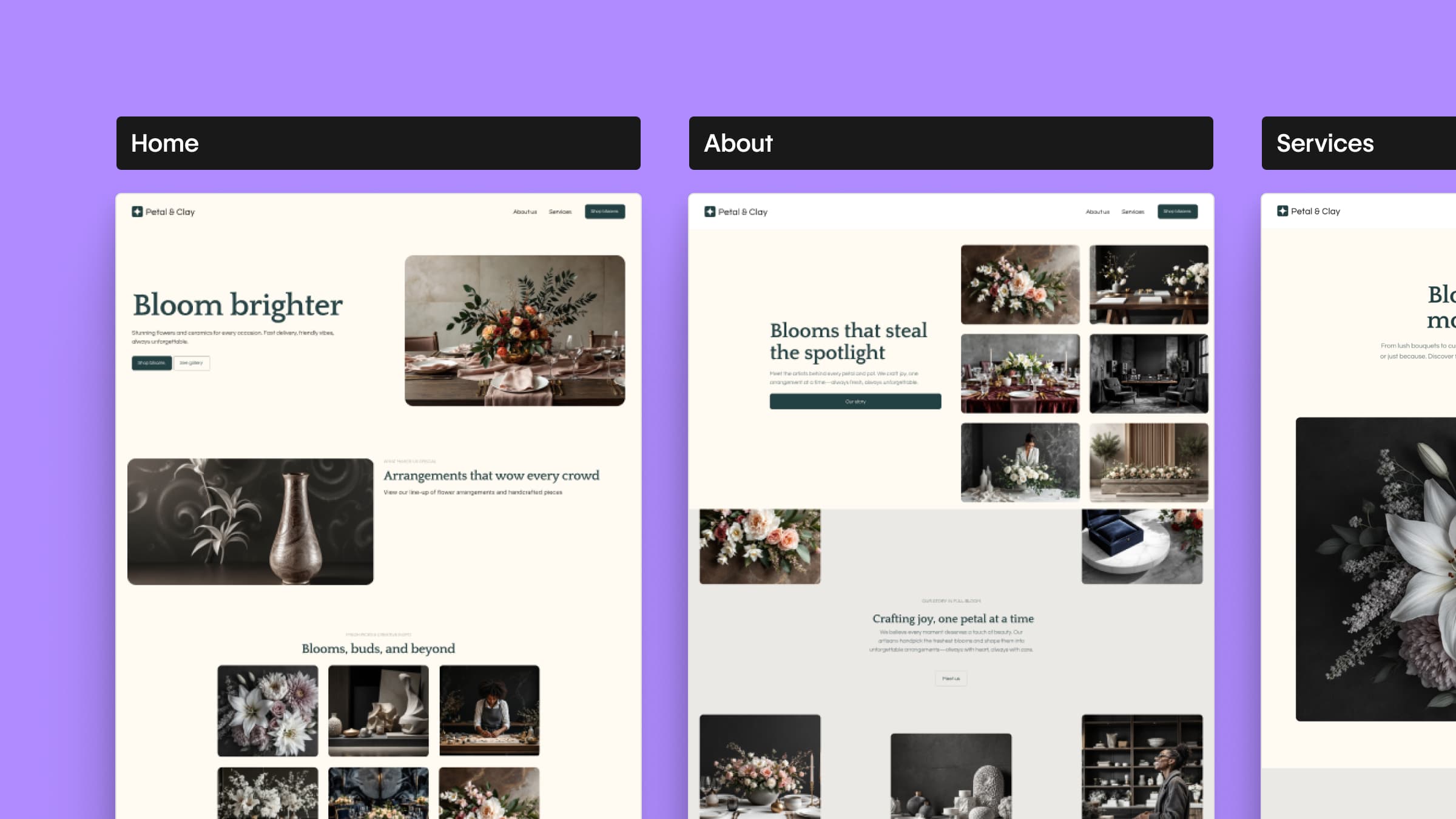
When we first introduced the AI site builder in February 2025, we set out to further our mission of bringing development superpowers to everyone. We wanted to help anyone, regardless of design or technical expertise, move from idea to full site faster.
Since then, we’ve continued to evolve the experience based on how customers actually build. With our latest updates, the AI site builder lets you do more within the site creation flow, giving you a stronger foundation from the start.
The AI site builder doesn’t just generate a layout. It creates a functional site and a foundational design system that you can shape, refine, and scale as your needs grow, all within Webflow.
What’s new
A redesigned site creation flow
The AI site builder flow has been refreshed to be clearer, faster, and more flexible, making it easier to guide your site from first prompt to editable draft.
Multi-page site creation
Start with a complete site structure right away. The AI site builder now supports multi-page sites (up to five pages) within the site creation flow, so you can establish structure earlier and build with confidence.
Built-in animations
Add animations during site creation to bring your site to life, then refine and scale them in Webflow.
Enterprise access
AI site builder is now available to Enterprise customers, making it easier for large teams to explore concepts, spin up new sites, and accelerate production workflows.
How it comes together
Using Webflow AI, you can turn a simple prompt into an editable multi-page site complete with structure, styles, and animations. From there, you can refine layouts, adjust your design system, and customize every detail to reflect your vision.
Because it’s built directly into Webflow, your site is ready to evolve and scale in full production workflows without losing momentum.
Availability
AI site builder is available to all customers, including Enterprise accounts, and can be accessed from the site creation modal when you click New Site from the Webflow Dashboard.
If you don’t see AI site builder as an option, contact your Webflow Admin or Workspace owner to enable the Webflow AI toggle in Workspace settings.
Related updates




















Get started for free
Try Webflow for as long as you like with our free Starter plan. Purchase a paid Site plan to publish, host, and unlock additional features.
Try Webflow for as long as you like with our free Starter plan. Purchase a paid Site plan to publish, host, and unlock additional features.