






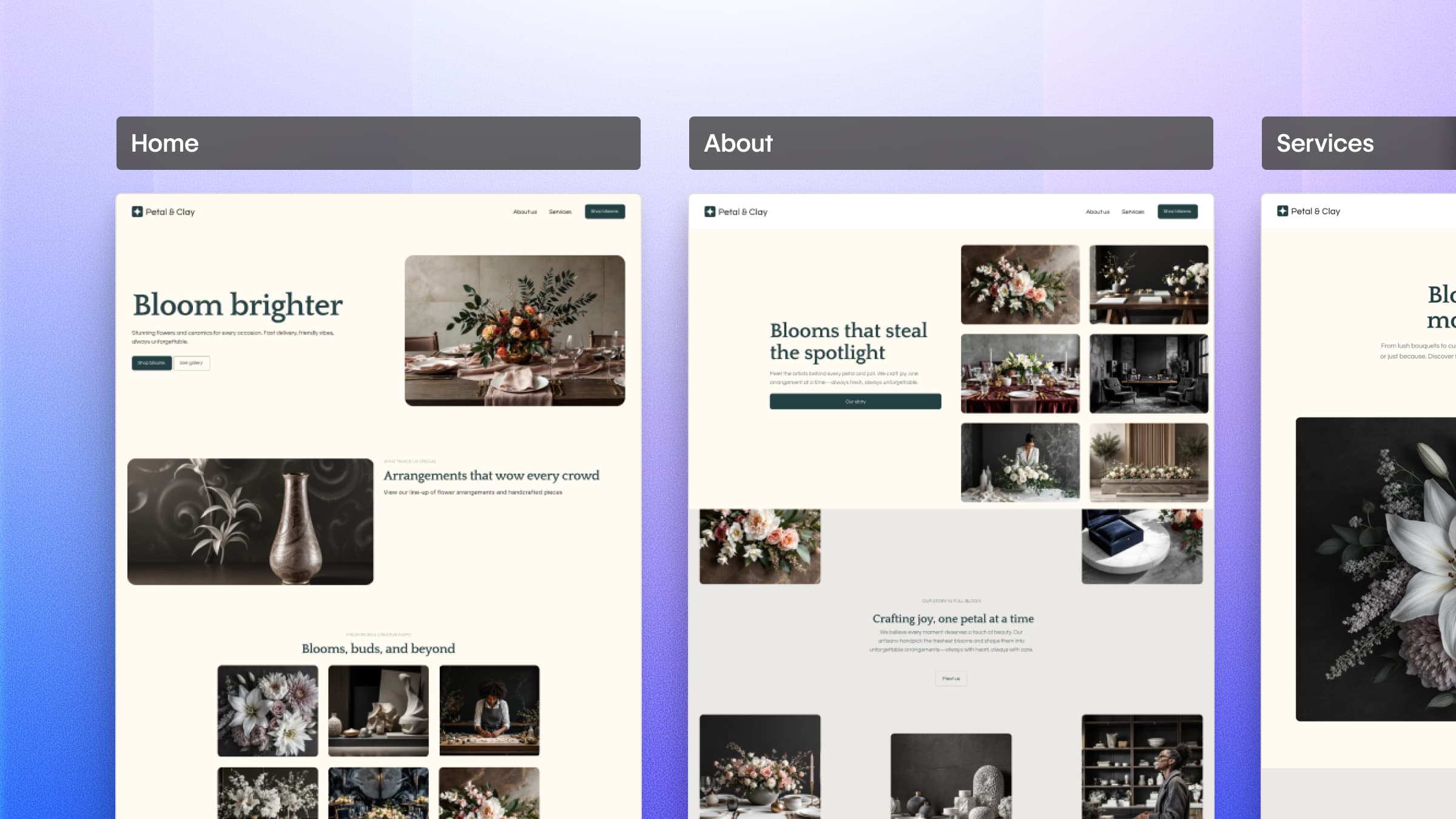




We’ve shipped major updates to Webflow’s AI site builder, with a clearer site creation flow, support for multi-page sites, and more to help you build a website with a strong foundation you can grow on.
Getting started on a website often means choosing between moving quickly and building something that lasts. That tradeoff eventually slows you down, whether it’s inconsistent styling that’s painful to update or a site architecture that can’t grow with you.
Webflow’s AI site builder changes that equation. It brings your vision to life in minutes on a system designed to scale. Structure, consistency, and flexibility are built in from the start, giving you a site you can confidently shape, refine, and build on over time.
When we first introduced Webflow’s AI site builder in February 2025, our goal was to empower Webflow users to move from idea to site faster by generating a homepage and a design system from a single prompt and hands-on controls to shape the look, feel, and function of your site. Since then, more than 60,000 websites have been published using this feature.
While this gave many builders a meaningful head start, finishing a full site still required expanding beyond that initial page — either by generating additional pages with Webflow AI or continuing the build using the full breadth of the Webflow platform.
Now, we’re taking AI site builder a step further. With the latest updates you can start with a complete, multi-page site, add animations during site creation, and customize your site with greater control — so what you begin with feels closer to what you want to publish.
Momentum, meet structure
Building with AI gives you speed. AI site builder gives you both speed and structure — so you can build right and ship faster.
Webflow’s AI site builder now supports generating multi-page sites directly within the site creation flow, so you can define your site’s structure before you start building.
This means you can:
- Start with a complete page structure for your entire site
- Reorder, add, or remove pages during the site creation flow
- Implement a consistent design system across every page from day one
The result is a starting point that feels intentional, not provisional.
A site built for scale
As always when you use AI site builder, you’re not just generating layouts — you’re establishing a design system that defines how styles, spacing, and components work together across your site.
Colors are created as global variables, typography is defined through reusable text styles, and layout spacing follows consistent rules you can update in one place. And everything is editable right in Webflow so your team can tweak styles, adjust components, and evolve the system over time.
AI site builder design systems are powered by Flowkit, Webflow’s modular CSS framework. Flowkit helps ensure layouts, spacing, and components stay cohesive as your site grows, so expanding your site doesn’t introduce design drift or require rework to maintain consistency.
The result is a site that can evolve without losing its structure so scale isn’t an afterthought It’s built in from the start.
More than a starting point
Once your site is created with Webflow’s AI site builder you’re brought directly into the same visual development platform trusted by teams like Verifone, Lattice, Orangetheory Fitness, Greenhouse, and Docusign to build and scale production sites over time.
Because your site starts with a design system already in place, new pages and content fit naturally into the existing framework as you continue building in Webflow. From there, you can use Webflow AI can support you as you iterate. It can help answer questions in context, suggest next steps, and generate or populate CMS collection items — so managing and expanding structured content is faster, without pulling you out of your workflow.
And while AI site builder gives you a baseline set of animations as a starting point, each is fully editable and extensible. Designers can refine motion visually, and developers can take animations further with custom interactions as the experience evolves.
Start fast without compromise
Not all AI-generated sites are created equal. Too many solutions prioritize speed over structure, handing you something that’s quick to generate but hard to refine, extend, or scale over time.
Webflow’s AI site builder helps you move quickly with a foundation built to evolve as your site grows. Whether you’re exploring a new idea or laying the groundwork for a production-ready site, you’re starting with the structure, consistency, and flexibility to build with confidence — not just today, but as your site grows.
For more details about our latest release, check out our updates post or visit webflow.com/ai-site-builder to jumpstart your next site with Webflow’s AI site builder today.





































