











Enterprise teams don't work on a website alone.
Content teams manage the blog. Regional teams handle translations. Legal reviews compliance pages. Marketing owns campaign landing pages. Everyone contributes to the same site, but each team owns a different part of it.
Until now, access control in Webflow worked at the site level. Roles defined what someone could do, but not where they could make changes. That works for small teams. It breaks down when 20 contributors need access to the same site and the only way to prevent mistakes is a Slack message that says "please don't touch the pricing page."
CMS collection access shipped in September 2025. Page-level access followed in February 2026. Today, locale-specific access adds a third layer. Together, these give enterprise admins resource-level permissions across the CMS, site structure, and localization workflows.
What shipped first: CMS and page-level access
CMS collection access lets admins restrict editing to specific collections:
- HR edits the Jobs collection.
- Marketing edits Blog Posts.
- Communications edits Press Releases.
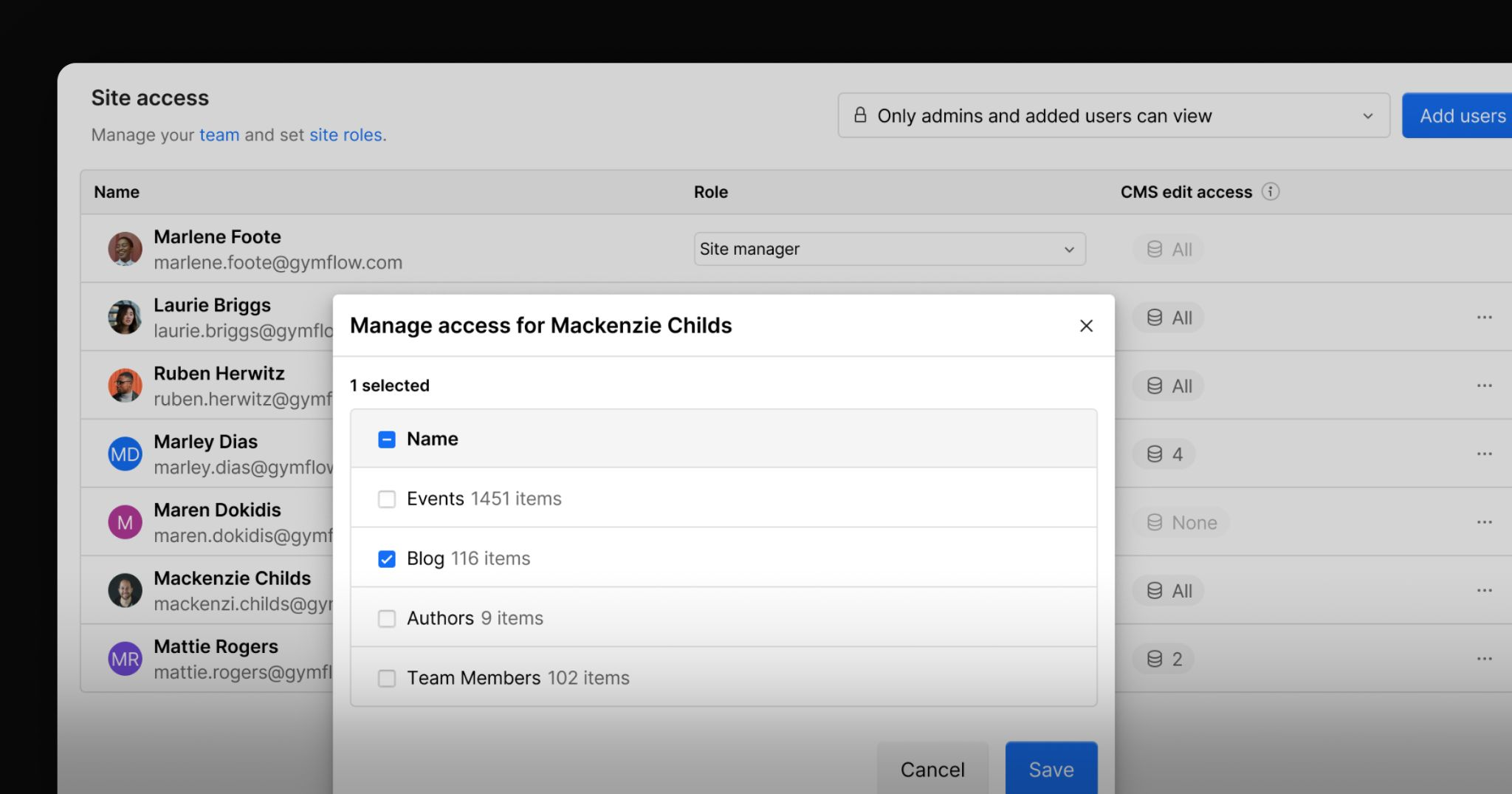
Each team works inside the collection they own without seeing edit controls for collections they don't.
This is the most common use case for organizations where multiple departments manage structured content across the same site. Before this, users either had access to all CMS collections or no editing access at all. Admins compensated with process: training people not to touch certain collections, reviewing changes manually, sometimes avoiding inviting collaborators altogether. That defeats the purpose of a collaborative platform where teams are supposed to work in the same system.
Page-level access applies the same model to pages:
- The monetization team owns the Pricing page.
- Legal owns Terms and Compliance pages.
- SEO teams manage specific landing pages.
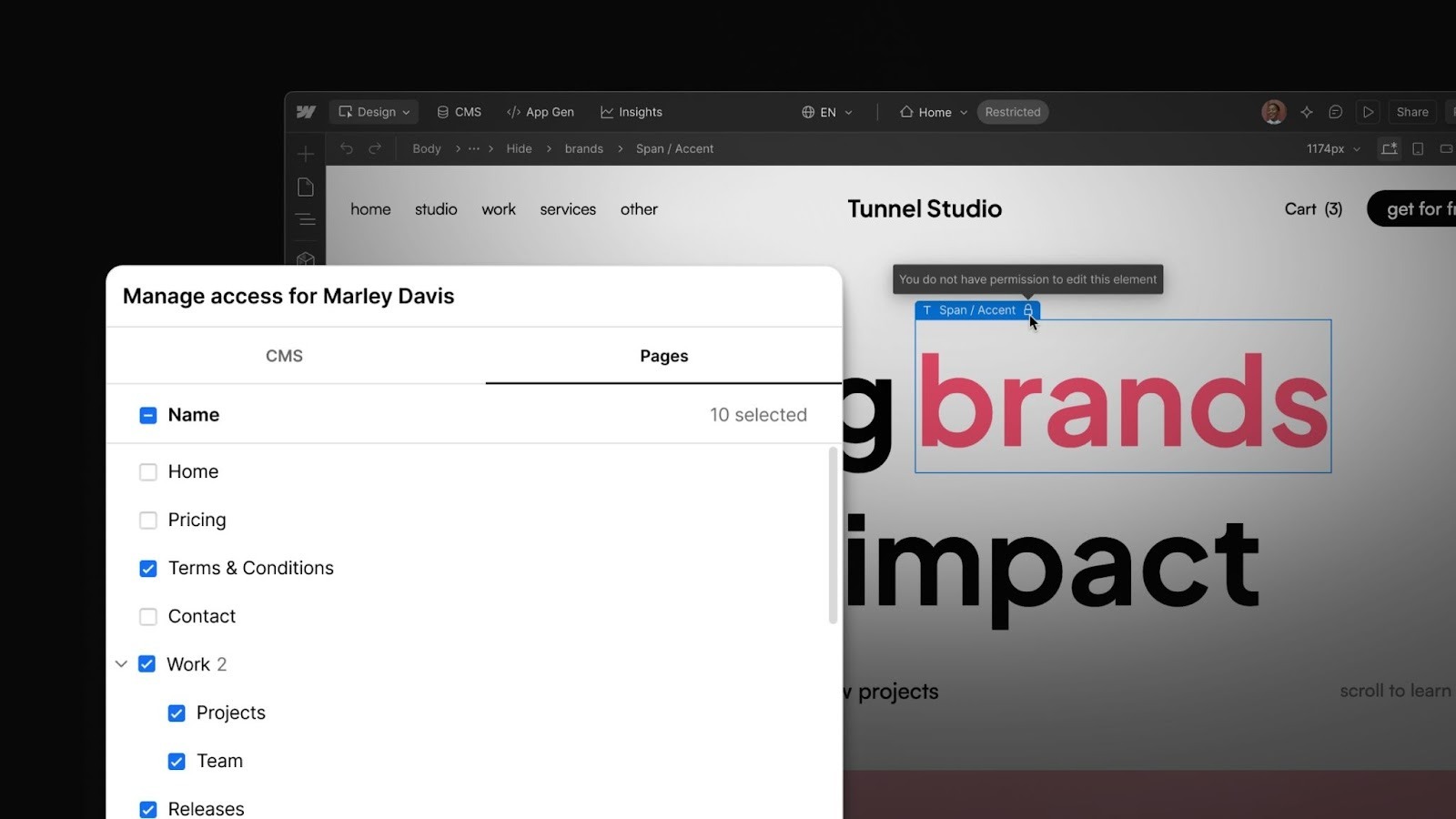
Page-level access applies this model to static content. It lets admins control who can edit high-impact pages like the homepage or pricing page, instead of giving broad access across the entire site.
These controls don’t just protect admins, they also help contributors stay in their lane. When editors can only change what they’re responsible for, they stop second-guessing whether they’re in the right place. Fewer Slack messages asking “is it okay to edit this,” and more confidence to collaborate directly in Webflow.
New today: Locale-specific access
Locale-specific access restricts editing to specific language versions of the site:
- Regional teams edit their own locale only. For example, the Japan team working in Japanese.
- Translators or external partners are scoped to specific locales without edit access to the primary locale.
- Global admins retain access to the primary locale.
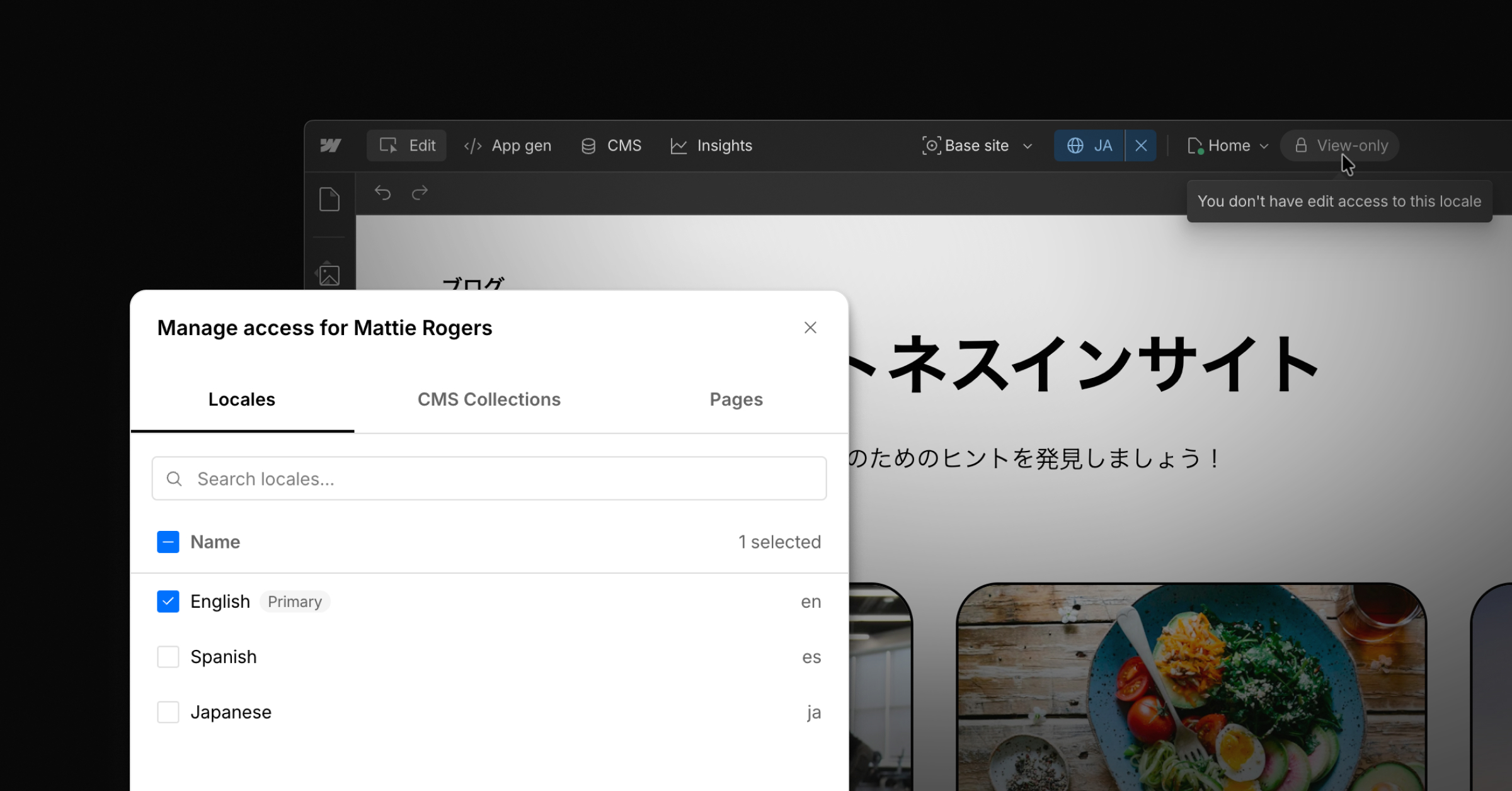
For organizations managing global sites, the most common localization failure isn’t someone editing the wrong page. It’s someone editing the wrong locale.
How this works with roles
Granular access controls does not replace Webflow's role model. Roles still define what someone can do. Designers create and manage collections. Content editors edit CMS items. Marketers update pages and campaigns. Granular access defines where those actions are allowed.
Think of it as two layers: roles control the verbs (edit, publish, manage) and granular access controls the nouns (which collections, pages, or locales). An admin can onboard someone as a Content Editor and then scope their access to specific collections or pages within a site via granular access controls without changing the role system. If needed, custom roles can further limit capabilities like publishing.
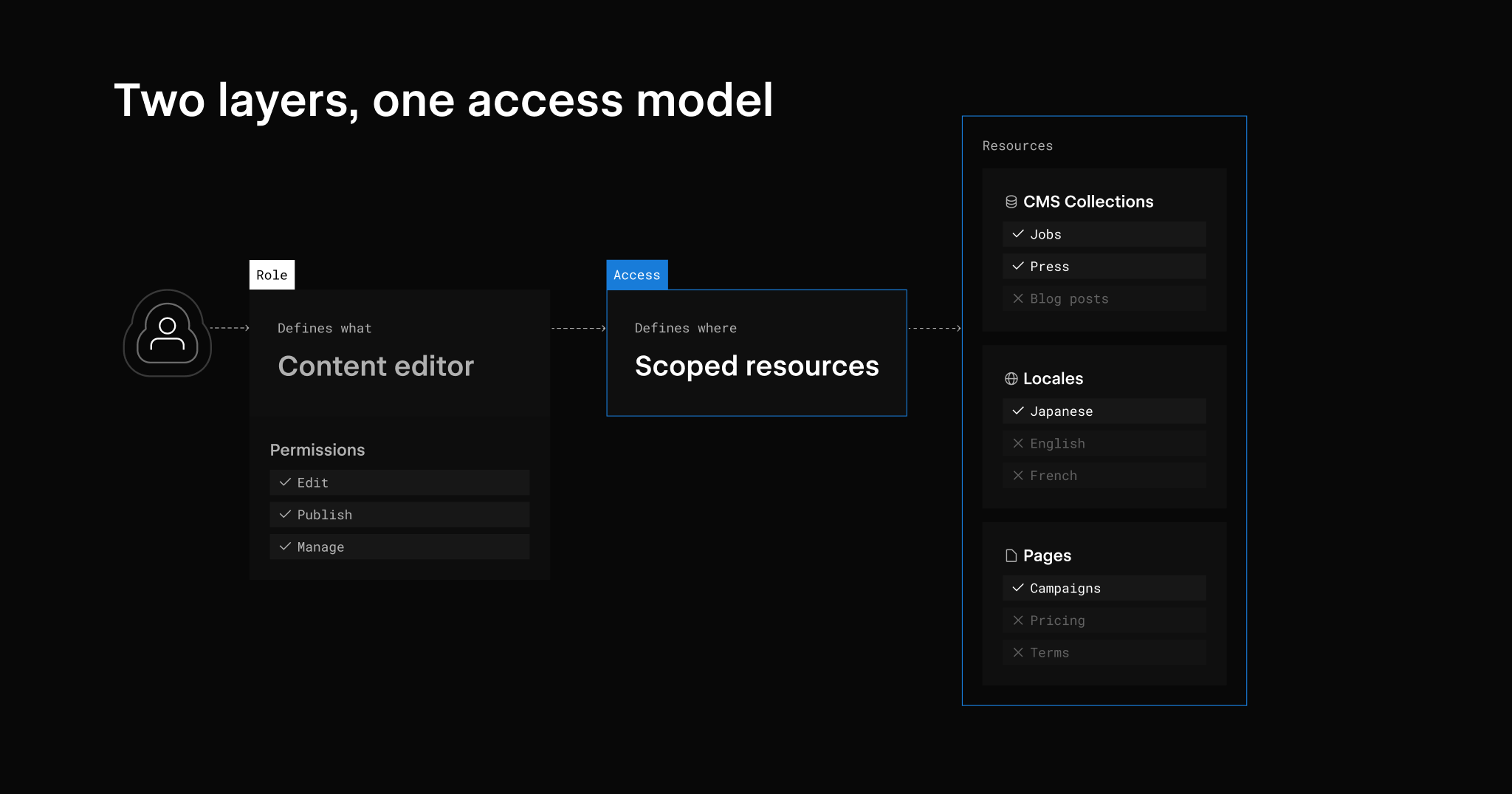
Most tools don’t offer meaningful resource-level access control. On the other end, some enterprise CMS and DXP platforms solve the problem by multiplying roles. Every new restriction requires creating or modifying a role. Over time, roles start to mirror individual collections, pages, or locales, leading to role explosion and making permissions harder to manage and reason about.
Webflow takes a different approach. The role model stays simple and granular access controls layer on top. Fewer roles to manage, clearer audit trails, and permissions that don't collapse under their own weight as teams grow.
CMS collection, page, and locale access together
All three layers are available now for Enterprise plans. Together they provide granular access across the three areas where enterprise teams need the most control: CMS collections, site pages, and language versions.
For more on Enterprise Granular Access Control visit our docs.





































