






ScheduleFlow
Connect ScheduleFlow to Webflow to schedule site and CMS publishes at specific dates and times.

Webflow's native scheduled publishing has plan and functionality restrictions that create friction for content teams. Full-site scheduled publishing requires a CMS plan or above and applies only to content that has never been published. You cannot schedule a republish of updated content this way. For teams that plan content in advance, this creates a gap between when work is ready and when it goes live.
ScheduleFlow addresses this by calling Webflow's publish API on your behalf at the time you specify. Set a date and time, and the app triggers the publish automatically with no open browser tab, no manual click, no monitoring a clock. It supports both full-site publishes and CMS item publishing, so content updates and site-wide changes can run on the same schedule.
This integration suits marketing teams coordinating product launches, agencies managing multiple client sites, editorial leads running content calendars, and freelancers who publish outside working hours.
How to integrate ScheduleFlow with Webflow
What is ScheduleFlow? ScheduleFlow is a Webflow app built by Manuel Ogomigo, a verified Webflow Partner, that automates site and CMS publishing on a user-defined schedule. It runs as a backend service that triggers Webflow's publish endpoints at a specified date and time, without requiring any front-end code or embeds.
The integration uses a single approach: the ScheduleFlow app installs from the Webflow Apps Marketplace through OAuth authorization and handles all scheduling from the backend. No embed codes, script tags, or front-end components are involved.
Use the ScheduleFlow app
The ScheduleFlow app is listed in the Webflow Apps Marketplace with an "Approved by Webflow" designation and an "Enhanced Security" badge. Installing it connects your Webflow sites to ScheduleFlow's scheduling engine, which calls Webflow's publish endpoint at the times you configure. The app supports scheduling for both full-site publishes and CMS item publishing across multiple sites. The developer describes the setup as "Connect Sites → Schedule Site or CMS → Relax."
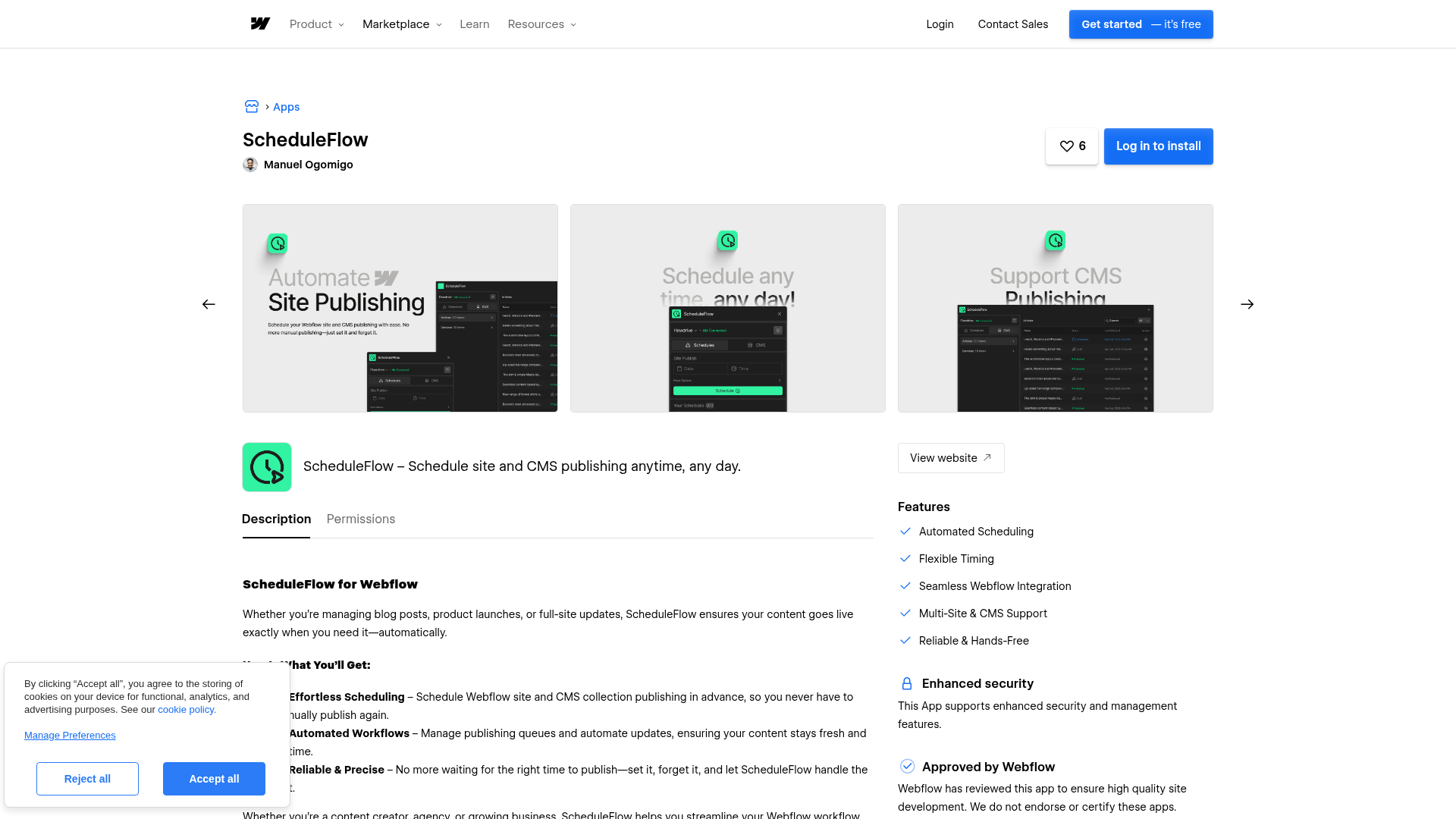
The app requests these OAuth permissions during installation:
- Read and write CMS data — allows creating, updating, and deleting CMS collections and items
- Read and write site configuration — allows modifying site settings
- Read site activity data — provides access to audit logs and events
- Read and write site data and publishing — allows triggering site publishes
- Read information about authorized users — identifies the installing user
- Read App subscriptions — accesses subscription status
To install:
- Go to the ScheduleFlow marketplace listing or visit scheduleflow.app and click Install Webflow App
- Log in and authorize the requested OAuth permissions
- Select the sites you want to connect and configure your publishing schedules
After installation, ScheduleFlow connects to your selected sites and runs publishes on the schedule you set.
No public documentation, setup guides, or changelogs exist outside the marketplace listing. For support, contact the developer at manuelogomigo@gmail.com as listed on the Webflow marketplace page.
What you can build with ScheduleFlow Webflow integration
Integrating ScheduleFlow with Webflow lets you automate publish timing for sites and CMS content without manual intervention or browser-dependent workflows. Here is what is possible:
- Timed product or feature launches: Schedule a full-site publish to go live at a specific time for a product launch, embargo-timed announcement, or PR-coordinated release, even if no one is at their computer when it fires.
- Off-hours content publishing: Queue blog posts, case studies, or landing pages to publish at 6 AM on weekdays. A marketing agency managing ten client blogs can batch-schedule a week of posts in one session.
- Multi-site agency management: Connect multiple client Webflow sites to one ScheduleFlow account and set independent publishing schedules for each, without logging into separate site dashboards.
- Weekend and holiday campaign deploys: Schedule a Black Friday sale page or seasonal promotion to go live at a specific time, useful for e-commerce sites running time-sensitive campaigns that cannot depend on someone being online to publish manually.
For any workflow that depends on precise publish timing, ScheduleFlow handles the scheduling layer so your team can focus on the content.
Frequently asked questions
Publishes can fail for the same reasons a manual publish would: validation errors in CMS content, an expired OAuth token, or Webflow platform downtime.
No. ScheduleFlow publishes through Webflow's API, so all CMS item limits set by your site plan still apply. The CMS plan supports up to 2,000 items; the Business plan supports up to 10,000. ScheduleFlow cannot publish beyond your plan's limit.
Webflow OAuth tokens can expire after extended inactivity. If ScheduleFlow's authorization token lapses, scheduled publishes may stop working until you reauthorize the app. Because ScheduleFlow does not publish documentation on failure notifications or token-refresh handling, reauthorizing through the Webflow Apps Marketplace is the recommended first step if publishes stop firing as expected.
Description
Schedule Webflow site and CMS publishes at specific dates and times through the ScheduleFlow app.
This integration page is provided for informational and convenience purposes only.

OpenAI
Connect OpenAI with Webflow for visual workflows, chatbot widgets for quick deployment, or custom serverless functions.
Microsoft SQL Server
Connect Microsoft SQL Server, an enterprise database platform, with Webflow through middleware solutions like Zapier, Make, or custom API development. Direct database connections are not possible.
WhaleSync
Connect WhaleSync, a data sync platform, with Webflow to sync CMS content bidirectionally with Airtable, Notion, and Google Sheets in real-time.
AWS Lambda
Connect AWS Lambda, a serverless compute service, with Webflow to add backend processing for forms, CMS automation, and custom API endpoints without managing servers.
Freshdesk
Embed Freshdesk's Help Widget directly on your Webflow site to add a floating widget to your pages where visitors can submit tickets, search help articles, and check ticket status.
Shipmondo
Connect Shipmondo, a multi-carrier shipping platform, with Webflow to automate label generation, tracking synchronization, and customs documentation through Zapier automation or custom API integration.
IFTTT
Connect IFTTT to Webflow and automate form submissions, CMS updates, and ecommerce events without custom development.

Microsoft Copilot
Microsoft Copilot connects to Webflow through embedded chat interfaces or API calls. No official Webflow marketplace app exists, so you'll use code embeds or build custom API integrations.

monday.com
Connecting monday.com with Webflow requires either automation platforms or custom API implementation. Automation tools like Zapier and Make provide template-based workflows that handle common scenarios like form-to-task conversion.
Related integrations
Get started for free
Try Webflow for as long as you like with our free Starter plan. Purchase a paid Site plan to publish, host, and unlock additional features.
