






Enhancement
Designer
Control content with conditional logic
Conditional logic now goes beyond visibility — dynamically control variants, text, images, and more.
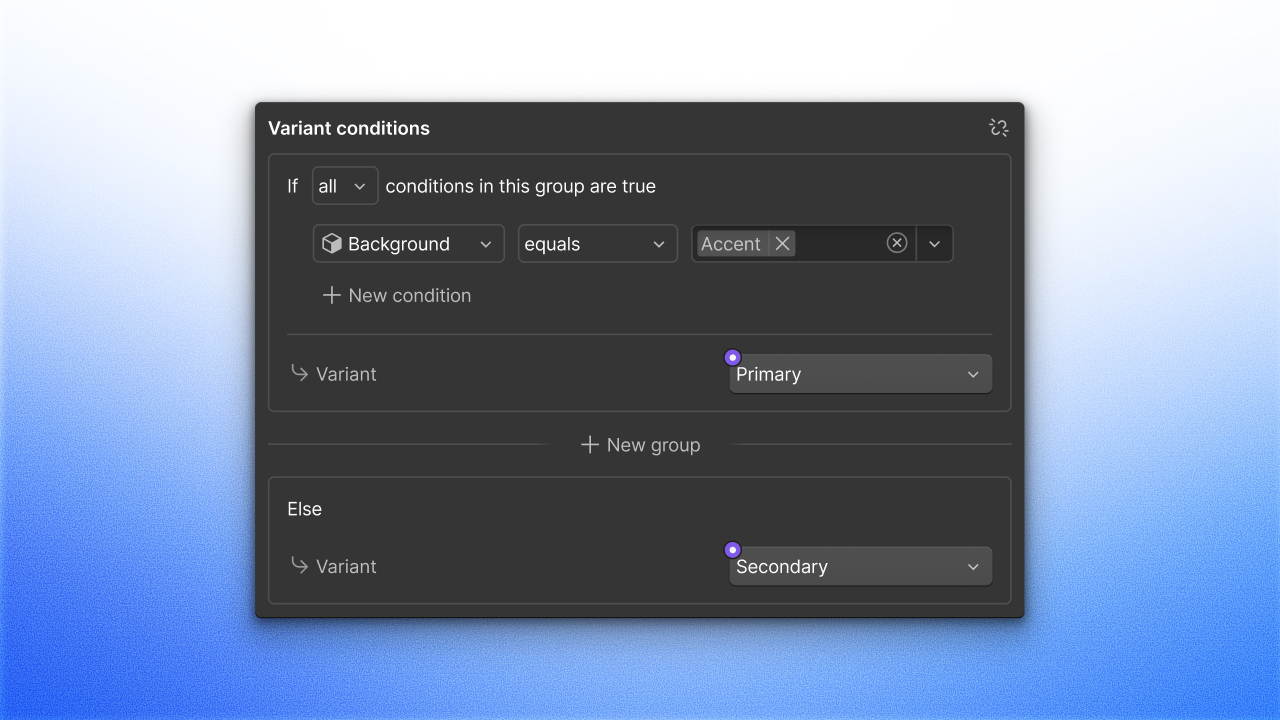
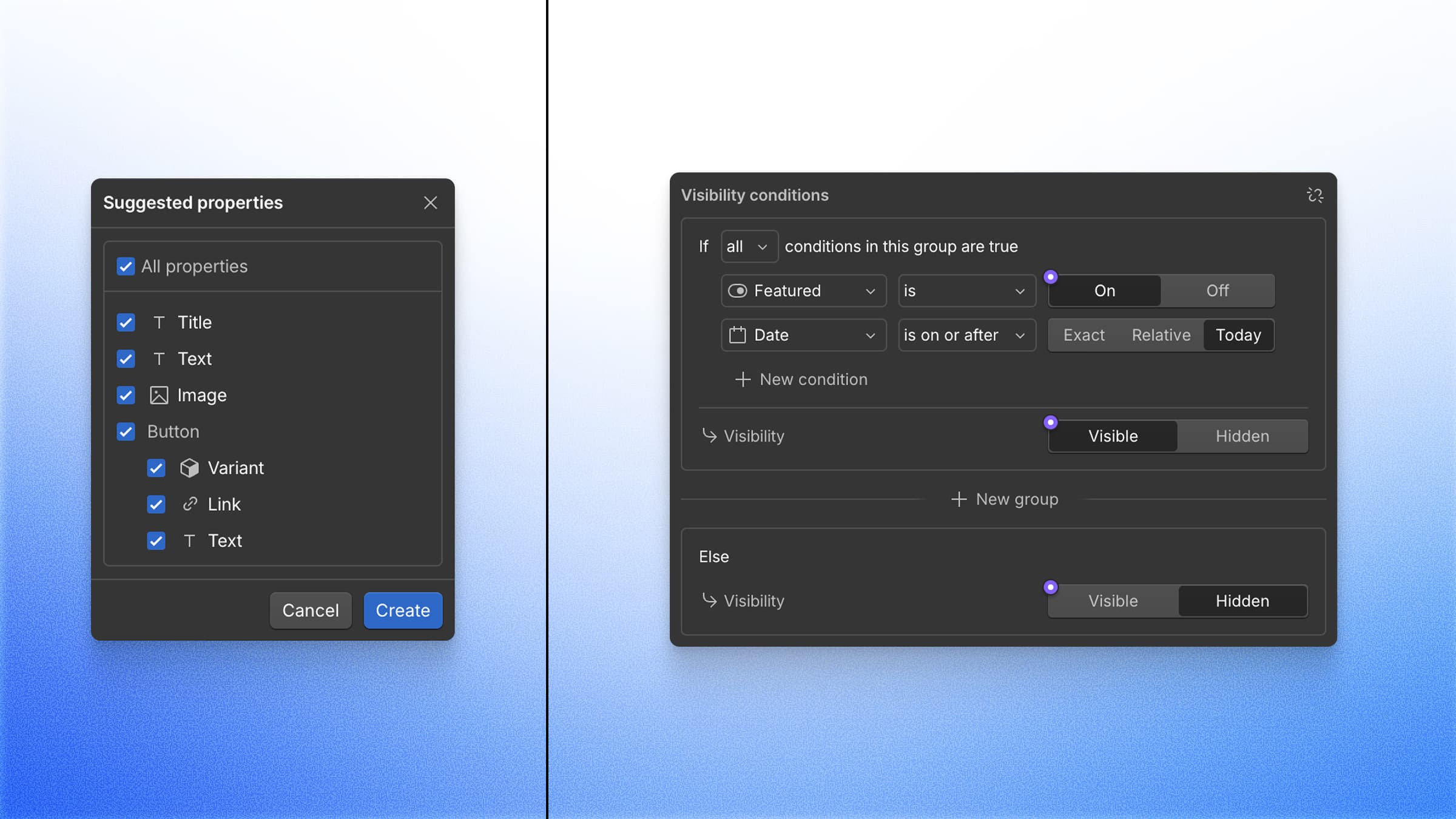
We recently launched Conditional Visibility, so you can show or hide elements based on component props, CMS fields, or the current locale. Today, we're expanding conditionals beyond visibility, with new ways to dynamically control component and CMS content.
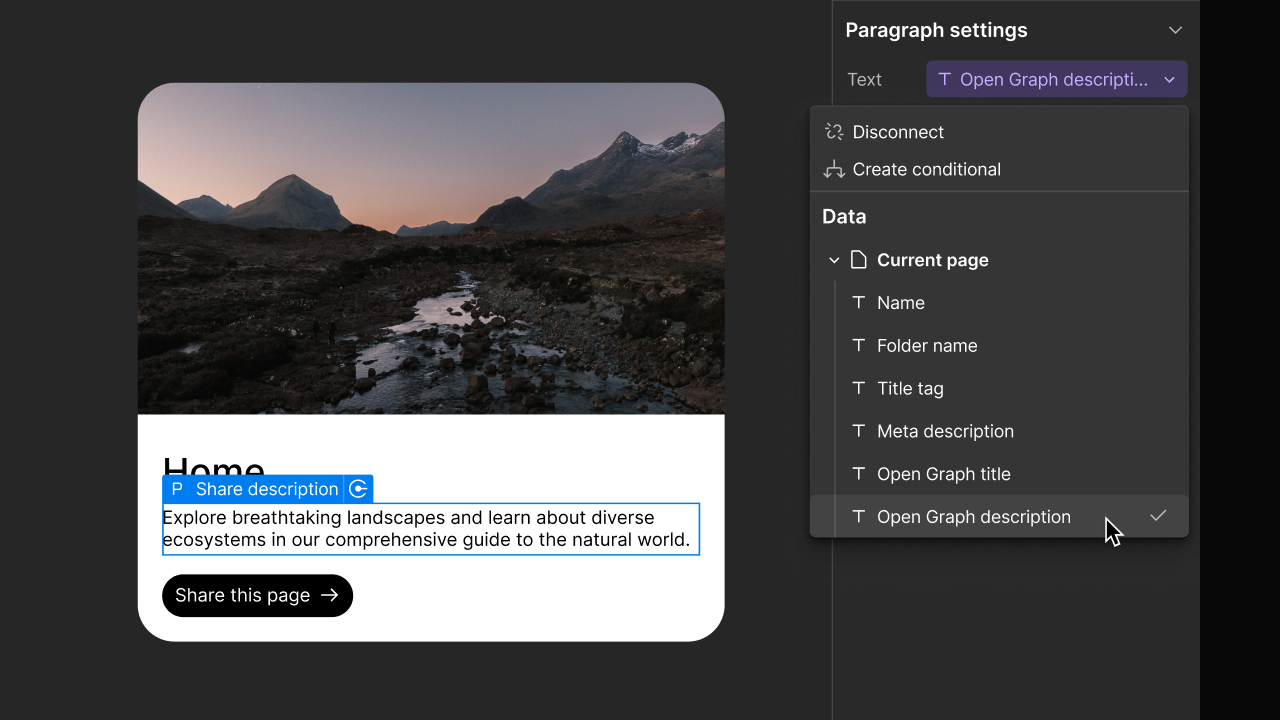
Conditionals can now be used to set variants, text, attributes, images, and video. The same logic you use for visibility now controls what your elements display.
In addition, component slots can now be referenced in conditional logic, allowing you to show, hide, or change content based on whether a slot is empty.
We’ve also added an advanced keep in HTML setting for hidden elements, making it easier to reveal hidden content with custom code.
These updates are available now to all sites. Learn more about conditionals in the Help Center.
Related updates





















Get started for free
Try Webflow for as long as you like with our free Starter plan. Purchase a paid Site plan to publish, host, and unlock additional features.
Try Webflow for as long as you like with our free Starter plan. Purchase a paid Site plan to publish, host, and unlock additional features.