






Enhancement
Collaboration
Bringing more visibility and fine-tuning to design approvals
We’re making design approvals more powerful in Webflow — available for Webflow Enterprise customers and their Partners.

Today we’re making design approvals more powerful with two improvements to make it easier to use and more customizable.
A few months ago, we released design approvals to Enterprise customers and their Partners to allow them to ensure that proposed changes to the site are reviewed and approved by the right stakeholders. And today, we’re thrilled to continue making improvements to that experience with the following enhancements:
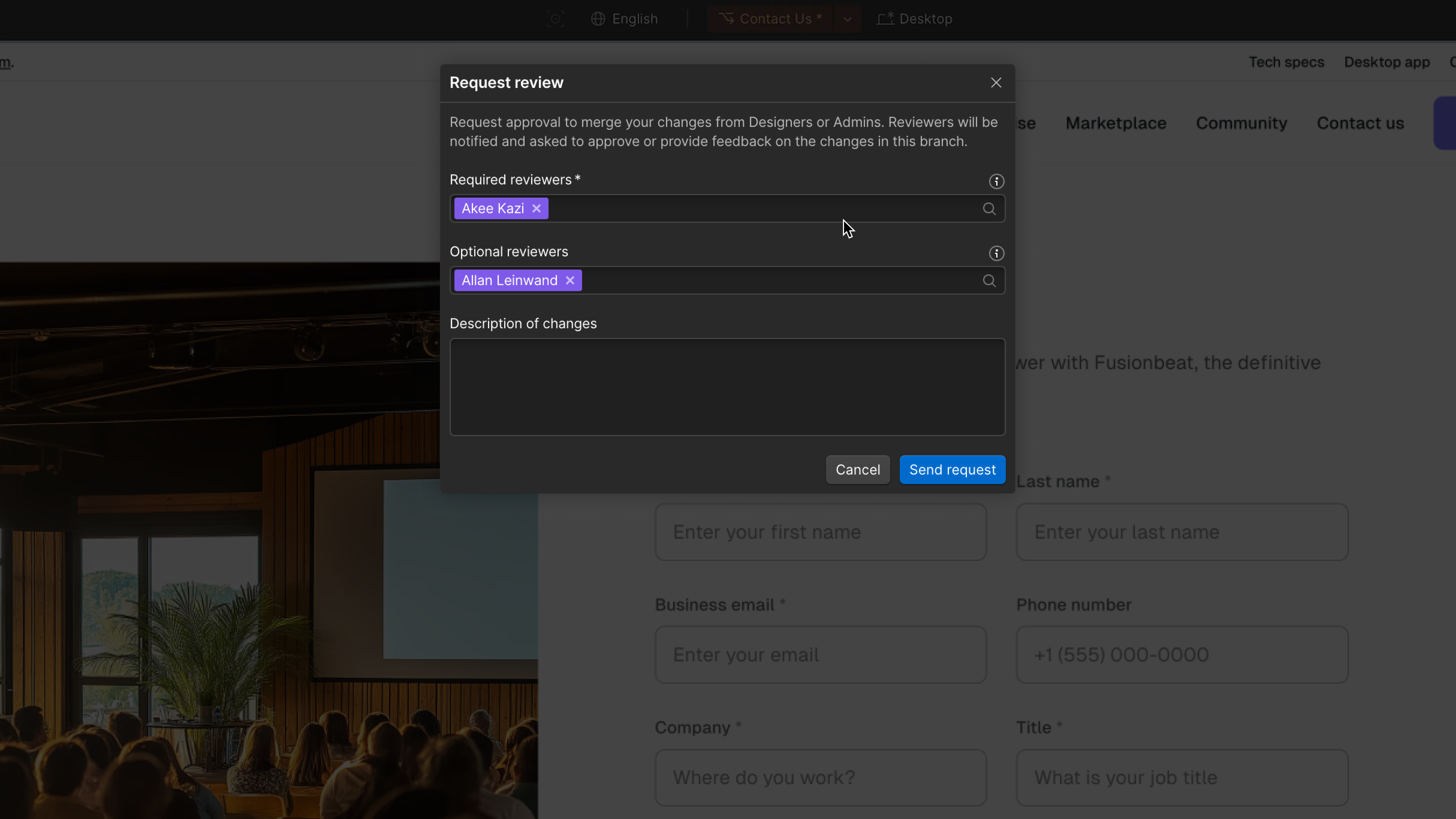
- Review summary. Reviewers will now have a more holistic view of the proposed changes to the page, any context or info from the person who requested the review, as well as the ability to see who has been asked to review the page – all inside of Webflow.
- Optional vs. required reviewers. Requesters can now designate which stakeholders are required to review, and which are optional reviewers. This will unlock the flexibility to set up reviews the way that works best for your team, and adds an extra layer of safety by ensuring that certain reviewers must approve before you're able to merge the changes into the site.
We’ll continue to invest in enterprise-grade workflows like design approvals that add guardrails and quality control steps for larger teams as they build sites together. We’ve released publishing workflows that provide visibility into the proposed changes across staging and production, site-specific access that allows you to control which sites teammates can access, and the Site Activity log that tracks the what, when, and who for important changes made to the site. And there’s so much more to come.
For more details on how to start using design approvals today, check out our Webflow University article or get in touch with our sales team.
Related updates




















Get started for free
Try Webflow for as long as you like with our free Starter plan. Purchase a paid Site plan to publish, host, and unlock additional features.
Try Webflow for as long as you like with our free Starter plan. Purchase a paid Site plan to publish, host, and unlock additional features.